How To Play XNA / FNA Games On Raspberry Pi 4 | Bastion
TL;DR
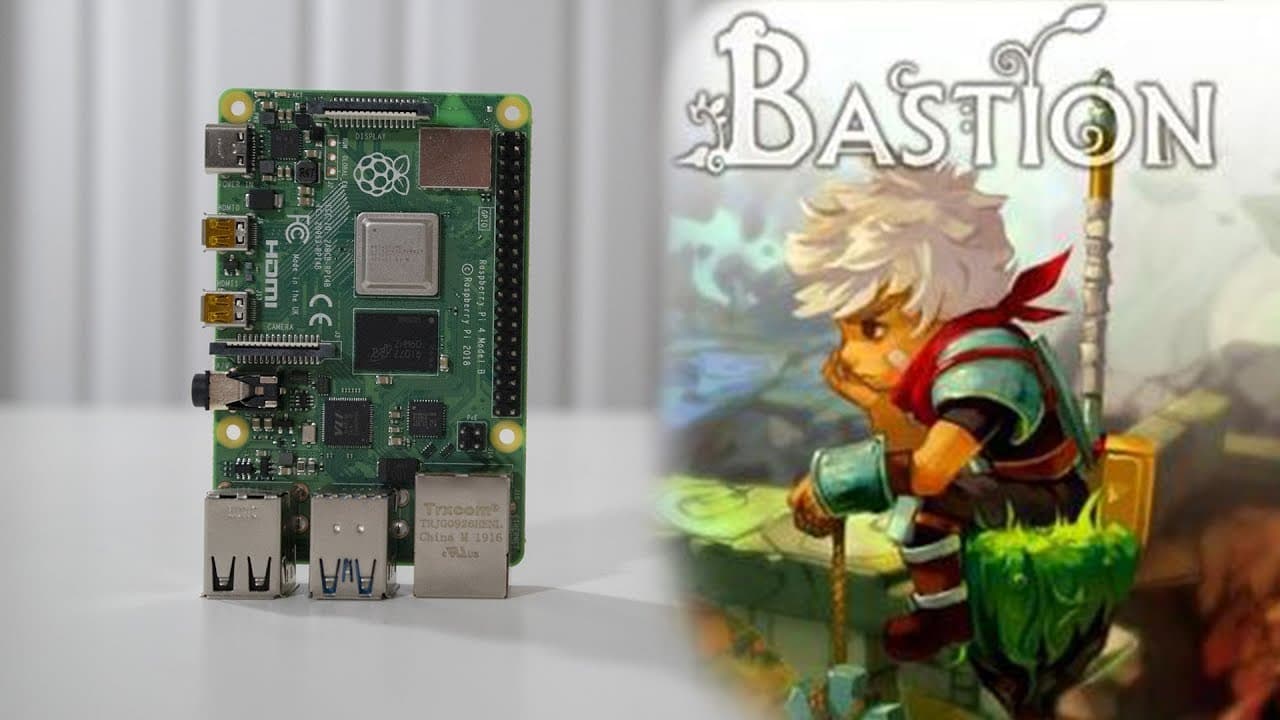
This content explains how to install and play Bastion on a Raspberry Pi 4.
Transcript
hey guys what's going on it's down here from Nova spirit Tech and today we're gonna be installing the game called Bastion and why this is important for the Raspberry Pi 4 so let's get started before we begin I do want to announce that my friend and I created the gaming channel called pandemic playground which I'll leave a link in the description be... Read More
Key Insights
- 👻 The integration of FNA and Mono libraries in gaming allows for the adaptation of indie games to lower-end hardware like the Raspberry Pi 4.
- 👾 Community collaboration, like partnerships with developers such as Pi Labs, is crucial for optimizing game compatibility and expansion in gaming options.
- 🥶 Users are encouraged to download DRM-free games to avoid compatibility issues which arise from restrictions placed by platforms like Steam.
- 🖐️ Overclocking plays a vital role in enhancing gaming performance on the Raspberry Pi, though it requires careful handling of hardware to prevent damage.
- 👾 The installation process involves several steps: downloading libraries, extracting game files, and executing commands through the terminal, making it beginner-friendly with proper guidance.
- ❓ Next steps include subscribing for future content updates, demonstrating the importance of community engagement in gaming development.
- 👤 Visual customization of the Raspberry Pi desktop demonstrates how users can personalize their gaming experience beyond software.
Install to Summarize YouTube Videos and Get Transcripts
Explore YouTube Video Summarizer or Get YouTube Transcript Extractor
Questions & Answers
Q: Why is Bastion significant for Raspberry Pi 4?
Bastion is significant for the Raspberry Pi 4 because it utilizes the FNA engine, which allows for compatibility with several games initially designed for XNA. This opens up a range of gaming options for users interested in playing more sophisticated titles on a lower-powered device like the Raspberry Pi.
Q: What prerequisites are needed before installing Bastion?
Before installing Bastion on the Raspberry Pi, users need to ensure they have DRM-free versions of the game, which can be obtained from platforms like GOG. They also need to install specific libraries and drivers, such as Mesa and Mono, to facilitate the game’s performance and compatibility on the Raspberry Pi.
Q: Can the Raspberry Pi handle other games similar to Bastion?
Yes, the Raspberry Pi can handle other games that use the FNA engine or XNA framework, such as Hyper Light Drifter and Stardew Valley. However, performance can vary based on the game’s requirements and the Raspberry Pi's current hardware capabilities, necessitating potential overclocking for optimal results.
Q: What modifications were made to the Raspberry Pi's desktop environment?
The video creator modified the Raspberry Pi's desktop environment by using a custom theme, specifically the Arc Darker theme for icons and the Darker theme for the desktop setup. They also showcased their Conky script, which helps display system information on the desktop, enhancing the overall user interface.
Q: How can users ensure better performance when running games on the Raspberry Pi?
To ensure better performance when running games on the Raspberry Pi, users are advised to overclock their GPU and CPU. This can significantly improve load times and overall gameplay experience, especially since many games require more graphical processing power than the stock settings can provide.
Q: What troubleshooting tips are provided for aspiring gamers?
The video suggests that if newly installed games aren’t running smoothly, users should check their library paths, ensure they have the right game versions, and consider adjusting the resolution settings. Additionally, overclocking the Raspberry Pi’s performance can resolve slow load times and frame rate drops.
Summary & Key Takeaways
-
The video demonstrates the installation of the game Bastion on a Raspberry Pi 4, emphasizing its importance due to the capabilities of the FNA engine.
-
It highlights the collaborative effort behind game compatibility for the Raspberry Pi, mentioning support from community members and specific libraries needed for installation.
-
Detailed instructions are provided for downloading, extracting, and executing the game files, as well as tips on overclocking for better performance.
Read in Other Languages (beta)
Share This Summary 📚
Summarize YouTube Videos and Get Video Transcripts with 1-Click
Try YouTube Summary with ChatGPT & Claude or YouTube Transcript Generator
Explore More Summaries from Novaspirit Tech 📚






Summarize YouTube Videos and Get Video Transcripts with 1-Click
Try YouTube Summary with ChatGPT & Claude or YouTube Transcript Generator