How to Build a Personalized Claude Workflow
TL;DR
Create reusable writing styles, projects, and skills so Claude retains relevant context, matches your voice, and performs recurring tasks consistently. Improve shallow outputs by requesting level two analysis, defining what deeper reasoning means, and using level three only when necessary, since pushing beyond that can produce responses that are less useful.
Transcript
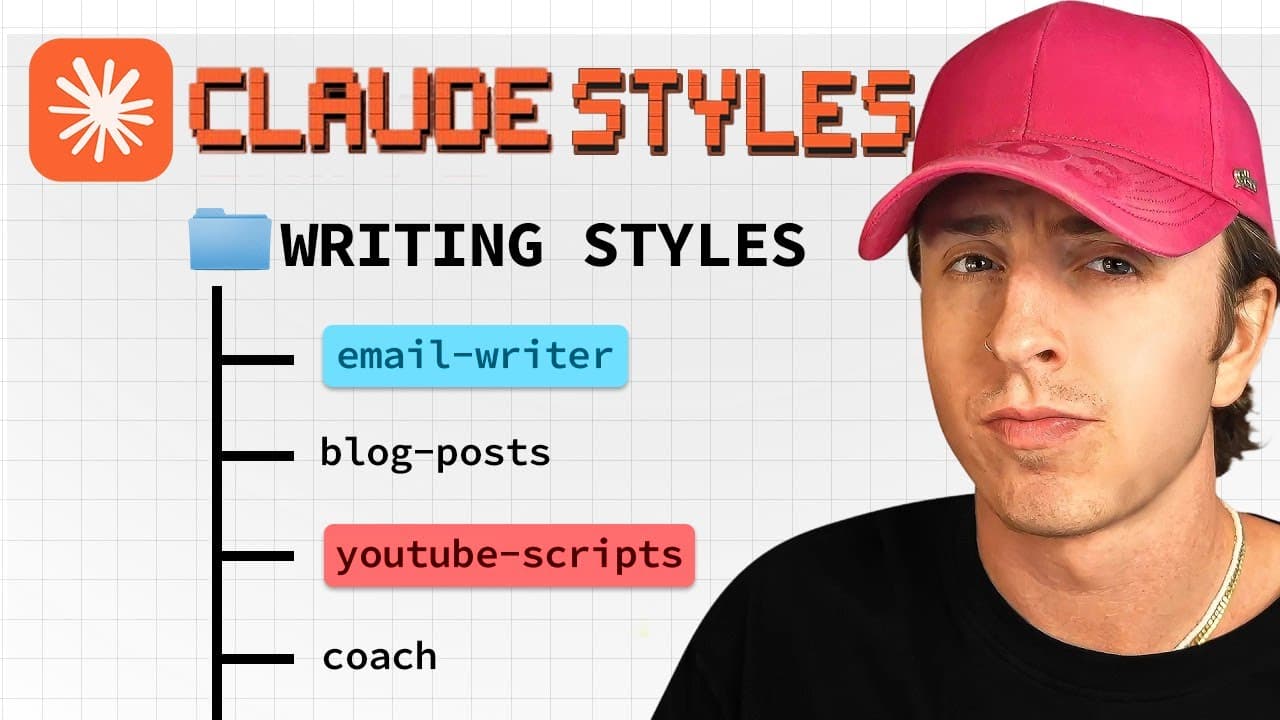
Let's get right into hack number one. This is Claude's custom writing styles feature, and it's a complete game changer for anyone who's using AI to help with writing or wants more concise responses. Here's what it does. It trains Claude to write exactly like you. Here's how you can set it up. In Claude, click the tools drop down near the prompt box... Read More
Key Insights
- Custom writing styles are reusable configurations that help Claude match a person's tone, sentence structure, energy, and level of concision. They can be created from uploaded writing samples or from a detailed description of how the output should sound.
- Writing sample quality is a major factor in the usefulness of a custom style. Emails, blog posts, and scripts should represent the voice a user actually wants Claude to reproduce, because Claude analyzes the submitted tone and sentence structure.
- Claude Projects are persistent workspaces for tasks that recur over time. Preloading audience information, personal stories, preferred advice, and other curated references allows Claude to answer with relevant context instead of requiring that background to be explained repeatedly.
- Effective project instructions are critical to consistent results. The suggested method is to ask Claude to create an optimized system prompt for the project's objective, place that output in the project instructions, and refine it as experience reveals what works.
- Google Docs can serve as a single source of truth for multiple projects. Referencing a document directly reduces manual maintenance because information can be changed in the source file instead of being copied and updated separately across several Claude Projects.
- Claude Skills are procedures designed for small tasks that must be executed repeatedly and consistently. Skill Creator can generate a custom skill after asking clarifying questions, and the completed skill can then be uploaded for use across Claude.
- Shared skills prevent teams from repeatedly solving the same workflow problem. A procedure created by one person can be distributed to colleagues or made available through an open-source repository, allowing others to reuse the same repeatable process.
- Level two prompting is a simple method for moving beyond generic summaries. Users can label an initial answer as level one, request level two analysis, define the distinction with examples, and ask for level three when greater depth is useful.
Install to Summarize YouTube Videos and Get Transcripts
Explore YouTube Video Summarizer or Get YouTube Transcript Extractor
Questions & Answers
Q: How do you make Claude write in your personal style?
Create a custom writing style from the tools menu near the prompt box. You can upload several representative emails, blog posts, or YouTube scripts so Claude can analyze your tone and sentence structure. Alternatively, describe the desired voice with instructions such as writing with energy while remaining concise and clear. Select the saved style whenever you want Claude to use it.
Q: What writing samples should you upload to Claude?
Upload high-quality samples that accurately represent the voice you want Claude to reproduce, such as your emails, blog posts, or YouTube scripts. The source emphasizes that quality in produces quality out, so unsuitable examples may lead to an unsuitable style. A few carefully selected samples can help Claude identify your tone, sentence structure, and recurring writing patterns.
Q: When should you create a Claude Project?
Create a Claude Project when you expect to work on the same subject or workflow repeatedly over time. A project can retain relevant context such as target-audience information, personal experiences, stories, and curated advice. This removes the need to explain the same background in every new conversation and helps Claude produce answers based on information you have deliberately selected.
Q: How should you set up instructions for a Claude Project?
Give the project a clear name, write an overview of its purpose, and add custom instructions that define the desired behavior. Instead of drafting those instructions alone, ask Claude to act as an expert in system prompts and create an optimized prompt for the project's goal. Add that result to the project instructions, then refine it over time based on what works.
Q: Why use Google Docs as a source for Claude Projects?
Google Docs can provide one maintained source of truth for several Claude Projects. Manually copying information into individual projects creates more material that must be maintained separately. By referencing a Google Doc directly, you can change information in the source document and have that updated material available across the projects that reference it, according to the workflow described.
Q: What are Claude Skills best used for?
Claude Skills are best suited to small, repeatable tasks that should be performed consistently across different chats. The example given is a skill that analyzes emails and distinguishes messages requiring an immediate response from those that can wait. Claude's Skill Creator can ask clarifying questions, generate the skill file, and make the resulting procedure available for upload and reuse.
Q: How can teams benefit from sharing Claude Skills?
Teams can turn a solved workflow problem into a reusable skill and distribute it so other members do not have to design the same procedure independently. Skills are easy to share, and people can also publish them in open-source repositories such as GitHub. This allows a repeatable process created by one person to benefit a broader group of users.
Q: How do you get deeper answers from Claude?
Tell Claude that its first answer was a level one response and request a level two response. This encourages analysis that goes beyond restating the supplied material. For better consistency, define what level one and level two mean by providing examples. You can request level three insights for additional depth, but the source recommends stopping there because deeper levels may become less valuable.
Summary & Key Takeaways
-
Custom writing styles let Claude imitate a preferred voice or produce more concise answers. Users can upload strong examples such as emails, scripts, or blog posts, or describe the desired tone directly. Once created, styles can be reused across Claude and toggled according to the writing task.
-
Claude Projects provide persistent context for recurring work. A project can contain audience details, personal experiences, curated advice, instructions, and linked resources. Clear naming, a useful overview, optimized project instructions, and maintained Google Docs help Claude deliver tailored responses without requiring the same background information in every conversation.
-
Claude Skills package repeatable procedures that can work across chats and be shared with a team. For deeper thinking, users can reject a generic answer as level one and request level two or level three analysis. Defining each level with examples helps Claude understand the expected depth and perspective.
Read in Other Languages (beta)
Share This Summary 📚
Summarize YouTube Videos and Get Video Transcripts with 1-Click
Try YouTube Summary with ChatGPT & Claude or YouTube Transcript Generator
Explore More Summaries from Austin Marchese 📚





Summarize YouTube Videos and Get Video Transcripts with 1-Click
Try YouTube Summary with ChatGPT & Claude or YouTube Transcript Generator