How to Secure Smart Voice Assistants at Home
TL;DR
Secure a smart voice assistant by enabling automatic updates, reviewing its settings, disabling unused features, and linking only accounts and services you actually need. These devices can expose information or execute unwanted commands when misused by people nearby, triggered through inaudible or broadcast audio, or targeted through compromised home devices and unpatched Wi-Fi or Bluetooth vulnerabilities.
Transcript
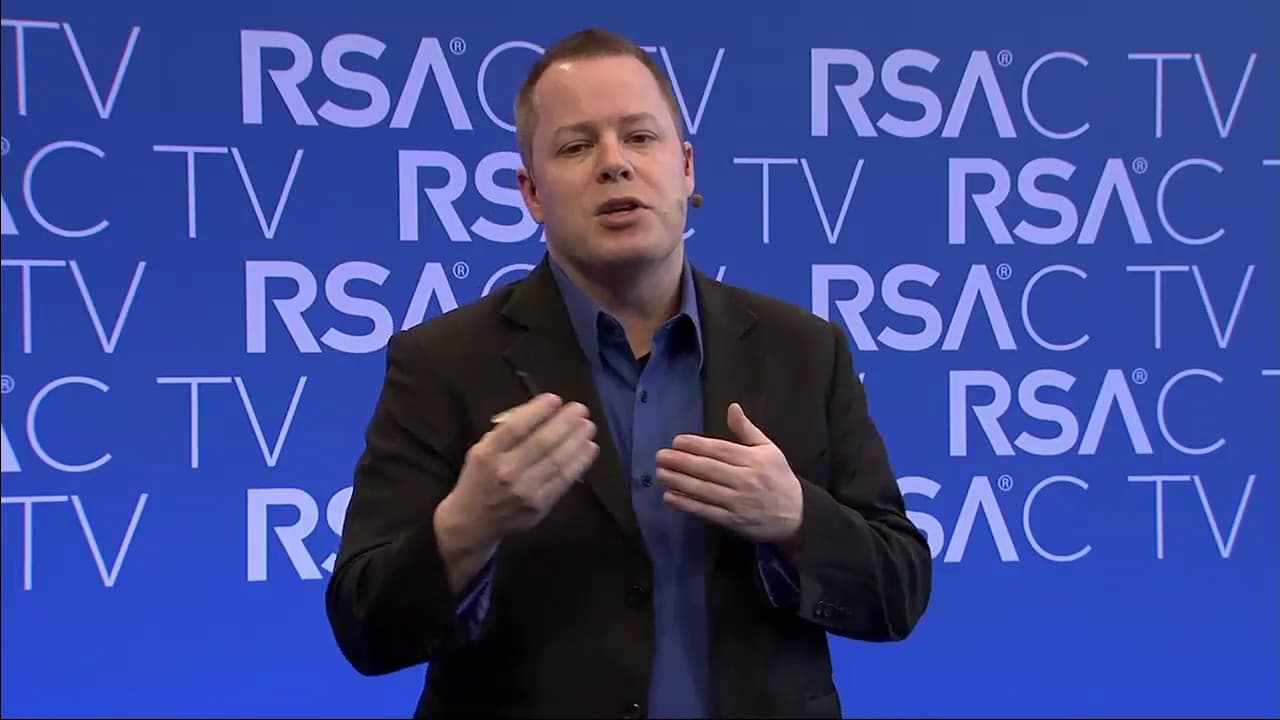
Hello and welcome everyone. My name is Kenneth West. I'm a threat researcher with Symantec's Global Security Response Team, and it's my pleasure to talk about the potential risks and other avenues of attack with smart speaker at home. I mean, have you ever imagined if one day we will probably live in a world where there might be some voice assistan... Read More
Key Insights
- Smart speakers are always listening for a designated wake word, but they do not normally record continuously. After detecting a phrase such as Alexa or Okay Google, the device records the command and sends it through an encrypted TLS connection to a cloud service for processing.
- Voice assistants can control both information and physical functions within a home. Their capabilities include reporting weather and traffic, playing music, controlling lights, checking calendars, reading messages, accessing financial information, making purchases, and supporting walkie-talkie-style access for approved contacts.
- Local access is a significant security risk because smart speakers may accept commands from anyone within speaking range. Friends, guests, or children can create nuisance alarms, alter connected devices, retrieve private information, or place unauthorized orders through enabled shopping functions.
- A purchase PIN reduces accidental or unauthorized shopping but does not fully solve the problem. Because users must speak the code aloud, children or other nearby listeners can memorize it and reuse it, making trust and physical proximity important parts of voice-assistant security.
- Ultrasonic commands can communicate instructions that a person cannot hear but a smart speaker can understand. An attacker within suitable range could therefore trigger actions without an audible command, although a person who is present may still hear the device's response and cancel the action.
- False activations can occur when a smart speaker mistakes random speech or noise for its wake word or another command. Reported effects included unexpected music at full volume and devices laughing after interpreting background sounds as commands, creating disruption even without a deliberate attacker.
- Remote audio can trigger voice assistants when commands are delivered through advertisements or other broadcasts. Vendors can filter known phrases at the back end, but transmitted commands may still cause unwanted actions such as searching, changing heating, shutting down a television, or activating connected services.
- Risk reduction depends on limiting both technical exposure and connected data. Users should enable automatic updates, verify device settings, disable shopping or other unused features, and avoid linking calendars, accounts, or sensitive services unless those connections are necessary.
Install to Summarize YouTube Videos and Get Transcripts
Explore YouTube Video Summarizer or Get YouTube Transcript Extractor
Questions & Answers
Q: How do smart voice assistants process spoken commands?
A smart speaker uses its microphones to listen for a designated wake word, such as Alexa or Okay Google. It does not normally record everything continuously. Once it detects the wake word, it records the following command and sends that audio through an encrypted TLS connection to a cloud back end. The service interprets the voice pattern, determines the requested action, and returns information or controls a connected function.
Q: What security risks come from people inside the home?
Anyone close enough to speak to the device may be able to issue commands, including friends, dinner guests, and children. They can change music or lighting, set unwanted alarms, inspect calendar entries, read text messages, check linked financial information, or make purchases. The severity depends on which services and accounts are connected, so unnecessary features and sensitive links should be disabled.
Q: Can children make purchases through a smart speaker?
Children can place orders when a smart speaker's online shopping function is enabled, and the talk describes past instances in which children ordered toys. A purchase PIN can limit the damage, but it must be spoken aloud. Children may hear, remember, and later reuse that code. Disabling shopping entirely is the safer configuration when the household does not need voice purchasing.
Q: How can nearby attackers trigger a voice assistant?
A nearby person can shout a command through an open window or use ultrasonic audio that humans cannot hear but the device can interpret. Such an action may be noticed if someone is home and hears the assistant's response. It becomes harder to detect when residents are asleep or away, allowing unwanted music, purchases, alarms, or connected-device changes to occur without immediate intervention.
Q: Why do smart speakers sometimes activate without a command?
A smart speaker can misinterpret random speech, muttering, or background noise as its wake word or as an instruction. The talk describes unexpected music playing at full volume and Amazon Echo devices beginning to laugh after detecting sounds incorrectly. These incidents may resemble deliberate attacks, but they can also result from errors in recognizing words and ambient audio.
Q: Can television advertisements control smart speakers?
Audio transmitted through advertisements can contain phrases that trigger nearby voice assistants. The effect may be an unwanted search or another connected action, rather than a conventional intrusion. According to the talk, vendors can filter known triggering phrases at the back-end server so devices stop responding to them, but broadcast audio remains a possible source of annoying or costly commands.
Q: How can compromised home devices threaten a smart speaker?
An infected laptop or another compromised device on the home network may be used to target the smart speaker. The talk identifies possible consequences such as performing a factory reset, reading a Wi-Fi password for a later attack, installing a cryptocurrency miner, or participating in a distributed denial-of-service attack. These possibilities resemble threats already associated with other connected household devices.
Q: How should users secure a smart voice assistant?
Users should verify the device's settings, make sure updates are installed automatically, and confirm that known Wi-Fi or Bluetooth vulnerabilities have been patched. They should connect only the accounts and services they intend to use. If voice shopping, calendar access, or another function is unnecessary, it should be disabled or left unlinked so a successful command cannot expose sensitive information or cause unwanted actions.
Summary & Key Takeaways
-
Smart speakers continuously listen for a wake word but begin recording commands only after they detect it. The recording travels through an encrypted TLS connection to a cloud service, which interprets the request and returns information or controls connected functions such as music, lighting, traffic reports, weather reports, calendars, and shopping.
-
People inside a home can misuse a voice assistant to change device settings, set unwanted alarms, make purchases, or access linked information such as calendars, text messages, and financial details. Children have ordered toys through shopping functions, while spoken purchase PINs provide limited protection because anyone nearby can hear and remember them.
-
Threats can also originate outside the home or through compromised devices. Audible shouting, ultrasonic commands, advertisements, false wake-word detections, Wi-Fi or Bluetooth flaws, and infected laptops can trigger actions or support broader attacks. Users should install updates, inspect privacy settings, disable unnecessary functions, and avoid linking sensitive accounts without a clear need.
Read in Other Languages (beta)
Share This Summary 📚
Summarize YouTube Videos and Get Video Transcripts with 1-Click
Try YouTube Summary with ChatGPT & Claude or YouTube Transcript Generator
Explore More Summaries from RSAC Cybersecurity 📚





Summarize YouTube Videos and Get Video Transcripts with 1-Click
Try YouTube Summary with ChatGPT & Claude or YouTube Transcript Generator