What Is the Difference Between Absolute and Relative Positioning in CSS?
TL;DR
Absolute positioning places an element relative to its closest positioned ancestor, while relative positioning moves an element based on its original position in the layout. Relative positioning maintains the element's space in the flow, whereas absolute positioning removes it from the flow, allowing for precise placement within a container.
Transcript
hey how's it going everyone i hope you're having a great day welcome back to another video in this video i want to talk about positioning so relative positioning versus absolute positioning and one of my subscribers asked me did i explain it and i'll try to do the best i can to explain it but it's kind of confusing i think so that is something that... Read More
Key Insights
- 👻 Relative positioning allows for minor adjustments without removing elements from the document flow, maintaining the layout structure.
- 🥇 Absolute positioning grants freedom to place elements precisely, which is especially useful for creating modular and responsive designs.
- ❓ Understanding how nested containers interact with positioning is vital for complex layouts.
- 💁 Using CSS positioning strategically optimizes UI components - for example, tool tips must be positioned relative to triggers for coherent interaction.
- 🧘 The layout behavior of elements shifts significantly based on the position properties applied to parent containers.
- 🤯 Developers must keep in mind how positioning can affect responsive layouts to ensure consistency across different screen sizes.
- 🥺 Ensuring parent elements are correctly set for absolute positioning leads to better control and predictability in web designs.
Install to Summarize YouTube Videos and Get Transcripts
Explore YouTube Video Summarizer or Get YouTube Transcript Extractor
Questions & Answers
Q: What is the key difference between relative positioning and absolute positioning in CSS?
The primary difference lies in their reference points. Relative positioning moves an element from its original position without altering the layout of surrounding elements, while absolute positioning places an element in relation to its nearest positioned ancestor, disregarding the document's normal flow.
Q: How does relative positioning affect the layout of surrounding elements?
Relative positioning does not affect the surrounding elements because it keeps the original space occupied by the element. Thus, when you move an element relative to its original position, elements that follow it in the layout will not adjust their positions accordingly, which can lead to overlapping elements.
Q: Why is it important to set a parent container's position before using absolute positioning on children?
Setting a parent container's position is crucial because absolute positioning relies on the nearest ancestor with a position other than static. If no such ancestor is found, the element is positioned relative to the entire page, potentially leading to unexpected results when trying to keep elements together within a specific section of a layout.
Q: Can you provide an example of how to use absolute positioning effectively?
An effective use of absolute positioning could be in UI design, such as placing a tooltip or dropdown menu. By setting an element's position to absolute within a parent that has relative positioning, you can enable precise control over its placement, regardless of the surrounding layout, enhancing user interaction and interface design.
Summary & Key Takeaways
-
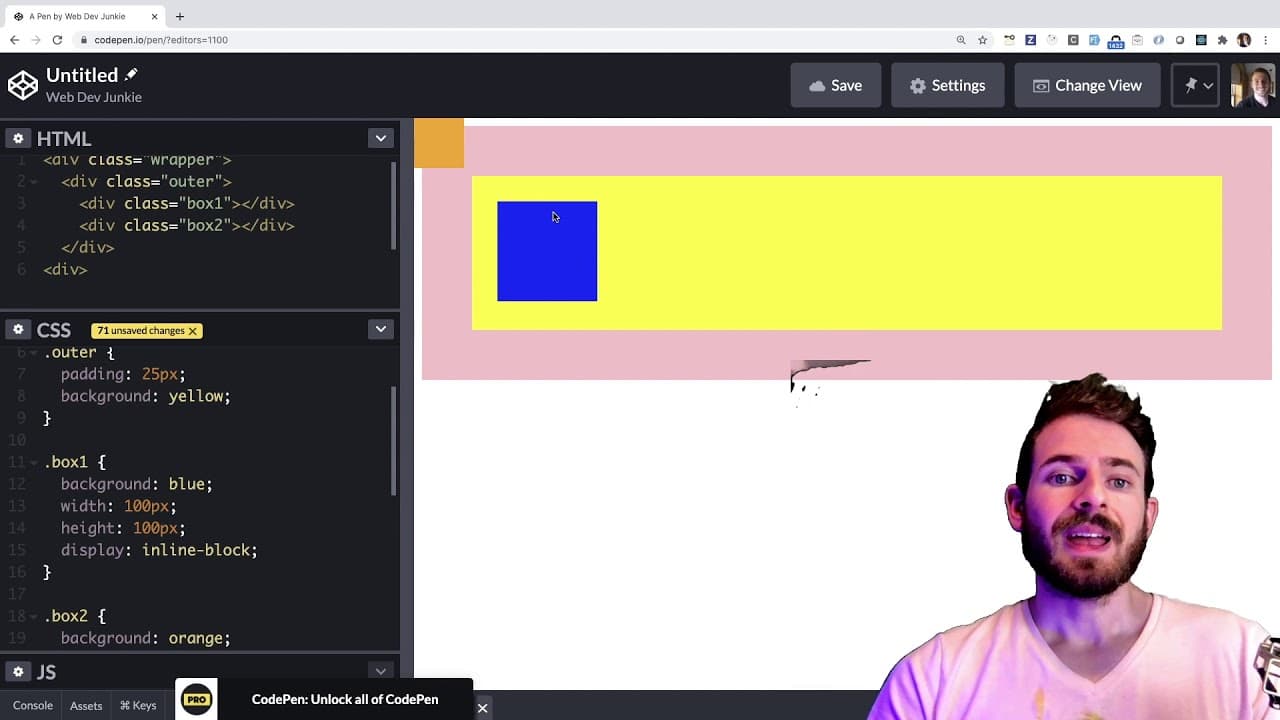
The video discusses the concepts of relative and absolute positioning in CSS, providing clarity on how elements are moved in relation to their original positions on the page.
-
Relative positioning moves an element based on its initial location, while absolute positioning locates an element in relation to its nearest positioned ancestor, creating flexible layouts.
-
Practical examples demonstrate how to manipulate positions using CSS properties like top, left, bottom, and right, emphasizing their impact on the overall layout of web elements.
Read in Other Languages (beta)
Share This Summary 📚
Summarize YouTube Videos and Get Video Transcripts with 1-Click
Try YouTube Summary with ChatGPT & Claude or YouTube Transcript Generator
Explore More Summaries from Web Dev Cody 📚





Summarize YouTube Videos and Get Video Transcripts with 1-Click
Try YouTube Summary with ChatGPT & Claude or YouTube Transcript Generator