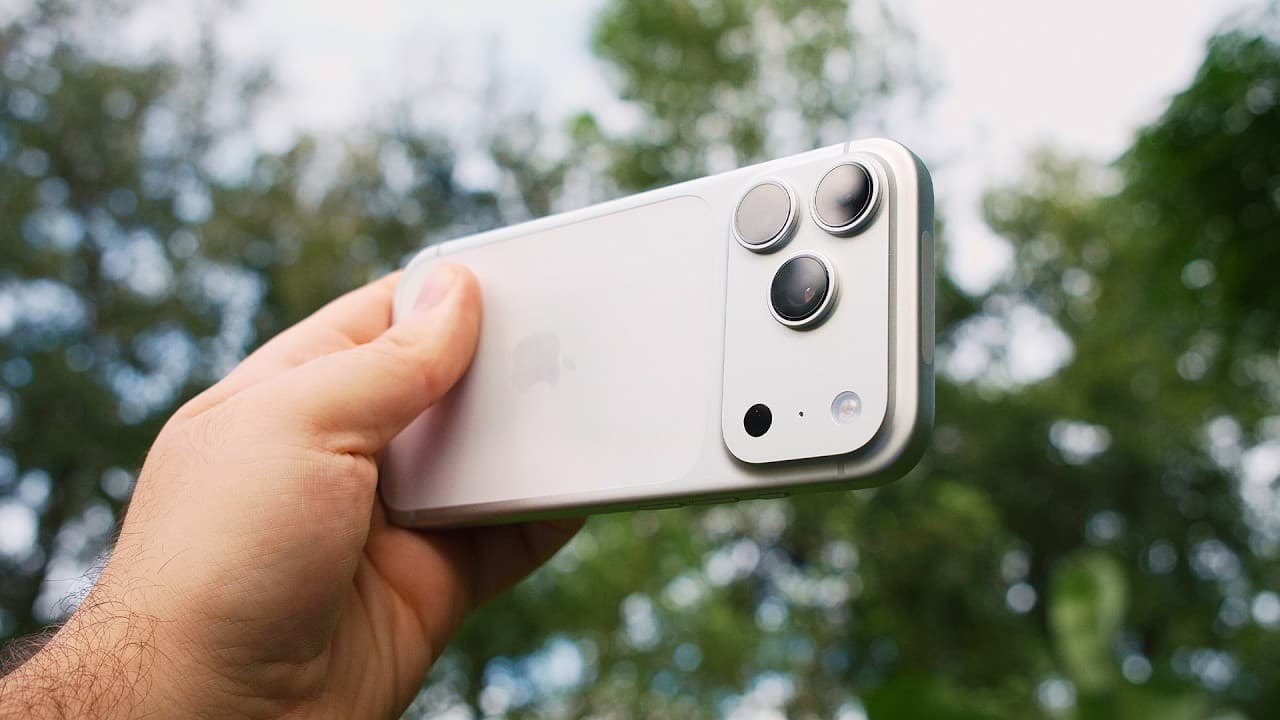
How to Set Up iPhone 17 Pro for Better Video
TL;DR
Set the iPhone 17 Pro to 4K at 24 fps for long-form recording or 4K at 30 fps for social media, since the default is 1080p at 30 fps. Turn off HDR unless you can color grade it, choose stereo audio for wider platform compatibility, and enable ProRes with log when maximum grading flexibility is required.
Transcript
Take a look at these two videos. At first glance, you think that they were shot on completely different cameras, but in fact, both were shot on the iPhone 17 Pro. One used the default settings, while the other one used manual controls. This proves that the iPhone can deliver stunning pro video, but only if you dial in the right settings, which is e... Read More
Key Insights
- The iPhone 17 Pro defaults to 1080p at 30 fps, which does not use the full recording resolution available from its cameras. Changing the setting to 4K is the first recommended adjustment for YouTube, social media, or footage intended for editing.
- A 4K frame rate should match the intended platform and style. The guide recommends 24 fps for most people and long-form content, 30 fps for TikTok or Instagram, and the optional PAL setting when 25 fps is specifically required.
- HDR video can look impressive on the iPhone display but may produce washed-out colors on YouTube or displays that do not support HDR. Turning HDR off is the safer choice unless the footage will be handled through a deliberate HDR color-grading workflow.
- Slow-motion quality depends on whether speed or resolution matters more. Recording at 1080p and 240 fps produces the smoothest and slowest footage, while 4K at 120 fps captures more detail and still delivers a strong slow-motion effect.
- Stereo audio provides a clean, balanced recording that is less likely to cause playback problems on platforms that may not support spatial audio. Wind noise reduction can remain enabled when outdoor wind is a concern, although it adds processing.
- High Efficiency format creates smaller files while maintaining high image quality through compression. Most Compatible may be a better choice when footage must be edited on an older laptop that could have difficulty working with the more efficient format.
- ProRes with log is recommended when maximum image quality and color-grading flexibility are priorities. Log produces a flatter image designed for adjustment during editing, while advanced features such as ProRes Raw and open gate recording require a separate camera application.
- Action mode stabilizes very shaky handheld footage when a gimbal is unavailable, but it crops the image heavily and needs substantial light. It should remain off unless the extra stabilization is necessary for the shot.
- Related book: YouTube Secrets
Install to Summarize YouTube Videos and Get Transcripts
Explore YouTube Video Summarizer or Get YouTube Transcript Extractor
Questions & Answers
Q: How should I configure iPhone 17 Pro video resolution and frame rate?
Change the default recording option from 1080p at 30 fps to 4K. Choose 4K at 24 fps for long-form videos or when you want the guide’s preferred general setting. Select 4K at 30 fps if your work primarily goes to TikTok or Instagram. Enable PAL formats only when you specifically need to record at 25 fps.
Q: Why should HDR video be turned off on the iPhone 17 Pro?
HDR video can look impressive when previewed on the iPhone, but many displays are not HDR capable. After footage is uploaded to YouTube or shown on a non-HDR display, its colors may appear washed out. Unless you know how to color grade HDR footage and have a suitable workflow, turning HDR off provides safer and more consistent results.
Q: What are the best iPhone 17 Pro slow-motion settings?
Use 1080p at 240 fps when the priority is producing the smoothest and slowest possible footage. Choose 4K at 120 fps when retaining more image detail matters more than achieving the maximum slowdown. The 120 fps option still creates an effective slow-motion look while delivering the higher image quality associated with 4K recording.
Q: How should cinematic mode be configured for shallow depth of field?
Set cinematic mode to at least 4K at 24 fps when you want to simulate a shallow depth of field. This gives the mode a higher recording resolution and the frame rate recommended for that visual style. Cinematic mode is specifically presented as an option for creating the appearance of greater subject separation rather than ordinary video capture.
Q: Should iPhone 17 Pro video use spatial audio or stereo?
Stereo is the recommended choice for clean, balanced sound and more predictable playback after uploading. Spatial audio can create an immersive experience when heard through headphones, but it may sound unusual on platforms such as YouTube if they do not support it properly. Wind noise reduction can remain enabled when wind is likely to affect the recording.
Q: When should I use ProRes and log recording on iPhone 17 Pro?
Enable ProRes and select log encoding when you want the best available image quality and plan to color grade the footage. Log records a flatter-looking image that offers greater flexibility during editing. These settings are most useful for a controlled post-production workflow, while ProRes Raw video and open gate recording require another app, such as Final Cut Camera or Blackmagic Camera.
Q: What do Action mode and dual capture do on iPhone 17 Pro?
Action mode applies strong stabilization to very shaky footage and can create smoother results when a gimbal is unavailable. It also crops the picture heavily and requires plenty of light, so it should stay off when that stabilization is unnecessary. Dual capture records the selfie and rear cameras together, which can help with vlogs or reactions, but the combined result cannot be removed afterward.
Q: Which iPhone 17 Pro lens options are available for video?
The camera app offers a 0.5x ultrawide view with a 13 mm equivalent, a 1x wide camera with a 24 mm equivalent, and a 2x crop that produces roughly a 48 mm field of view. The 4x telephoto provides a 100 mm equivalent, and an additional crop reaches a 200 mm equivalent field of view.
Summary & Key Takeaways
-
The recommended starting point is 4K recording rather than the default 1080p at 30 fps. The guide favors 24 fps for long-form videos and 30 fps for TikTok or Instagram, while PAL formats provide 25 fps when specifically needed. HDR should remain off unless the editor understands HDR color grading.
-
Slow-motion settings involve a choice between speed and detail. Recording at 1080p and 240 fps creates the smoothest, slowest result, while 4K at 120 fps preserves more image detail. Cinematic mode should use at least 4K at 24 fps when the goal is a simulated shallow depth of field.
-
ProRes with log provides a flatter image and more flexibility during color grading. High Efficiency reduces file sizes while retaining image quality, although Most Compatible may suit older editing computers. Grid and level tools help composition, while Action mode, dual capture, exposure compensation, and multiple focal lengths address specialized shooting situations.
Read in Other Languages (beta)
Share This Summary 📚
Summarize YouTube Videos and Get Video Transcripts with 1-Click
Try YouTube Summary with ChatGPT & Claude or YouTube Transcript Generator
Explore More Summaries from Think Media 📚




Summarize YouTube Videos and Get Video Transcripts with 1-Click
Try YouTube Summary with ChatGPT & Claude or YouTube Transcript Generator