How to Create a React App That Places Circles with Undo/Redo
TL;DR
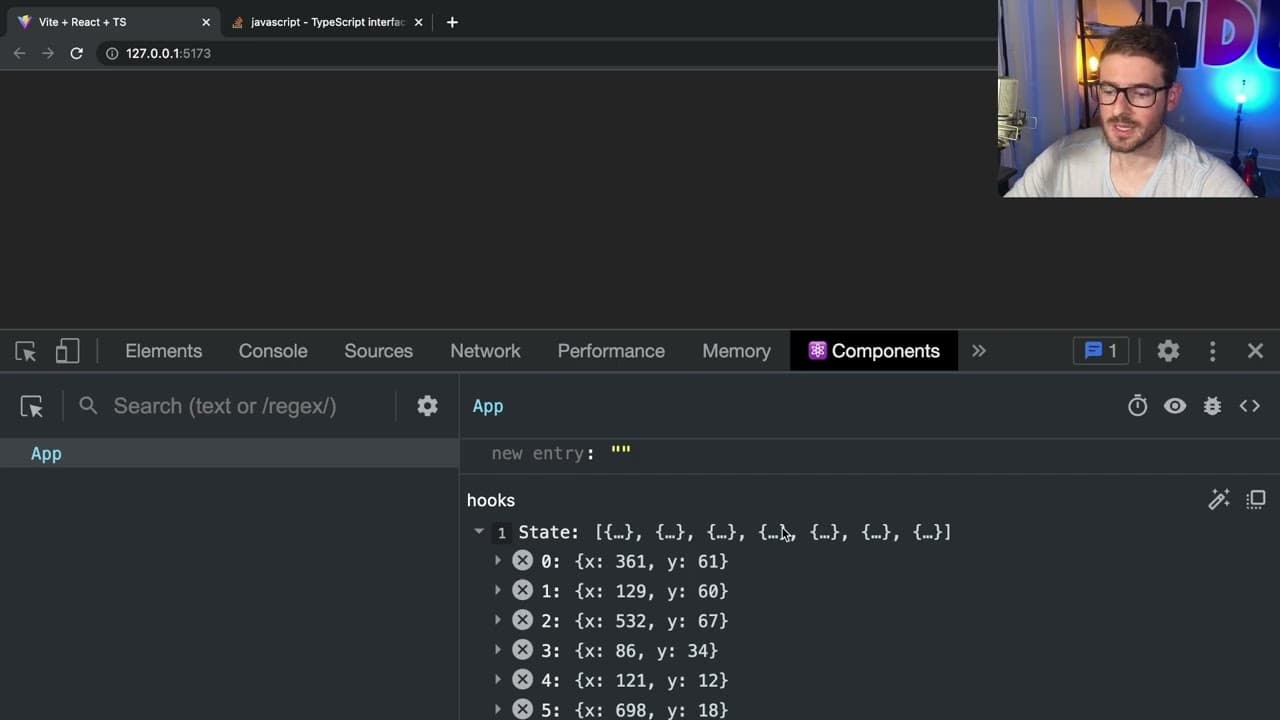
To create a React app that allows circles to be placed on clicks with undo and redo functionality, use state to track points and handle click events for accurate placement. Implement undo and redo logic with stacks, utilizing TypeScript for type safety. Ensure styles are set correctly to handle user interactions seamlessly.
Transcript
all right how's it going welcome back to another react beginner interview challenge problem now I don't know if this is truly like what you'd be asked to interview but I'm kind of just titling that because I think this is something that might be fair game in a junior interview position or maybe like a more like mid regardless it's a cool challenge ... Read More
Key Insights
- 👤 Successful React applications need to effectively manage state and update components in response to user actions.
- 🖐️ Styles play a crucial role in ensuring that interactivity (like click events) is functional; thus, adequate height and margin settings are essential.
- 👨💻 Utilizing TypeScript can enhance code reliability and make development easier by catching errors early.
- 🦻 Understanding event properties like
clientXandclientYaids in accurately placing elements based on user input. - ⚾ Implementing stack-based logic for undo/redo actions demonstrates knowledge of data structures and their application within React components.
- 🤩 Clear and effective component structure, along with key management, is vital for React’s rendering efficiency.
- 👤 Building applications involves iterative testing and debugging to refine functionality and user experience.
Install to Summarize YouTube Videos and Get Transcripts
Explore YouTube Video Summarizer or Get YouTube Transcript Extractor
Questions & Answers
Q: What is the primary objective of the React application being developed in the video?
The main goal is to create an interactive web application where the user can click anywhere on the page to place circles and manage those placements using undo and redo functionalities. This challenge aims to assess candidates’ understanding of React state management and event handling.
Q: How does the presenter suggest managing the click events for placing circles?
The presenter implements the onClick event handler to capture the user's clicks. By using clientX and clientY properties from the click event, the application calculates where to place circles based on user interactions, allowing dynamic updates to the application state.
Q: Why is it necessary to style the app component with sufficient height?
The app component needs to have a defined height so that the click events can be detected properly. Without sufficient height or dimensions, the click listener will not trigger, leading to no circles being placed, as there would be no valid area to register clicks.
Q: How does the presenter implement the undo and redo functionality in their code?
The undo functionality is implemented by removing the last point from the state array when the undo button is clicked, while redo allows the user to restore the most recently removed point. The presenter uses separate state arrays to manage added points and popped points effectively, showcasing both operations’ logic.
Q: What is the importance of using a unique key in React when rendering lists?
A unique key is essential for React to efficiently update and manage lists of elements. It identifies which items have changed, been added, or removed during re-renders. Incorrect key management can lead to errors and unintended UI behavior when updating the application state.
Q: Can you explain how the presenter utilizes TypeScript in the development process?
The presenter uses TypeScript for type-checking, which involves specifying types for state variables and event parameters. By doing so, this enhances the code quality and clarity, ensuring that potential errors are caught during development, thereby demonstrating understanding and proficiency in using TypeScript with React.
Q: What strategies does the presenter suggest for debugging the application?
The presenter encourages using the console to log events and state changes for real-time debugging and understanding how user interactions affect the application. They emphasize testing the application at various stages to verify functionality and make necessary corrections, showcasing systematic debugging approaches.
Q: How does the presenter address styling for the circles placed on the page?
The presenter styles the circles using CSS by creating a class that sets properties like border-radius, width, and height. Additionally, they use position: absolute so that the placed circles align closely with where users click, ensuring the circles are shown accurately on the screen.
Summary & Key Takeaways
-
The video presents a challenge to create a React application that allows users to click anywhere on a page to place circles while incorporating undo and redo actions.
-
The presenter demonstrates handling click events in React while utilizing TypeScript to manage state updates, ensuring elements are rendered based on user interactions.
-
Styling issues are resolved, and final features include managing a stack of points for undoing and redoing user actions, effectively showcasing React's state management.
Read in Other Languages (beta)
Share This Summary 📚
Summarize YouTube Videos and Get Video Transcripts with 1-Click
Try YouTube Summary with ChatGPT & Claude or YouTube Transcript Generator
Explore More Summaries from Web Dev Cody 📚





Summarize YouTube Videos and Get Video Transcripts with 1-Click
Try YouTube Summary with ChatGPT & Claude or YouTube Transcript Generator