How to Design YouTube Thumbnails That Get Clicks
TL;DR
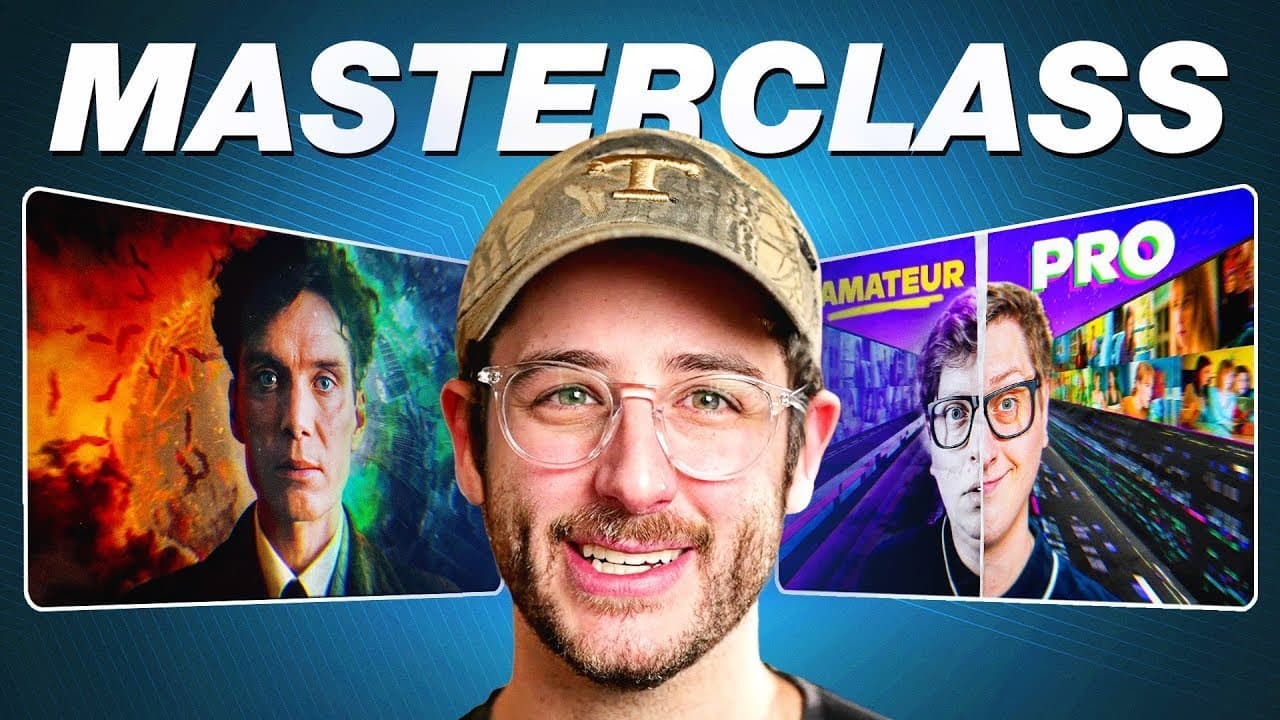
Composition is the foundation of an effective thumbnail, but the image must also make a promise that the opening seconds immediately fulfill. Build clean mockups, simplify distracting elements, use strong visual direction, and match the thumbnail to the title and content. AI can accelerate ideation, upscaling, and background creation, but expensive tools are not required.
Transcript
what makes a good thumbnail that gets clicked composition is King baby when I'm talking to creators we'll talk about the title we'll talk about the thumbnail and then I'll say Okay now what's your first 5 seconds I made a thumbnail with Max it's an image of him with a cow with a police officer and then you click the video and right away you're conf... Read More
Key Insights
- Composition is the primary foundation of a clickable thumbnail. Subjects, backgrounds, text, and directional elements should form a clear visual hierarchy so viewers understand the central idea quickly instead of searching through numerous small or distracting details.
- The first five to ten seconds should deliver the payoff promised by the thumbnail. A thumbnail featuring a creator, a cow, and a police officer worked because the opening immediately showed the creator walking through London with the cow.
- A recognizable thumbnail style can be improved through simplification. Curtis Connor’s scrapbook format uses a reaction image, yellow Helvetica text, and layered background material, while the updated approach cleans up the arrangement without abandoning the visual language he helped establish.
- High-quality source footage makes reaction thumbnails easier to produce. A short clip containing three or four expressions, recorded with a good camera and lighting, gives the designer clean frames that can be extracted and combined with generated or referenced assets.
- AI upscaling can make blurry source material more usable in thumbnails. Magnific AI creates a sharper representation based on the imported image, which helps when commentary creators must feature low-quality TikTok footage or other small reference images.
- Conversational AI can function as a visual brainstorming partner. A designer can describe the creator, subject, desired positioning, lighting, and leading lines, then request several revisions until four or five mockups provide useful directions for discussion.
- Simple AI outputs can be more practical than highly detailed ones. DALL-E may produce cleaner, more minimal backgrounds, while Midjourney can introduce realistic but unnecessary elements such as wires or trash cans that require additional removal.
- Expensive software is not required to make an effective thumbnail. AI tools and Photoshop can support a professional workflow, but a strong concept, simple composition, limited text, visual focus, and honest alignment with the content remain the essential ingredients.
- Related book: YouTube Secrets
Install to Summarize YouTube Videos and Get Transcripts
Explore YouTube Video Summarizer or Get YouTube Transcript Extractor
Questions & Answers
Q: How do professional YouTubers design clickable thumbnails?
Professional thumbnail design starts with the video’s title, subject, and intended opening. The creator and designer discuss the central promise, exchange possible visual ideas, and capture several suitable expressions. The designer then builds multiple mockups, simplifies the composition, selects the clearest direction, and replaces rough or generated elements with the strongest available assets.
Q: What makes a YouTube thumbnail effective?
An effective YouTube thumbnail presents one understandable idea through strong composition, balance, and visual focus. The subject should be easy to identify, and supporting objects or text should reinforce the central promise without adding clutter. The thumbnail must also represent the actual content honestly, with the opening seconds confirming what viewers expected when they clicked.
Q: Why should the opening match the YouTube thumbnail?
The opening should match the thumbnail because viewers click with a specific expectation created by that image. Delivering a recognizable payoff within the first five to ten seconds confirms that the video will fulfill its promise. The example discussed shows the featured creator, cow, and setting immediately, directly connecting the thumbnail concept to the footage.
Q: How can ChatGPT and DALL-E help create thumbnails?
ChatGPT with DALL-E can convert a conversational description into thumbnail mockups. A designer can provide context about the creator, video topic, featured product, subject placement, mood, and leading lines, then request visual revisions. Producing four or five options gives the designer and client concrete directions to compare before assembling the final thumbnail from actual assets.
Q: How does AI upscaling improve thumbnail images?
AI upscaling can transform a blurry or low-quality reference into a sharper, cleaner representation of the imported image. This is useful for reaction and commentary channels that rely on TikTok clips or other weak source material. David Altizer uses Magnific AI in a daily professional workflow, particularly when an enlarged reference would otherwise make the thumbnail look low quality.
Q: When should a thumbnail designer use Midjourney or DALL-E?
Midjourney can be useful when a more advanced or photorealistic generated image is wanted, but its detailed results may include unnecessary background objects that require cleanup. DALL-E can be preferable for simple, minimal mockups and backgrounds. The designer can then upscale a cleaner DALL-E output with Magnific AI and bring the resulting asset into Photoshop.
Q: How can creators improve an established thumbnail style?
Creators can improve an established thumbnail style by preserving its recognizable features while reducing clutter and strengthening its hierarchy. For Curtis Connor’s scrapbook approach, the familiar reaction image, yellow Helvetica text, and layered background remain part of the design language. The improvement comes from simplifying, cleaning, and elevating those elements rather than replacing the style completely.
Q: Do creators need AI tools and Photoshop for good thumbnails?
Creators do not need AI tools, expensive upscaling services, or Photoshop to make a good thumbnail. The discussion identifies composition, simplicity, balance, limited text, and a clear connection to the video as the important principles. Paid tools can accelerate mockups, sharpening, background generation, and assembly, but they support the concept rather than creating its effectiveness by themselves.
Summary & Key Takeaways
-
Professional thumbnail design begins with a clear concept connected to the title and opening footage. David Altizer discusses ideas with creators, obtains several well-lit reaction shots, and develops multiple mockups before selecting a direction. The finished thumbnail simplifies the creator’s established visual identity instead of replacing what audiences already recognize.
-
AI supports several stages of the workflow. ChatGPT with DALL-E can turn a conversational description into visual mockups, while Magnific AI can sharpen low-quality references or make simple generated assets appear more realistic. These outputs provide inspiration and usable components, but final assembly and cleanup can still happen in Photoshop.
-
A thumbnail should communicate one focused visual idea through composition, balance, and controlled detail. Leading lines can guide attention toward the main subject, while unnecessary background objects should be removed. Most importantly, the opening five to ten seconds should confirm the thumbnail’s promise, giving viewers an immediate payoff after they click.
Read in Other Languages (beta)
Share This Summary 📚
Summarize YouTube Videos and Get Video Transcripts with 1-Click
Try YouTube Summary with ChatGPT & Claude or YouTube Transcript Generator
Explore More Summaries from Think Media 📚
Summarize YouTube Videos and Get Video Transcripts with 1-Click
Try YouTube Summary with ChatGPT & Claude or YouTube Transcript Generator