How to Connect with Professionals on LinkedIn Effectively
TL;DR
To connect effectively on LinkedIn, leverage three key strategies: use the filter feature to find and connect with relevant alumni, join groups to message professionals you're not directly connected with, and send personalized requests that add value and relate to the recipient's experience. By utilizing 'weak' connections, you can uncover job opportunities more readily than through close contacts.
Transcript
- A close friend is good for a lot of things, but helping you find a new opportunity isn't one of them. According to one of the most influential research papers on sociology, 84% of respondents got their job through a "weak" relationship, myself included. In this video, I show you three LinkedIn tips you can use today to connect with relevant Linke... Read More
Key Insights
- 😚 Weak connections play a crucial role in finding job opportunities that may not be accessible through close relationships.
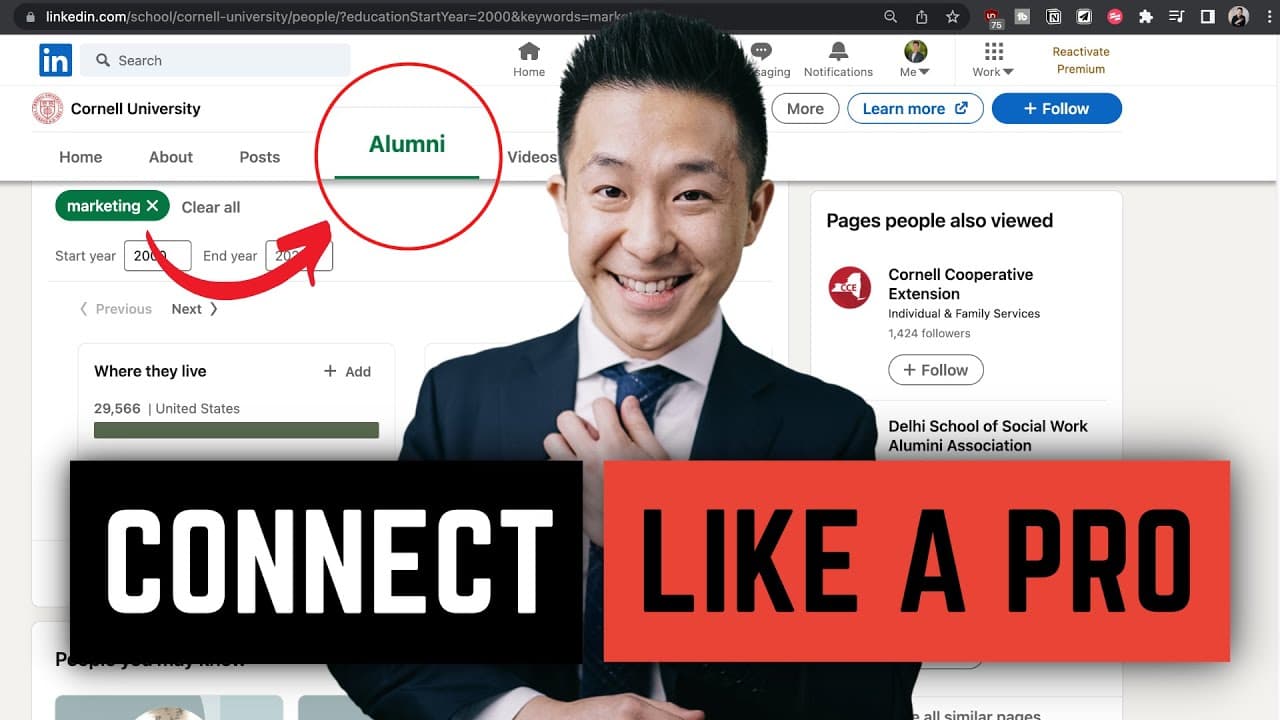
- 🥺 LinkedIn's filter feature allows you to find alumni in specific fields or companies to connect with for mentorship, advice, or job leads.
- 👥 Joining LinkedIn groups related to your field or interests provides opportunities to message professionals and expand your network.
- 💪 Thoughtful and customized connection requests can leave a strong impression and increase the chances of a positive response.
Install to Summarize YouTube Videos and Get Transcripts
Explore YouTube Video Summarizer or Get YouTube Transcript Extractor
Questions & Answers
Q: Why are weak connections important for finding job opportunities?
Weak connections, as opposed to close friends, have access to different networks and information, increasing the chances of discovering job opportunities that you may not have come across otherwise. These connections can provide new perspectives and connections that could lead to potential job leads.
Q: How can I use the filter feature on LinkedIn to find relevant alumni?
To use the filter feature, go to your college's LinkedIn page and click on the alumni button. From there, you can narrow down your search by entering specific keywords related to the field or company you are interested in. This will help you find alumni who are more experienced or knowledgeable in your desired area.
Q: Can I message someone on LinkedIn even if we are not directly connected?
Yes, you can message someone on LinkedIn without being directly connected if you both belong to the same LinkedIn group. By joining groups related to your field or interests, you can send direct messages to individuals within the group, even if you are not connected to them.
Q: How can I craft effective connection requests on LinkedIn?
To create a strong impression, you should write personalized messages that are relatable, complimentary, and add value to the other person. Mention specific details from their profile or past interactions to show genuine interest, and offer something valuable in return to increase the likelihood of an engaged response.
Summary & Key Takeaways
-
The strength of weak ties concept emphasizes the importance of connections outside of your immediate circle for finding job opportunities.
-
Tip 1: Use the filter feature on LinkedIn to find alumni working in specific fields and narrow down your search based on your career goals.
-
Tip 2: Join LinkedIn groups related to your field or interests to message and network with professionals even if you are not directly connected to them.
-
Tip 3: Craft thoughtful and customized connection requests by relatability, complimenting the person, and adding value to maximize engagement.
Read in Other Languages (beta)
Share This Summary 📚
Summarize YouTube Videos and Get Video Transcripts with 1-Click
Try YouTube Summary with ChatGPT & Claude or YouTube Transcript Generator
Explore More Summaries from Jeff Su 📚





Summarize YouTube Videos and Get Video Transcripts with 1-Click
Try YouTube Summary with ChatGPT & Claude or YouTube Transcript Generator