What Are the Best Productivity Apps for Students?
TL;DR
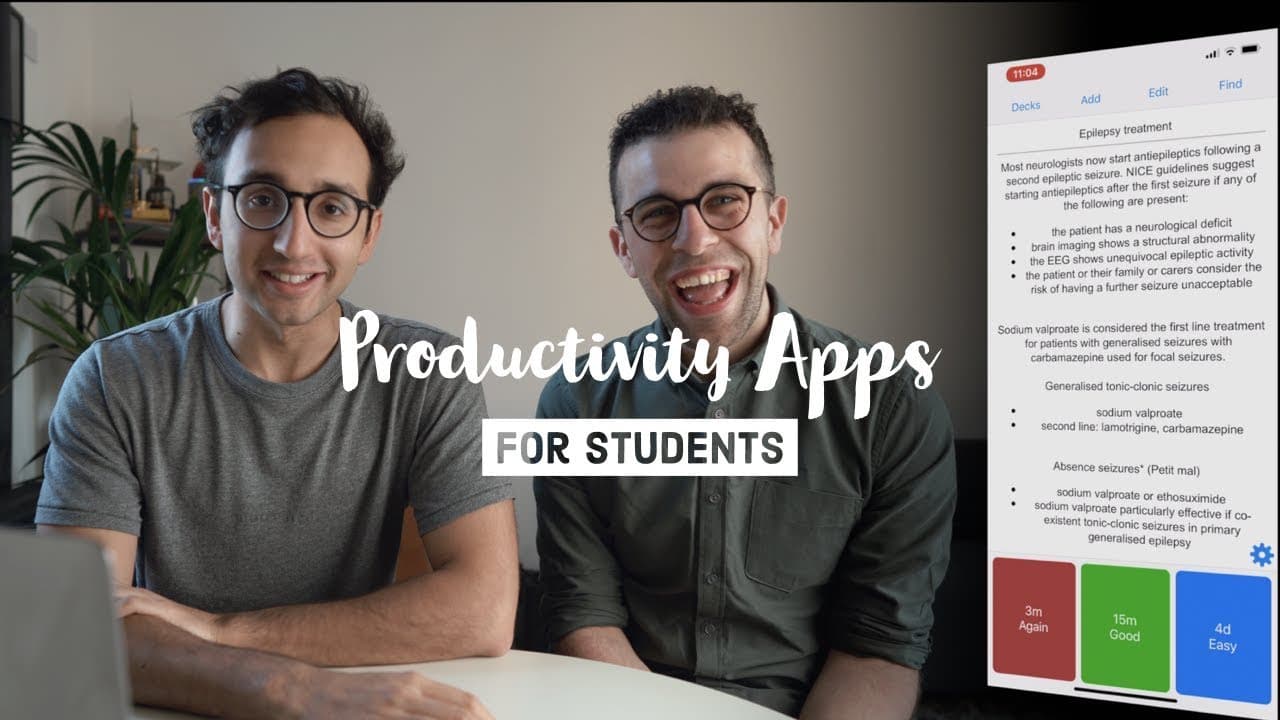
The best productivity apps for students include flashcard tools like Anki and Quizlet, note-taking apps such as Evernote, Microsoft OneNote, and Notion, and handwritten note-taking software like Notability. Additionally, Todoist and Google Sheets serve as effective task management solutions, while Pomodoro timer apps like Forest help maintain focus by minimizing distractions during study sessions.
Transcript
hey guys welcome back to the channel if you new here my name is Ellie I'm a junior doctor working in Cambridge and today I'm joined by the lovely Francesca hello Francesca has a YouTube channel called keep productive queue productive mainly about productivity apps so we review tons of software to help you make the best decision whether you're a stu... Read More
Key Insights
- 😀 Flashcard apps like Anki and Quizlet are valuable tools for active recall and efficient learning.
- 😀 Note-taking apps like Evernote, Microsoft OneNote, and Notion offer different features for organizing and expanding on lecture materials.
- 🎵 Handwritten note-taking apps like Notability provide a more engaging and customizable note-taking experience.
- 😀 To-do list apps like Todoist and Google Sheets help students plan and prioritize tasks effectively.
- 😀 Pomodoro timer apps like Forest can improve productivity by encouraging focused work and minimizing distractions.
Install to Summarize YouTube Videos and Get Transcripts
Explore YouTube Video Summarizer or Get YouTube Transcript Extractor
Questions & Answers
Q: What are the pros and cons of Anki and Quizlet for flashcard usage?
Anki is reliable and allows for quick input using keyboard shortcuts, while Quizlet has a nicer interface and easy access to pre-made decks. However, Anki requires downloading decks, while Quizlet allows for simple copying.
Q: How does Ellie use Microsoft OneNote for note-taking?
Ellie scans in her handwritten notes and adds extra content using the infinite horizontal canvas. She can also screenshot information from the internet and textbooks to create comprehensive notes.
Q: Why does Ellie prefer Notion over other note-taking apps?
Notion allows Ellie to categorize her notes using toggle lists and easily add active recall questions. It helps her systematize her knowledge and create a single source of truth for her studies.
Q: What are the benefits of using Todoist and Google Sheets for task management?
Todoist allows for easy daily task planning and organization, while Google Sheets provides a customizable and flexible way to manage time and track progress.
Q: How does Forest help with productivity and avoiding distractions?
Forest is a Pomodoro timer app that encourages users to stay focused by planting a virtual tree. If users leave the app, the tree dies, creating an incentive to avoid distractions.
Q: How does Ellie use Day One for journaling?
Ellie uses Day One as a digital journal to record daily thoughts and browse through past entries. She also has a separate journal for positive comments, which she uses for motivation and positivity.
Summary & Key Takeaways
-
Flashcards: Anki and Quizlet are popular flashcard apps, with Anki being more reliable and Quizlet having a nicer interface and easy access to pre-made decks.
-
Note-taking: Evernote is great for organizing lecture materials, while Microsoft OneNote allows for scanning handwritten notes and adding additional content. Notion offers a more customizable and structured note-taking experience.
-
Handwritten note-taking: Notability is highly recommended for taking handwritten notes on iPad, providing options for color-coding and highlighting. Taking notes helps with active recall and creating study questions.
-
To-do lists: Todoist and Google Sheets are popular options for task management, allowing for easy organization and prioritization. Different apps work for different people depending on their preferences and planning style.
-
Pomodoro timers: Pomodoro is a time management method that involves 25 minutes of focused work followed by 5-minute breaks. Forest is an app that helps users avoid distractions by planting a tree that dies if they leave the app.
-
Journaling: Day One is a digital journaling app that is easy to use and allows for easy input of journal entries. Physical journals also have their own charm and can help boost personal happiness.
Read in Other Languages (beta)
Share This Summary 📚
Summarize YouTube Videos and Get Video Transcripts with 1-Click
Try YouTube Summary with ChatGPT & Claude or YouTube Transcript Generator
Explore More Summaries from Ali Abdaal 📚


Summarize YouTube Videos and Get Video Transcripts with 1-Click
Try YouTube Summary with ChatGPT & Claude or YouTube Transcript Generator