How to Remove Text from Midjourney Generated Images
TL;DR
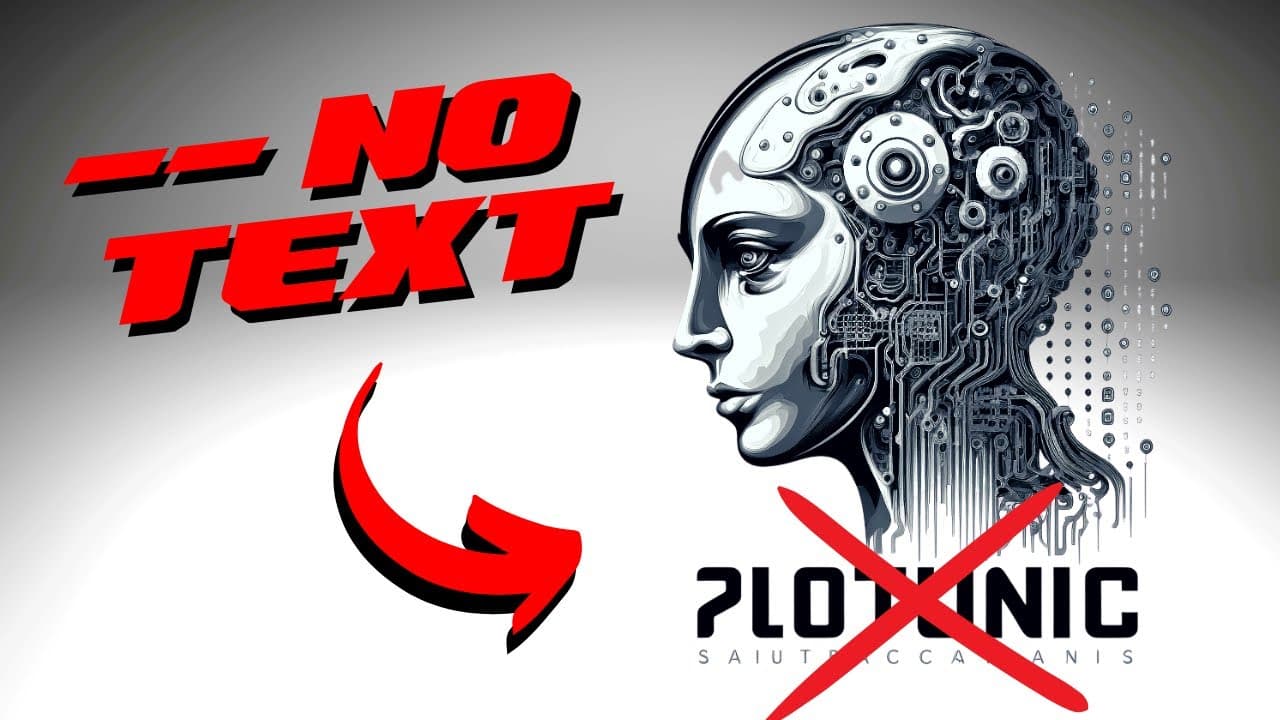
To avoid unwanted text in Midjourney images, modify your prompt by replacing 'logo' with 'brand identification symbol' and add '--no text' at the end. This technique enhances the usability of generated images, allowing for easier customization and eliminating any embedded text.
Transcript
as you probably know by now if you have been using mid-journey or other similar image generators it can be really annoying to get rid of this weird text you sometimes get in your images I think I found a trick that could help with this I wanted to share it's not 100 but it could give you some ideas and if you have a better way to do this please let... Read More
Key Insights
- 🍉 Modifying the prompt by using alternative terms can yield improved results in generated images.
- 👻 Removing embedded or unwanted text from images enhances usability and allows for customization.
- 💯 Prompt modification is not perfect but provides a useful workaround for getting images without unwanted text.
- 🥺 Experimenting with different prompts and modifications can lead to finding the desired image results.
- 🔨 The prompt modification technique can be utilized in various image generation tools, not restricted to a specific platform.
- ❓ Generated images with no text provide flexibility in branding and customization.
- 🤗 The modified prompt can be used for creating images beyond just logos, opening up possibilities for different applications.
Install to Summarize YouTube Videos and Get Transcripts
Explore YouTube Video Summarizer or Get YouTube Transcript Extractor
Questions & Answers
Q: Why do images generated by Mid-Journey or similar tools often contain unwanted text?
Image generators are trained on various logos, most of which have text, causing the generated images to frequently include embedded or unwanted text.
Q: How can prompt modification help in getting rid of unwanted text in generated images?
By replacing the term "logo" with "brand identification symbol" and adding "--no text" at the end of the prompt, the generated images will be text-free and easier to use.
Q: Is the trick of prompt modification 100% effective in removing unwanted text?
The trick is not foolproof, but it provides a workaround that significantly reduces the occurrence of unwanted text in generated images.
Q: Can the modified prompt be used for purposes other than generating logos?
Yes, the prompt modification technique can be applied to other types of images as well, not limited to just logos.
Summary & Key Takeaways
-
Using image generators like Mid-Journey can result in images with unwanted text, making them difficult to use.
-
The trick is to modify the prompt by replacing the term "logo" with "brand identification symbol" and adding "--no text" at the end.
-
This modification provides more usable images by removing embedded or unwanted text and allowing users to add their own text.
Read in Other Languages (beta)
Share This Summary 📚
Summarize YouTube Videos and Get Video Transcripts with 1-Click
Try YouTube Summary with ChatGPT & Claude or YouTube Transcript Generator
Explore More Summaries from All About AI 📚
Summarize YouTube Videos and Get Video Transcripts with 1-Click
Try YouTube Summary with ChatGPT & Claude or YouTube Transcript Generator