How to Maximize Cursor AI for Coding Efficiency
TL;DR
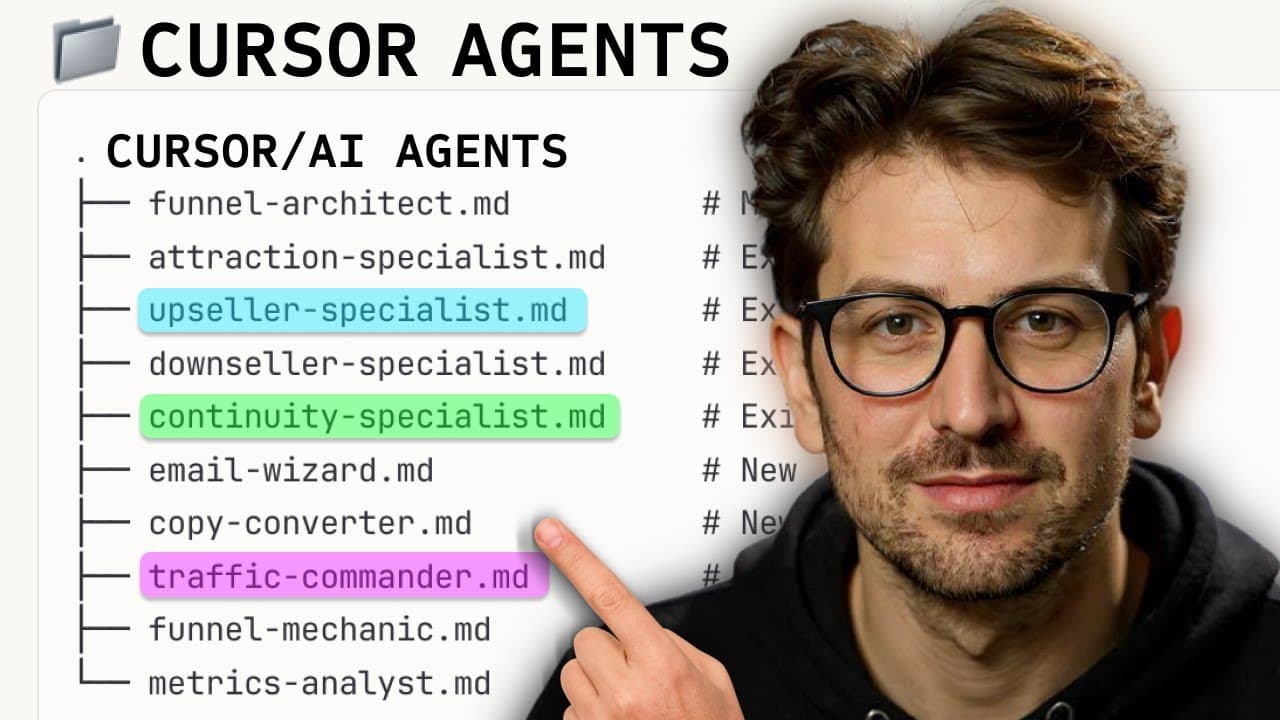
Cursor AI agents can significantly enhance coding productivity by automating tasks like bug fixes and code reviews. Using separate chats for each task prevents memory overload, while explicit file tagging and setup of linters and tests enable self-correction. Custom commands and rules further streamline workflows, making software development more efficient and accessible.
Transcript
There's a way to use Cursor where you have AI agents working for you. AI agents that do your security. AI agents that do your bugs. If you're anything me, you've tried Cursor, you've used Cursor, but you're not really getting the most out of it. So I brought on Lee, who's from the Cursor team, to give us an in-depth tutorial with how to squeeze... Read More
Key Insights
- Cursor AI agents can automate discrete coding tasks, improving efficiency.
- Proper setup of linting, formatting, and testing allows agents to self-correct outputs.
- Custom commands and rules enhance code reviews and writing quality.
- Using separate chats for each task prevents context overload and maintains high-quality responses.
- Explicit file tagging in prompts helps focus AI's attention on relevant files.
- BugBot automates code reviews and can fix internationalization issues.
- Running agents headlessly with CLI enables automation in workflows and bug fixes from Slack.
- Building personal software with Cursor enables creation of tools that were previously too costly to justify.
Install to Summarize YouTube Videos and Get Transcripts
Explore YouTube Video Summarizer or Get YouTube Transcript Extractor
Questions & Answers
Q: How to use Cursor AI agents for coding tasks?
Cursor AI agents can automate various coding tasks such as bug fixes and code reviews. By setting up separate chats for each task, you prevent context overload and maintain high-quality responses. Explicitly tagging files in prompts directs the AI's focus, enhancing task execution efficiency.
Q: What are the benefits of setting up linters and tests in Cursor?
Setting up linters and tests in Cursor allows AI agents to self-correct their outputs. This setup ensures that the code adheres to formatting rules and passes tests, enabling the agent to automatically fix errors without human intervention, thus enhancing productivity and code quality.
Q: How do custom commands improve workflow in Cursor?
Custom commands in Cursor streamline workflows by automating repetitive tasks and enforcing coding standards. For example, commands for code reviews can ensure edge cases are considered, while writing rules can eliminate overused jargon. These commands help maintain consistency and efficiency in coding practices.
Q: What is the role of BugBot in Cursor?
BugBot in Cursor automates code reviews by analyzing pull requests and identifying issues that may be overlooked by humans. It can comment directly in GitHub and address internationalization problems, supporting initiatives like a 'zero bug policy' by enabling immediate bug triage and fixes after customer reports.
Q: How can Cursor agents be run headlessly?
Cursor agents can be run headlessly using the CLI, allowing for automation in CI/CD pipelines and bug fixes triggered from platforms like Slack. This capability enables advanced users to automate tasks without opening the editor, enhancing flexibility and efficiency in software development workflows.
Q: Why is it important to avoid context overload in Cursor?
Avoiding context overload is crucial because it maintains the quality of AI responses. When the context window is filled beyond 80-90%, the AI's performance declines, leading to confusion and lower quality outputs. Starting new chats for new tasks ensures the AI remains focused and effective.
Q: What is 'personal software' in the context of Cursor?
In Cursor, 'personal software' refers to custom tools developed for specific use cases that were previously too costly to justify. The ease of coding with AI enables the creation of vertical-specific apps and debugging tools, making software development more accessible to individuals and small teams.
Q: Can non-developers use Cursor effectively?
Yes, non-developers can use Cursor effectively by leveraging its AI agents to automate tasks and learn coding principles. While understanding some code basics is beneficial, Cursor's tools and automation capabilities lower the barrier to entry, allowing users to build and debug applications efficiently.
Summary & Key Takeaways
-
Cursor AI agents can automate coding tasks, improving productivity by handling bug fixes and code reviews. Setting up linting and tests allows agents to self-correct errors, while custom commands streamline workflows. Separate chats for tasks prevent context overload, ensuring high-quality responses.
-
Explicit file tagging in prompts focuses AI's attention on relevant files, enhancing task execution. BugBot automates code reviews, identifying issues that may be missed by humans. Running agents headlessly with CLI offers advanced users automation options, including Slack-triggered bug fixes.
-
Cursor facilitates the creation of personal software, enabling the development of tools that were previously too costly to justify. This trend is making software development more accessible, allowing even non-developers to build and debug applications efficiently.
Read in Other Languages (beta)
Share This Summary 📚
Summarize YouTube Videos and Get Video Transcripts with 1-Click
Try YouTube Summary with ChatGPT & Claude or YouTube Transcript Generator
Explore More Summaries from Greg Isenberg 📚





Summarize YouTube Videos and Get Video Transcripts with 1-Click
Try YouTube Summary with ChatGPT & Claude or YouTube Transcript Generator