How to Run Work and Life With Codex Desktop
TL;DR
Start with one simple workflow, give Codex relevant personal context, and let it propose the next best action rather than automating everything at once. GPT-5.6 can organize email, Slack messages, meeting notes, research, writing, and software development through persistent threads, feeds, cards, and an in-app browser, while feedback helps the system refine what it surfaces and how it responds.
Transcript
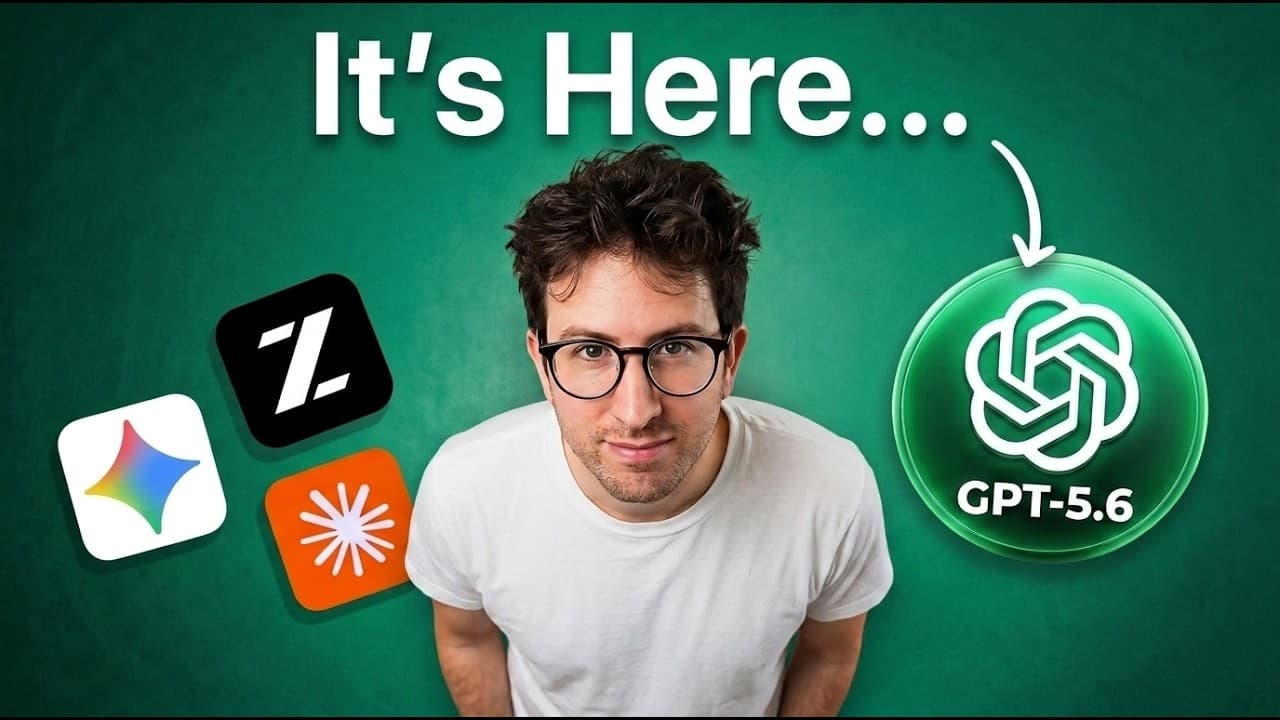
GPT 5.6 is here and it's a big deal. My friend Dan Chipper has been testing it for weeks and in this episode he shows you how you can use codecs with GPT 5.6 to run your personal life and run your business. His setup is really, really cool. And by the end of this episode, you're going to learn where 5.6 works, where it doesn't work. You're also goi... Read More
Key Insights
- Codex Desktop is presented as an operating system for knowledge work because it combines persistent threads, personal context, an in-app browser, and the ability to work inside custom tools. Dan uses it for email, writing, company operations, research, planning, personal projects, and software development.
- The email workflow is a card-based feed that finds unread messages, summarizes their contents, and drafts replies. A user can request additional work, such as finding suitable meeting times, before moving to the next message, which keeps review and action inside one sequential interface.
- Company feeds can combine unseen Slack messages and meeting notes into cards that highlight current issues. The user decides whether an issue deserves attention, should trigger a message to a colleague, or can be archived, reducing the need to inspect every source independently.
- The system improves by recording which items are valued, ignored, edited, answered, or archived. Those observations are compounded into revised prompts covering the user's priorities, current concerns, source-retrieval instructions, and likely next actions, allowing later feeds to become more personally relevant.
- GPT-5.6 is described as a strong collaborator for knowledge work and coding because it writes convincing routine email drafts, makes fewer unwanted mistakes, behaves carefully, and uses resources such as Slack and web browsing. Dan considers it more broadly usable than models that demand greater operator skill.
- Context is the foundation of effective agent work because a powerful model can only act on the information available to it. Persistent threads let Codex retain what the user is building, which ideas matter, and how prior decisions should influence research, writing, planning, and application use.
- Cross-thread communication enables multiple Codex threads to coordinate different areas of work. A thread can message another thread, while router threads, pulses, and Mailroom provide patterns for organizing the larger system, shifting the user's role toward supervising workflows instead of performing every task manually.
- Fine-tuning is presented as the next step when a custom skill does not perform well enough. GPT-5.6 can help assemble a machine-learning pipeline that gathers data, creates synthetic data, and runs experiments, making model training more approachable for people who are not machine-learning engineers.
Install to Summarize YouTube Videos and Get Transcripts
Explore YouTube Video Summarizer or Get YouTube Transcript Extractor
Questions & Answers
Q: How can Codex Desktop organize daily work?
Codex Desktop can organize daily work through pinned threads, feeds, and action-oriented cards. Each thread represents an important area, such as a company, inbox, writing project, or personal task. Feeds collect unseen information from relevant sources, summarize it, and suggest the next action, allowing the user to review priorities and direct work from one central workspace.
Q: How does the card-based email workflow work?
The email workflow finds every unread message and creates a card containing a summary and a proposed reply. The user can approve, edit, archive, or expand the draft with another instruction, such as requesting more meeting times later in the week. Once the item is handled, the interface advances to the next email, creating a focused review sequence.
Q: How can Codex summarize company activity?
A company-focused Codex thread can gather Slack messages and meeting notes the user has not seen, then convert them into cards describing current issues. The user can decide whether each issue matters, archive it, or ask Codex to contact a colleague for clarification. This creates a filtered view of company activity based on the user's actual responsibilities and interests.
Q: How does Codex learn what a user cares about?
Codex can learn from the user's repeated choices across a feed, including which cards are archived, which issues receive attention, and how suggested replies are changed. After a review session, those observations can become revised prompts describing current priorities, preferred actions, and retrieval rules. Future feeds can then surface more relevant information and make better next-action suggestions.
Q: Why is persistent context important for AI agents?
Persistent context gives an AI agent information about who the user is, what they care about, what they are building, and how they usually work. Dan argues that model capability alone is insufficient because the model can only use the context it receives. Shared context lets Codex apply earlier decisions and priorities across planning, research, writing, email, and custom applications.
Q: What makes GPT-5.6 useful for knowledge work?
GPT-5.6 is described as fast, broadly usable, resourceful, and effective at collaboration across knowledge work and coding. In the demonstrated workflows, it drafts routine emails in a style close to Dan's own writing, makes fewer mistakes, acts more carefully about questionable messages, connects to Slack, browses the web, and works inside tools through Codex Desktop.
Q: When should someone consider fine-tuning a model?
Fine-tuning becomes relevant after a custom skill has been created but still does not produce sufficiently reliable results. The episode presents model training as the next step beyond skills. Codex and GPT-5.6 can assist with gathering training data, generating synthetic examples, constructing a machine-learning pipeline, and running experiments, which lowers the practical barrier for non-specialists.
Q: What is the best way to begin using Codex automation?
The recommended starting point is one simple, useful win rather than an attempt to automate an entire life or business immediately. Choose a repetitive workflow, provide the context Codex needs, review its suggestions, and let your corrections refine the prompts. Once that workflow is dependable, the same feed, card, and next-action pattern can expand into other areas.
Summary & Key Takeaways
-
Codex Desktop can serve as a central workspace for email, company updates, planning, research, writing, and personal projects. Dan Shipper organizes important areas of his life into pinned threads, then uses feeds and cards to review new information, decide what matters, and take suggested actions without visiting every source separately.
-
The demonstrated email system finds unread messages, summarizes each one, and prepares a draft response. Similar feeds collect unseen Slack discussions and meeting notes. After Dan accepts, edits, or archives cards, the system captures those choices as revised prompts that better reflect his priorities, preferred responses, and source-specific retrieval instructions.
-
The broader opportunity is software designed around Codex and persistent context. The episode demonstrates building a small SaaS product called Turnaround and discusses maintenance, design checkpoints, local models, router threads, pulses, Mailroom, and fine-tuning. Its central recommendation is to begin with one reliable win and manage the resulting system instead of manually executing every task.
Read in Other Languages (beta)
Share This Summary 📚
Summarize YouTube Videos and Get Video Transcripts with 1-Click
Try YouTube Summary with ChatGPT & Claude or YouTube Transcript Generator
Explore More Summaries from Greg Isenberg 📚




Summarize YouTube Videos and Get Video Transcripts with 1-Click
Try YouTube Summary with ChatGPT & Claude or YouTube Transcript Generator