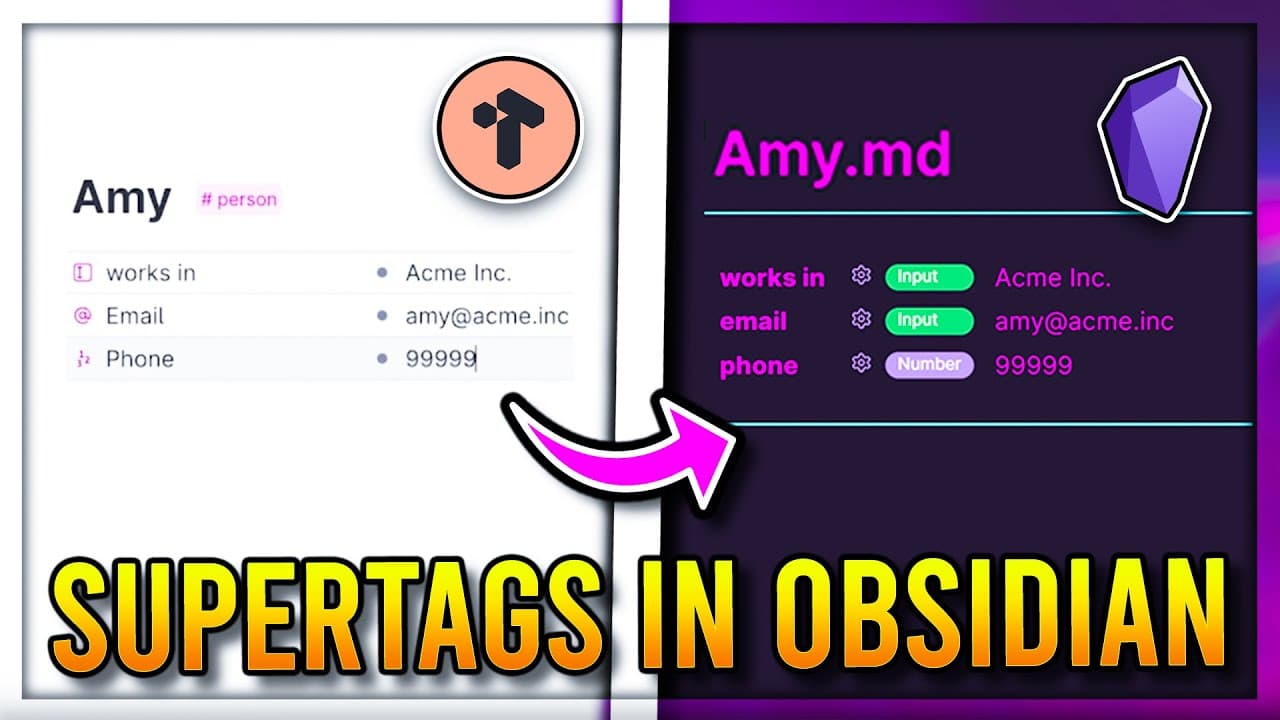
Make Tana Supertags 🦸 in Obsidian using the Metadata Menu Plugin
TL;DR
Obsidian's Community plugin, Metadata Menu, allows users to create custom schemas using file classes, enabling the organization of notes through metadata fields and tags.
Transcript
in notion you have databases where you can set and edit properties of a note from the table or page view in Tana you have super tags where you can set up the properties of a note by adding a single tag having these note properties can help organize your notes Beyond folders and tags giving you the creative freedom for your own structure thankfully ... Read More
Key Insights
- 🗂️ In Notion, you can use databases to set and edit properties of a note, while in Tana you have super tags for organizing notes. Obsidian offers a similar feature through the metadata menu plugin. (Topic: Note organization)
- 🔍 The metadata menu plugin in Obsidian allows you to create custom schemas for tags, set up different properties like selects or dates, and easily edit note metadata anywhere, such as in links or tables. (Topic: Note metadata editing)
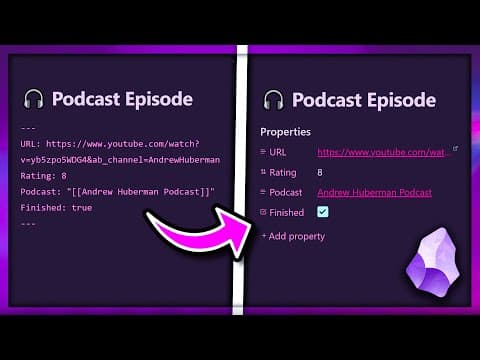
- 🔧 You can create fields for notes using metadata in Obsidian by placing the metadata at the top of the note and using the appropriate syntax. This allows you to define properties for your notes. (Topic: Note fields)
- ⚙️ The metadata menu plugin in Obsidian offers various options for customizing fields, including accepting any value, multi-selecting from a pre-defined list, or accepting true/false values. (Topic: Field customization)
- 📚 To set up a file class in Obsidian, you can create a folder to store them in, set the class file path in settings, and add a new file class with a corresponding tag. This allows you to define metadata structures for notes with the same tag. (Topic: File classes)
- ✏️ Individual fields can be added to file classes in Obsidian by right-clicking and selecting "Add a new field." This provides flexibility for organizing and structuring different types of metadata. (Topic: Adding fields to file classes)
- 🔗 Obsidian's metadata functionality allows you to link to a note and edit its fields directly from the link. This feature streamlines editing and updating metadata. (Topic: Linking and editing metadata)
- 📊 With the use of data view JS queries, you can create tables in Obsidian that display specific metadata fields from notes with a certain tag. This allows you to view and manipulate metadata in a tabular format. (Topic: Tabular representation and editing of metadata)
Install to Summarize YouTube Videos and Get Transcripts
Explore YouTube Video Summarizer or Get YouTube Transcript Extractor
Questions & Answers
Q: How can Obsidian users use the Metadata Menu plugin to organize their notes?
Obsidian users can utilize the Metadata Menu plugin by creating file classes, setting up metadata fields for specific tags, and defining properties to organize notes based on metadata such as address, interests, and friend status.
Q: What are some benefits of using metadata and file classes for note organization in Obsidian?
Using metadata and file classes in Obsidian allows for more advanced note organization beyond folders and tags, giving users the creative freedom to structure their notes in a way that suits their needs. It also allows for efficient editing of note metadata from various views, such as the note itself, through links, or from a table view.
Q: Can metadata be added to notes using the Metadata Menu plugin in Obsidian?
Yes, metadata can be added to notes in Obsidian using the Metadata Menu plugin. Users can create custom fields and properties to provide additional information and organization to their notes.
Q: How can users edit note metadata using the Metadata Menu plugin in Obsidian?
Note metadata can be edited using the Metadata Menu plugin by accessing the metadata fields through the note itself, through links to the note, or even from a table view. This allows for convenient and efficient editing of note metadata for better organization.
Q: Are there any limitations to using metadata and file classes in Obsidian?
While using metadata and file classes in Obsidian provides a high degree of customizability and organization, it may require some familiarity with JavaScript or programming to fully utilize advanced features, such as queries for links. However, the plugin still offers plenty of functionalities for users without programming knowledge to benefit from metadata organization.
Q: Can different file classes be combined for more complex note organization in Obsidian?
Yes, file classes in Obsidian can be combined to create more complex note organization. For example, users can create a file class for each person and another file class for co-workers, allowing for additional fields and properties specific to each category, such as working hours or relationship tolerance.
Q: What other features does the Metadata Menu plugin offer in Obsidian?
In addition to file classes and metadata fields, the Metadata Menu plugin in Obsidian offers features like lookup queries, which allow users to retrieve metadata from other notes and perform calculations or comparisons. These advanced features can be beneficial for tracking daily habits or analyzing data within notes.
Summary & Key Takeaways
-
Obsidian's Community plugin, Metadata Menu, allows users to create custom schemas for organizing notes using metadata fields and tags.
-
Users can create file classes and set up metadata fields for specific tags, such as person, and define properties like address, interests, and friend status.
-
The plugin also allows users to edit note metadata from the note itself, through links, or even from a table view, making it convenient and efficient for organizing notes with metadata.
Read in Other Languages (beta)
Share This Summary 📚
Summarize YouTube Videos and Get Video Transcripts with 1-Click
Try YouTube Summary with ChatGPT & Claude or YouTube Transcript Generator
Explore More Summaries from John Mavrick 📚




Summarize YouTube Videos and Get Video Transcripts with 1-Click
Try YouTube Summary with ChatGPT & Claude or YouTube Transcript Generator