How to Use Opus 5.5 for AI Video Editing
TL;DR
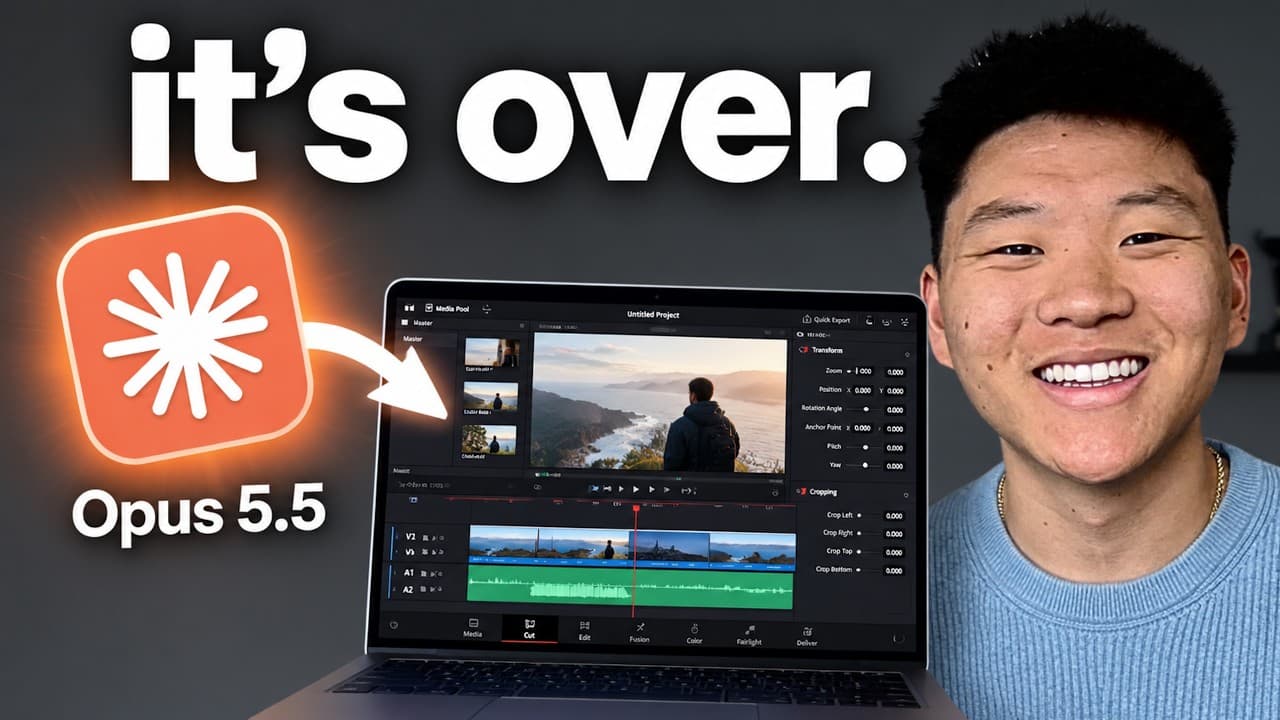
Opus 5.5 revolutionizes video editing by using AI to automate tasks like motion design, sound design, and B-roll sourcing. Users can input natural language prompts to guide the editing process, making it accessible even for those without prior editing experience. The tool also supports verification and creativity, delivering high-quality outputs efficiently.
Transcript
So, I've been experimenting with AI models editing videos for me for a long time. Super powerful models like Fable 5.1 and GBD6 Astra, but OBUS 5.5 is giving me some of the best outputs ever. Take a look at this example, which was just one prompt. Not only does this thing do the motion design and the sound design, but it also will go out and it wil... Read More
Key Insights
- Opus 5.5 automates video editing tasks, including motion design and sound design.
- Natural language prompts guide Opus 5.5 to perform specific editing tasks.
- Opus 5.5 can source B-roll, screenshots, and generate images and videos.
- Hyperframes is a tool used with Opus to create animations using HTML.
- Transcription is essential for timing animations and edits accurately.
- Opus 5.5 supports iterative verification to refine video outputs.
- AI can generate video content from static images and catalog data.
- Building reusable skills in Opus 5.5 enhances efficiency and consistency.
Install to Summarize YouTube Videos and Get Transcripts
Explore YouTube Video Summarizer or Get YouTube Transcript Extractor
Questions & Answers
Q: How does Opus 5.5 automate video editing?
Opus 5.5 automates video editing by using AI to perform tasks such as motion design, sound design, and sourcing B-roll. Users provide natural language prompts to guide the editing process, allowing the AI to create animations, transcribe content, and refine outputs through iterative verification. This makes it accessible and efficient for users without extensive editing experience.
Q: What is the role of Hyperframes in Opus 5.5?
Hyperframes is a tool used in conjunction with Opus 5.5 to create HTML-based animations. It allows users to specify animation styles and integrate them into video content. By using Hyperframes, Opus 5.5 can generate dynamic visual elements that enhance the overall quality and engagement of the video, providing a seamless editing experience.
Q: Why is transcription important in AI video editing?
Transcription is crucial in AI video editing because it provides a text-based representation of the video content, enabling precise timing for animations and edits. By understanding the video's dialogue and structure, AI tools like Opus 5.5 can accurately synchronize visual elements with the audio, ensuring a cohesive and polished final product.
Q: What are the benefits of using Opus 5.5 for video editing?
Opus 5.5 offers numerous benefits for video editing, including automation of complex tasks, ease of use through natural language prompts, and the ability to create high-quality content without prior editing experience. It supports iterative verification for refining outputs and allows for the development of reusable skills, enhancing efficiency and consistency across projects.
Q: How can users create reusable skills in Opus 5.5?
Users can create reusable skills in Opus 5.5 by documenting their editing preferences, motion styles, and brand guidelines. By saving these as skills, users can apply them to future projects, streamlining the editing process and ensuring consistent output. This capability allows users to build a library of skills that can be refined over time for optimal results.
Q: What is the verification process in Opus 5.5?
The verification process in Opus 5.5 involves the AI reviewing its own outputs and making iterative improvements. After generating an initial version, the AI checks for errors or areas for enhancement, refines the output, and repeats this process until a satisfactory result is achieved. This ensures high-quality, polished video content before final delivery to the user.
Q: How does Opus 5.5 handle creative elements in video editing?
Opus 5.5 handles creative elements by interpreting user prompts and adding its own creative touches to enhance video engagement. It can incorporate subtle effects, such as zooms and overlays, and generate visual content that aligns with the emotional and aesthetic goals set by the user. This creativity, combined with user input, results in visually appealing and dynamic videos.
Q: What makes Opus 5.5 a game-changer in video editing?
Opus 5.5 is a game-changer in video editing due to its ability to automate complex editing tasks, its ease of use through natural language prompts, and its capacity for creative and high-quality outputs. It democratizes video editing by making it accessible to users without extensive experience, while also providing tools for professionals to enhance efficiency and consistency.
Summary & Key Takeaways
-
Opus 5.5 uses AI to automate complex video editing tasks, allowing users to create professional-quality videos with simple natural language prompts. It handles motion and sound design, B-roll sourcing, and more, while supporting iterative refinement to ensure high-quality results.
-
The tool integrates with Hyperframes for animation, enabling users to create dynamic, engaging content efficiently. By transcribing video content, Opus 5.5 ensures precise timing for animations and edits, making it a powerful tool for both novice and experienced editors.
-
Users can develop reusable skills within Opus 5.5, streamlining the editing process and allowing for consistent output across projects. This capability, combined with its creativity and verification features, makes Opus 5.5 a game-changer in the realm of AI-driven video editing.
Read in Other Languages (beta)
Share This Summary 📚
Summarize YouTube Videos and Get Video Transcripts with 1-Click
Try YouTube Summary with ChatGPT & Claude or YouTube Transcript Generator
Explore More Summaries from Nate Herk | AI Automation 📚


Summarize YouTube Videos and Get Video Transcripts with 1-Click
Try YouTube Summary with ChatGPT & Claude or YouTube Transcript Generator