How to Access Your Minecraft Storage Network Anywhere

TL;DR
To access your Minecraft simple storage network from any world, you need a storage request table and storage link cable set up with your compact machine. By using a parabox for item duplication, players can efficiently manage inventory across different dimensions without the need for a remote, allowing for organized resource management.
Transcript
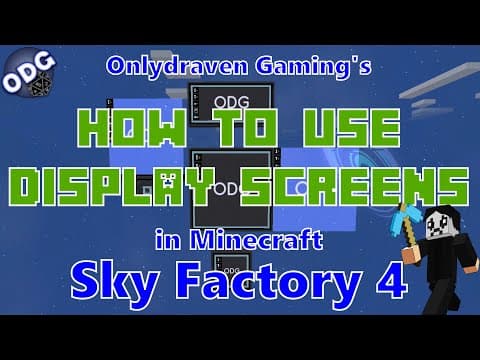
hello everyone only Draven here again and today we're doing another tutorial in Minecraft sky factory for today I'm going to be showing you how to access your simple storage network from any world now this is going to build upon several other tutorials that we've touched on in the past including how to put a simple storage inside of a compact machi... Read More
Key Insights
- 🧰 The para box feature allows players to create time loops, making it a powerful tool for item duplication in Sky Factory.
- 🌍 Accessing the simple storage network from various worlds requires specific components, emphasizing crafting efficiency.
- 😒 Players can use compact machines to centralize storage, providing organized inventory management across dimensions.
- ❓ The tutorial recommends prior knowledge of basic storage networks for better understanding and efficiency.
- 🎮 Syncing devices like the remote is limited due to controller restrictions, demonstrating the importance of inventory management strategies.
- 👻 The compact machine acts as a portal, allowing seamless entry to shared storage systems in different worlds.
- 💬 Feedback and engagement are encouraged through comments and community platforms, fostering a sense of player interaction and support.
Install to Summarize YouTube Videos and Get Transcripts
Explore YouTube Video Summarizer or Get YouTube Transcript Extractor
Questions & Answers
Q: What is the purpose of the para box in this tutorial?
The para box creates a time loop, allowing players to revert to a previous state in the game. This feature is crucial for duplicating items, as it temporarily allows players to take items from their inventory and revert changes in the world while preserving the items they extracted. This way, when players restart the time loop, they find they have both the item in the storage network and the item in their personal inventory.
Q: How do I set up a basic simple storage network?
To set up a basic simple storage network, players need a storage request table and storage link cables. The request table is crafted from a crafting table, while the cables require gold ingots and chests. Once created, these components can be linked to enable access to inventories across different dimensions, enhancing resource management in Sky Factory 4.
Q: Why can’t I use a remote on other worlds?
The remote is designed to sync with a storage network controller, which can only exist in one location at a time. When attempting to place a second controller in another world, it causes conflicts, resulting in an inability to access the remote features. Thus, players must rely on other methods to access their inventory in different worlds.
Q: Can I duplicate items using the para box?
Yes, duplicating items with the para box involves removing an item from the storage network before activating the time loop. When the player reverts to the beginning of the loop, the original item remains in storage, while the removed item stays in their inventory. This strategic operation effectively doubles the quantity of that item.
Summary & Key Takeaways
-
The tutorial explains how to set up a simple storage network in Minecraft's Sky Factory 4, allowing inventory access across different worlds.
-
It details the necessary components like the storage request table and storage link cable, emphasizing their interconnectivity within compact machines.
-
Players are guided on how to utilize the time-loop feature of the para box for duplicating items, providing a strategic method for resource management.
Read in Other Languages (beta)
Share This Summary 📚
Summarize YouTube Videos and Get Video Transcripts with 1-Click
Try YouTube Summary with ChatGPT & Claude or YouTube Transcript Generator
Explore More Summaries from Onlydraven Gaming 📚




Summarize YouTube Videos and Get Video Transcripts with 1-Click
Try YouTube Summary with ChatGPT & Claude or YouTube Transcript Generator