How to Analyze Spirometry Data for Respiratory Parameters
TL;DR
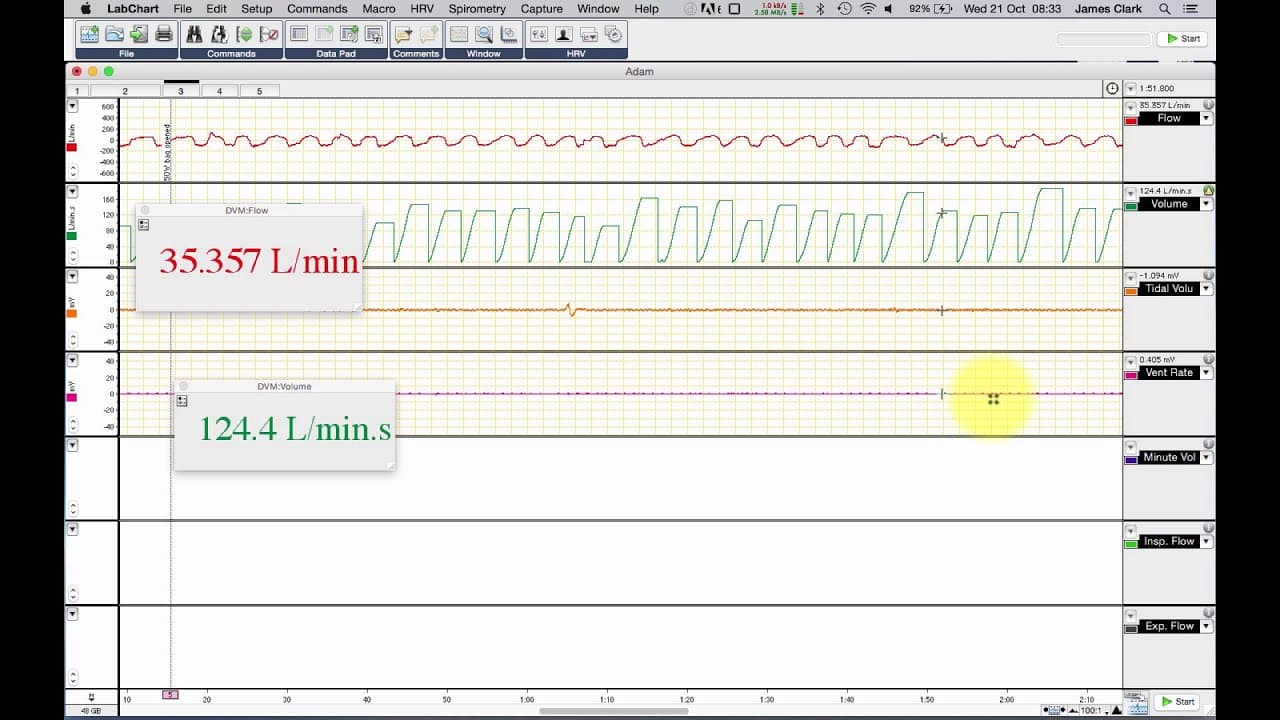
To analyze spirometry data, calculate various respiratory parameters by integrating flow traces. Start by determining tidal volume from flow, then calculate ventilatory rate and minute ventilation using these values. Finally, analyze maximum inspiratory and expiratory flows to evaluate overall respiratory function and efficiency.
Transcript
hello today we're going to be looking at some spirometry data you can see in front of you a lab chart file taken from a student practical where we have the first channel as flow in liters per minute and this is a trace taken from the ventilatory measurements using a spirometry pod or another flow device you can see that expiration is a negative def... Read More
Key Insights
- 🔇 Spirometry data analysis involves calculating volumes, such as tidal volume and minute ventilation, to evaluate respiratory function.
- 🙊 Ventilatory rate is determined by measuring the peaks of inspiratory flows and analyzing the time between each peak.
- 💐 Maximum inspiratory and expiratory flows can be analyzed separately to understand airflow dynamics during breathing.
- 🫁 Raw flow data can provide valuable insights when evaluating respiratory efficiency and overall lung function.
- 👻 Integrating the derived data from the flow trace allows for a more in-depth analysis of the spirometry data.
- ❓ Minute ventilation is a crucial parameter in assessing overall respiratory efficiency.
- ☠️ By analyzing the calculated volumes and ventilatory rate, researchers can gain insights into the efficiency and effectiveness of respiration.
Install to Summarize YouTube Videos and Get Transcripts
Explore YouTube Video Summarizer or Get YouTube Transcript Extractor
Questions & Answers
Q: What is the purpose of calculating volumes in spirometry data analysis?
Calculating volumes allows researchers to quantify the inspired and expired gas, providing insights into tidal volume and minute ventilation in a breath-by-breath analysis.
Q: How can ventilatory rate be determined from spirometry data?
Ventilatory rate can be determined by measuring the peaks of inspiratory flows and analyzing the time between each peak, providing information on the number of breaths per minute.
Q: What is minute ventilation, and how is it calculated?
Minute ventilation represents the total amount of gas exchanged in one minute. It is derived by multiplying the ventilatory rate by the tidal volume, providing insights into the overall respiratory efficiency.
Q: How can maximum inspiratory and expiratory flows be analyzed in spirometry data?
By examining the peaks and troughs of the raw flow data, maximum inspiratory and expiratory flows can be plotted separately, giving an understanding of the airflow dynamics during the breathing cycle.
Summary & Key Takeaways
-
The content discusses the analysis of spirometry data using a flow trace.
-
It explains the process of calculating volumes, including tidal volume and corrected volume.
-
It demonstrates how to determine ventilatory rate and minute ventilation from the data.
Read in Other Languages (beta)
Share This Summary 📚
Summarize YouTube Videos and Get Video Transcripts with 1-Click
Try YouTube Summary with ChatGPT & Claude or YouTube Transcript Generator
Explore More Summaries from Dory Video 📚






Summarize YouTube Videos and Get Video Transcripts with 1-Click
Try YouTube Summary with ChatGPT & Claude or YouTube Transcript Generator