How to Integrate Stripe Payments in a Next.js Project
TL;DR
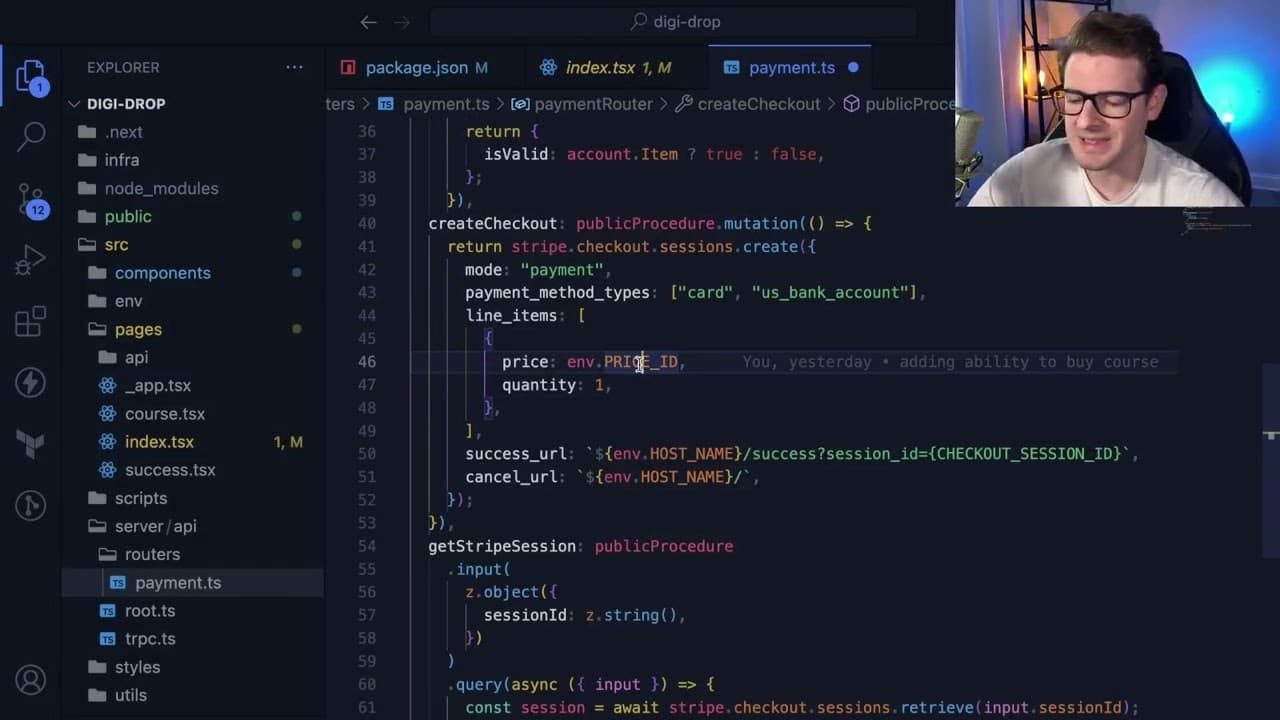
To integrate Stripe payments in a Next.js project, set up a checkout session using Stripe's API which creates a payment link. After a successful transaction, use webhooks to update your database with the user's email and payment confirmation, ensuring seamless access to your course content.
Transcript
all right how's it going everyone I want to give a quick walk through on another side project I'm working on um I've always wanted to kind of build a course and host it on my own platform where I'm using basically stripe to accept payments and this is what I'm trying to build out it's basically going to be a really small course maybe like three to ... Read More
Key Insights
- 🌉 Focusing on backend development helps learners appreciate the holistic nature of programming, bridging the gap between UI and backend functionality.
- 👤 Stripe’s seamless checkout integration simplifies the payment process, providing a secure and user-friendly experience for course purchases.
- 👻 Using webhooks allows for real-time updates and data management, ensuring that user payments are accurately recorded and processed.
- 😄 The choice of an unlisted YouTube video for course content highlights a balance between ease of setup and content protection for low-cost resources.
- 🕸️ Employing modern web technologies like the T3 stack enhances the development process, enabling rapid prototyping and flexibility in functionality.
- 👤 The creator’s iterative approach towards building and refining the course demonstrates a responsive attitude to user feedback and operational efficiency.
- 💄 Simplifying the setup process for course deployment is essential for making educational resources more accessible to both creators and learners.
Install to Summarize YouTube Videos and Get Transcripts
Explore YouTube Video Summarizer or Get YouTube Transcript Extractor
Questions & Answers
Q: What motivated you to create a small course on JavaScript?
The motivation stemmed from the creator's desire to focus on backend development, specifically building command line tools, rather than just UI and styling. By emphasizing backend skills, beginners can gain a more comprehensive understanding of programming, which often requires knowledge of both frontend and backend interactions.
Q: How does the Stripe payment integration work for your course?
Stripe is utilized to facilitate the payment process. When users click the "pay now" button, a checkout session is created via the Stripe API, which then redirects users to a secure payment page. After successful payment, users are returned to a designated success page, while their email and payment details are stored in a database using a webhook integration.
Q: Why did you choose to use an unlisted YouTube video for your course content?
An unlisted YouTube video was chosen for its simplicity and ease of access. The creator mentioned that hosting videos on platforms like S3 could offer more security but opted for the unlisted approach for a lower-effort solution to get the course running quickly. Since the course is low-cost, the creator felt that this method sufficed for protecting the content.
Q: What is the purpose of using a webhook in your Stripe integration?
The webhook serves as a means to listen for events from Stripe, particularly to confirm that a payment has been completed. When a payment is successful, Stripe notifies the application via the webhook, allowing it to record the payment details in the database and granting the user access to the course content.
Q: What technologies are you using for this course project?
The project employs the T3 stack, which consists of Next.js, tRPC, and Tailwind CSS for the frontend. It also uses DynamoDB as the database for storing user information and payment records. This stack was chosen for its modern capabilities and ease of integration.
Q: Are there any plans for future enhancements or additional content for the course?
Yes, the creator plans to refine the landing page, possibly add more video content, and consider including downloadable course materials. If the project expands, additional platforms like S3 may be integrated for secure file hosting and content delivery, ensuring a better user experience.
Summary & Key Takeaways
-
The content discusses the development of a small course focused on JavaScript and command line tools, utilizing Stripe for payment processing.
-
The creator is building a marketing landing page and describes how payments are handled, highlighting the use of Stripe's checkout sessions and database integration.
-
The project aims to provide a straightforward learning resource while simplifying the backend processes involved in online course hosting.
Read in Other Languages (beta)
Share This Summary 📚
Summarize YouTube Videos and Get Video Transcripts with 1-Click
Try YouTube Summary with ChatGPT & Claude or YouTube Transcript Generator
Explore More Summaries from Web Dev Cody 📚





Summarize YouTube Videos and Get Video Transcripts with 1-Click
Try YouTube Summary with ChatGPT & Claude or YouTube Transcript Generator