How to Integrate a Feedback API in Your Application
TL;DR
Integrating a feedback API into your application allows users to submit feedback easily, which can be transformed into actionable work items using AI. To submit feedback, users simply fill out a form and make a post request to the API endpoint. Key features include validation, user-friendly design, and security measures like rate limiting to enhance user experience.
Transcript
so it's been a while since I've made an update video on this project planner AI side project that we've been working on one of the new features that I kind of worked on was the ability for users to submit feedback so if I go to my dashboard and I go to my thumbnail critique project this is where I'm managing um work items and other things for anoth... Read More
Key Insights
- 👤 The Project Planner AI now includes a dedicated feedback feature, facilitating user engagement and project improvement.
- 👤 Feedback submissions are processed through a straightforward API, enhancing the user experience.
- 💁 Users are encouraged to provide detailed feedback while maintaining flexibility in the information they can submit.
- ☠️ Security measures like rate limiting are crucial for protecting the integrity of user interactions.
- 👻 The integration of AI allows for efficient transformation of feedback into actionable items for project development.
- 🌱 Future development plans include creating reusable components for easier integration into various frameworks like Next.js.
- 👤 Providing clear integration documentation can greatly enhance user understanding and operational efficiency.
Install to Summarize YouTube Videos and Get Transcripts
Explore YouTube Video Summarizer or Get YouTube Transcript Extractor
Questions & Answers
Q: What new feature was introduced in the Project Planner AI?
The new feature allows users to submit feedback directly through the application. This feedback can then be integrated into the user's projects via a specified API endpoint, enhancing interaction and fostering improvement based on user suggestions.
Q: How does the feedback submission process work?
Users can submit feedback using a form that captures their name and feedback message along with optional details. This information triggers a POST request to the API, which collects and stores the feedback for further action, such as triaging into work items.
Q: What are the security measures in place for user feedback submissions?
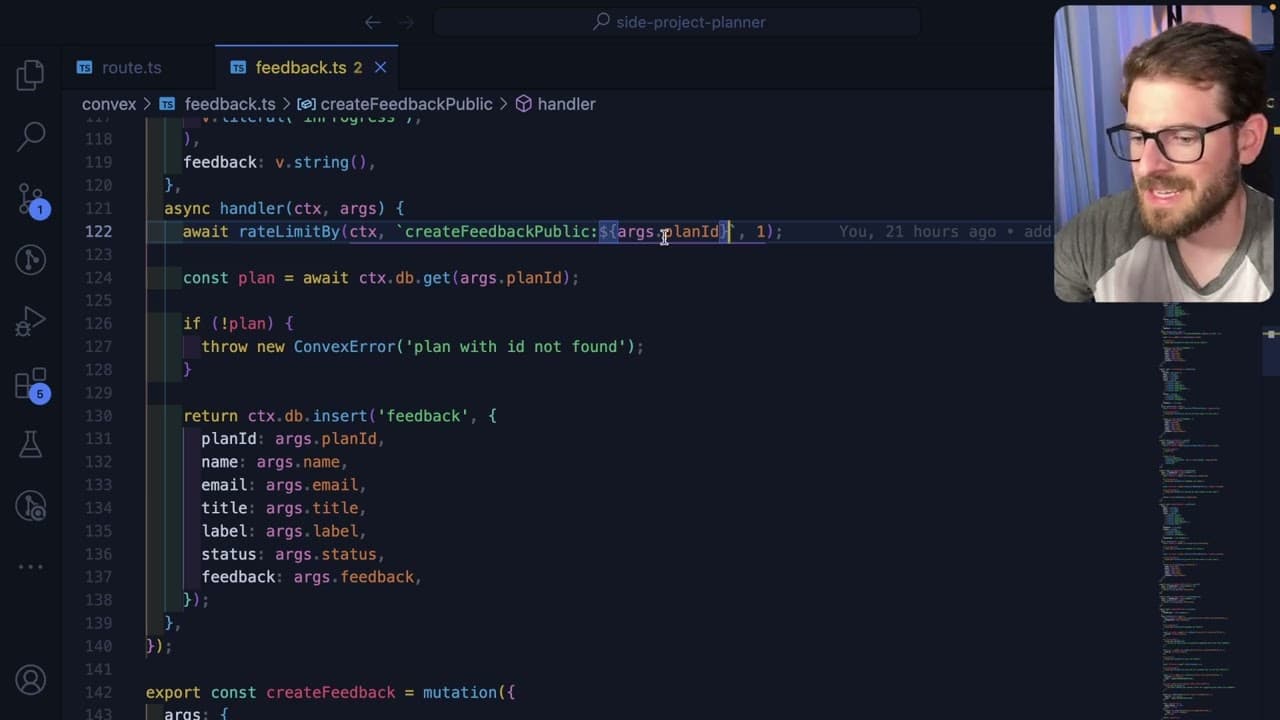
A rate limiter is implemented to restrict feedback submissions to once every 10 seconds, based on user plan IDs. This helps prevent flooding of the API with feedback requests, providing a layer of security against abuse.
Q: Can feedback submissions be customized by users?
Yes, users can customize feedback forms based on their project's specific needs, choosing which fields are required or optional. The application allows flexibility in designing the feedback interface, while still retaining essential data collection.
Q: What role does AI play in handling user feedback?
AI is utilized to convert submitted feedback messages into structured work items that can be managed more effectively within the project. This process streamlines feedback triage and assists users in prioritizing tasks based on suggestions received.
Q: What future plans were hinted at regarding component integration?
The speaker discussed the potential for shipping components specifically for Next.js, allowing users to easily integrate a ready-made feedback form into their applications. This would facilitate a smoother setup process and make it easier for developers to utilize feedback functionalities.
Summary & Key Takeaways
-
The content revolves around updates to a project planner AI that includes a feedback submission feature for users, allowing easy integration through an API.
-
A demonstration showcases how users can provide feedback via a simple form, which is then processed and transformed into actionable work items using AI.
-
The speaker explores code aspects, such as validation and request handling, emphasizing the importance of user experience and security measures like rate limiting.
Read in Other Languages (beta)
Share This Summary 📚
Summarize YouTube Videos and Get Video Transcripts with 1-Click
Try YouTube Summary with ChatGPT & Claude or YouTube Transcript Generator
Explore More Summaries from Web Dev Cody 📚





Summarize YouTube Videos and Get Video Transcripts with 1-Click
Try YouTube Summary with ChatGPT & Claude or YouTube Transcript Generator