Why Should You Use Controlled Inputs in React Forms?
TL;DR
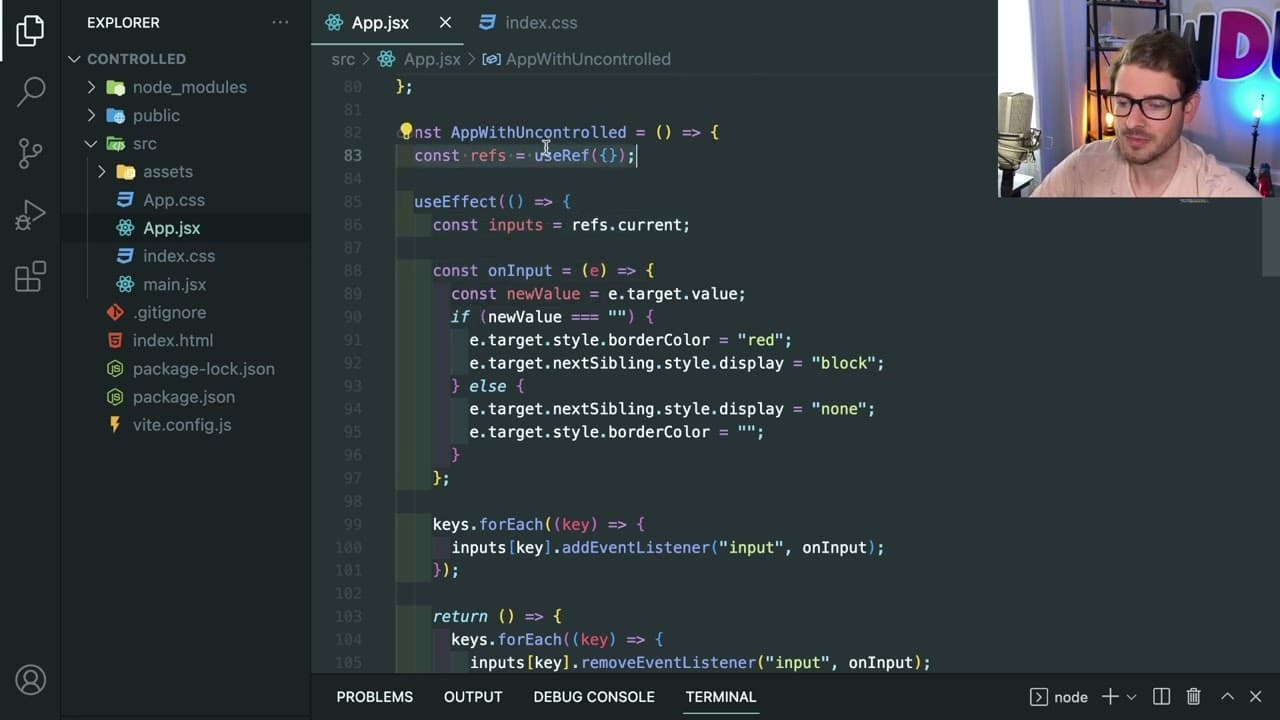
Using controlled inputs in React forms is recommended because they improve code maintainability and clarity, despite concerns about performance. Tests show that re-rendering controlled components typically occurs in just a few milliseconds, which is imperceptible to users. Overall, prioritizing the readability and organization of your code is more beneficial than optimizing for negligible performance gains.
Transcript
all right how is it going everyone so I made this video where I did like a practice react interview question in the video I basically made a form and I made it a controlled a form of head controlled inputs right so controlled inputs and react means you put an on change listener and you put a value property on the inputs that react controls the actu... Read More
Key Insights
- 😒 React documentation recommends controlled components for form management, validating their effectiveness in most use cases.
- 👤 Concerns about re-rendering performance may be exaggerated, as demonstrated by re-render times often falling well below user perception thresholds.
- 👨💻 The trade-off between performance and maintainability should be carefully considered, with an emphasis on readable and organized code.
- 💁 A minimal increase in performance (measured in milliseconds) does not justify the complications introduced by uncontrolled inputs for typical forms.
- 👻 Using state to manage form inputs allows for easier error handling and validation that integrates seamlessly with React's lifecycle.
- 🔠 For scenarios requiring high performance, developers should assess whether the complexity of using uncontrolled inputs is warranted based on specific use cases.
- 🦠 React's architecture provides tools that minimize the impact of re-renders, encouraging developers to prioritize functionality and maintainability over micro-optimizations.
Install to Summarize YouTube Videos and Get Transcripts
Explore YouTube Video Summarizer or Get YouTube Transcript Extractor
Questions & Answers
Q: What are controlled inputs in React, and how do they work?
Controlled inputs in React are form elements that derive their values from the React state. By using a value property and an onChange event listener, React manages the input state updates. This allows for easier validation and dynamic rendering of error messages, ensuring more predictable and maintainable code.
Q: Why do some developers advocate for uncontrolled inputs instead of controlled inputs?
Developers may suggest using uncontrolled inputs to avoid unnecessary re-renders of components, arguing that this can improve performance. Uncontrolled inputs maintain their own state internally, meaning React does not need to re-render them on every change, which some believe reduces overhead and speeds up larger forms.
Q: How does re-rendering performance in React compare with user perception?
The video clarifies that re-renders in React generally occur very quickly, often in milliseconds. The example demonstrated that even with multiple inputs, the re-render time is typically below 5ms, which is not noticeable to users and suggests that performance issues should not be a primary concern unless they exceed 50ms or lead to observable lag.
Q: What is the importance of code maintainability in relation to input handling in React?
Code maintainability is crucial because readable and organized code makes it easier for developers to understand, modify, and debug applications. The speaker emphasizes that while performance optimizations are important, they should not come at the cost of introducing complexity that hinders clarity and increases the chances of bugs.
Q: What alternative methods or libraries are mentioned for handling forms in React?
The speaker mentions using libraries like "react-hook-form" that utilize uncontrolled inputs to avoid re-renders. These libraries can manage forms more efficiently by leveraging the benefits of uncontrolled components while still offering features like validation without adding unnecessary complexity.
Q: What are some potential downsides of using uncontrolled inputs?
Uncontrolled inputs can lead to more complex code that relies on lower-level DOM manipulation, which may introduce bugs and make the implementation harder to maintain. Without React's state management, developers must manually handle events and validations, increasing the risk of errors and decreasing the clarity of their code.
Summary & Key Takeaways
-
The video discusses the common debate between using controlled and uncontrolled inputs in React forms, emphasizing the benefits of controlled inputs according to React's documentation.
-
Addressing concerns about performance, the speaker conducts tests demonstrating that re-rendering with controlled components is usually imperceptible to users, highlighting a minimal time impact.
-
The content concludes by stressing that the primary focus should be on code maintainability rather than micro-optimizations for performance, advocating for controlled components in most scenarios.
Read in Other Languages (beta)
Share This Summary 📚
Summarize YouTube Videos and Get Video Transcripts with 1-Click
Try YouTube Summary with ChatGPT & Claude or YouTube Transcript Generator
Explore More Summaries from Web Dev Cody 📚





Summarize YouTube Videos and Get Video Transcripts with 1-Click
Try YouTube Summary with ChatGPT & Claude or YouTube Transcript Generator