How to Code a Web Crawler using NodeJs
TL;DR
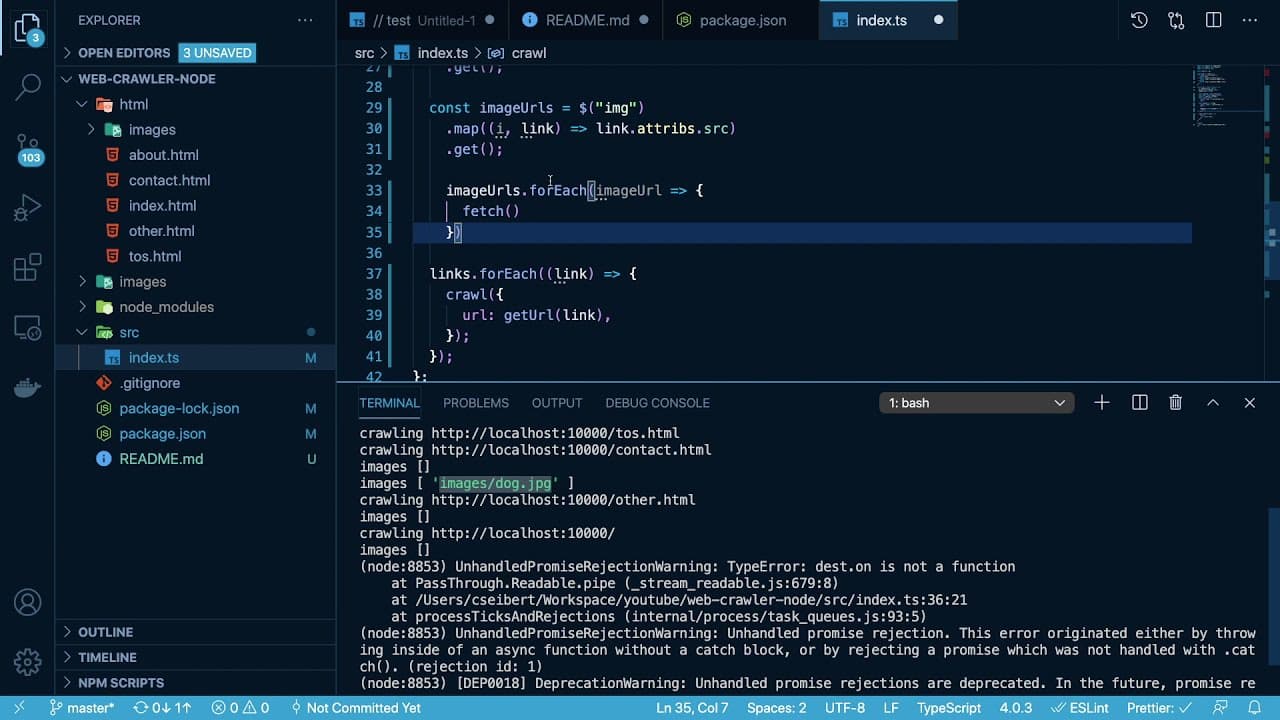
This tutorial demonstrates creating a web crawler using Node.js and Cheerio.js to download images from a webpage.
Transcript
hey everyone welcome back to another web dev junkie video my name is cody seibert in this video i'm going to show you how to build a web crawler using node.js in a library called cheerio.js that kind of pars the html so let's first talk about what a web crawler is and i'll give you a really quick overview as an example let's just use this url as an... Read More
Key Insights
- 🕸️ A web crawler systematically navigates web pages, extracting data like images by following hyperlinks.
- 😒 The use of Cheerio.js simplifies HTML parsing, similar to jQuery's manipulation of DOM elements.
- 🫠 Implementing async/await provides clarity in asynchronous code execution, making it easier to read and understand compared to promise chaining.
- 👻 Efficient recursion patterns, such as depth-first search, allow the crawler to explore links thoroughly without excessive overhead.
- 🙈 Maintaining an array of seen URLs is crucial for avoiding infinite loops during the crawling process.
- 📃 The crawler accommodates various URL formats, adding robustness to handle different link structures encountered on web pages.
- 📁 Writing images to the disk necessitates utilizing the file system (fs) module in Node.js to handle file I/O operations properly.
Install to Summarize YouTube Videos and Get Transcripts
Explore YouTube Video Summarizer or Get YouTube Transcript Extractor
Questions & Answers
Q: What primary libraries are used in creating the web crawler?
In this tutorial, the primary libraries used are Cheerio.js for parsing HTML and Node-fetch for fetching remote data from URLs. Cheerio.js allows you to query and manipulate HTML easily, while Node-fetch supports performing HTTP requests in a straightforward manner, making it essential for retrieving webpage content.
Q: How does the web crawler ensure it does not revisit URLs?
The web crawler tracks visited URLs by maintaining a set of seen URLs. Before crawling a new link, the script checks if that link has already been visited. If it has, the crawler skips it, thus preventing infinite loops and redundant operations while exploring the webpage.
Q: What kind of data does the web crawler download?
The web crawler is programmed to identify and download images from the webpage it crawls. It extracts image tags and their source URLs, fetching each image and saving them in a specifically designated folder. This allows users to accumulate images systematically from the site as they navigate through its links.
Q: What is the significance of using TypeScript in this project?
TypeScript adds static typing to the project, which helps catch errors during development and enhances code maintainability. It also provides better autocompletion and documentation within the code editor, making it easier for developers to understand and work with the code, especially in complex projects like web crawlers.
Q: How does the crawler handle different types of links?
The crawler is designed to manage absolute and relative links effectively. It includes a helper function that constructs full URLs from relative links by appending them to the base URL. This ensures that the crawler can navigate to all valid links regardless of their format on the webpage.
Q: What programming pattern is used for crawling the links recursively?
The tutorial implements a depth-first search (DFS) pattern for crawling the links recursively. This methodology allows the crawler to explore each link fully before backtracking to previous links, ensuring a comprehensive exploration of the entire webpage based on its link structure.
Summary & Key Takeaways
-
The tutorial, led by Cody Seibert, explains how to build a web crawler with Node.js and Cheerio.js, which is designed to parse HTML.
-
It details the crawling process, navigating through the links on a specified webpage, downloading images, and organizing them in a designated folder.
-
Using asynchronous programming with async/await and dependency libraries, the tutorial showcases handling various link formats and ensuring the crawler remains within the same domain.
Read in Other Languages (beta)
Share This Summary 📚
Summarize YouTube Videos and Get Video Transcripts with 1-Click
Try YouTube Summary with ChatGPT & Claude or YouTube Transcript Generator
Explore More Summaries from Web Dev Cody 📚





Summarize YouTube Videos and Get Video Transcripts with 1-Click
Try YouTube Summary with ChatGPT & Claude or YouTube Transcript Generator