How to generate 50k blog clicks with n8n automation
TL;DR
The system automates blog post creation and social publishing using a Google sheet as the trigger. It relies on keyword research with a free trial tool and a human in the loop to approve content before publishing, enabling growth from tens of clicks to thousands per day.
Transcript
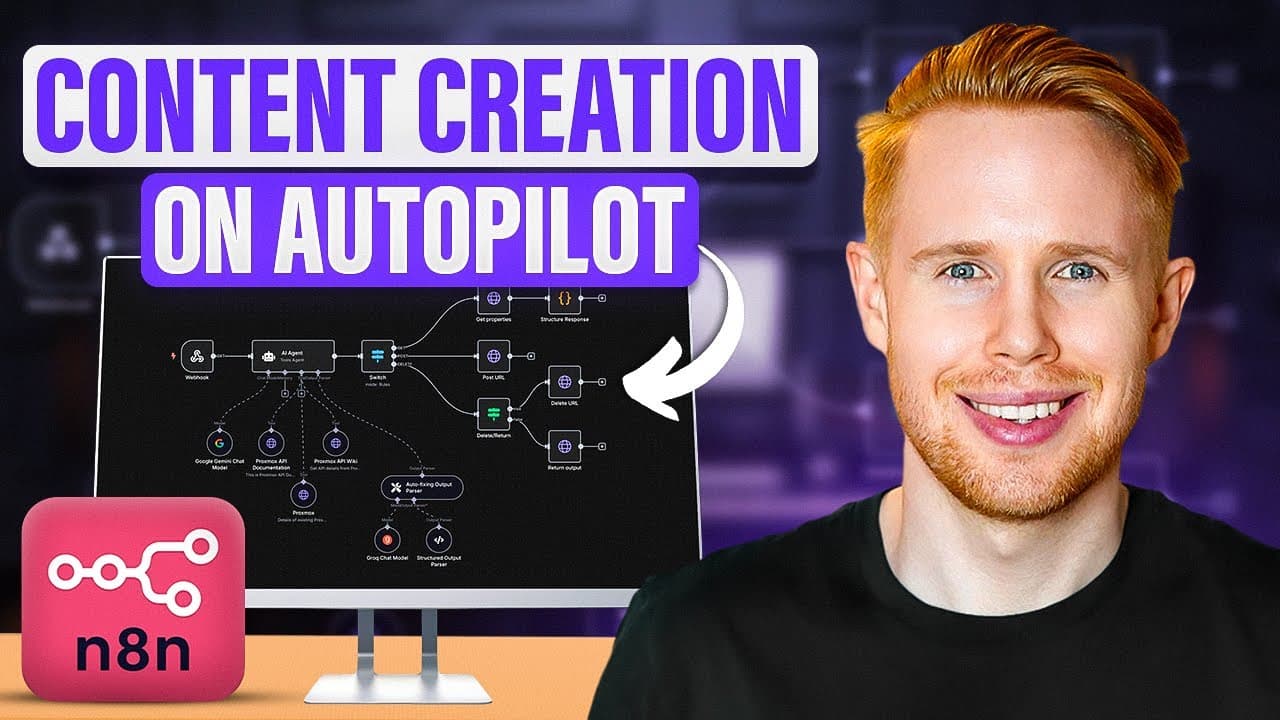
In today's video, we're going to be building out this NADN workflow in front of us that does two things. The first thing is is that it's going to go ahead and automatically generate blog posts so that we can publish that straight on to places like WordPress. And then the second thing that we're going to do over here is be able to take tho... Read More
Key Insights
- A working automation uses a Google sheet as the trigger to start blog post creation or social media publishing.
- The key to scalable SEO is choosing low difficulty keywords with at least 100 monthly searches and informational intent.
- Using a keyword tool with a free trial can reveal attainable keywords without long term commitment.
- Human in the loop is essential to ensure quality before publishing generated content.
- A complete workflow includes generating content, formatting it with images and titles, and pushing it to multiple platforms.
- The video demonstrates practical steps, like creating a new scenario in NADN, and linking to a Google sheet.
- The approach contrasts high competition keywords with low hanging fruit to achieve faster visibility.
- The presenter shares real results from prior efforts, illustrating potential growth from 10 clicks per day to 1,500 per day.
Install to Summarize YouTube Videos and Get Transcripts
Explore YouTube Video Summarizer or Get YouTube Transcript Extractor
Questions & Answers
Q: How can I set up a Google sheet trigger for blog post automation in n8n
You start by creating a Google sheet with header columns such as keywords and description. The trigger is when you click a button in the sheet, which sends a request to the workflow to generate a blog post or publish to social media. This setup creates a simple, repeatable entry point to start automated content creation, enabling you to control which keywords to pursue and when to publish.
Q: What is the role of keyword research in this workflow
Keyword research is used to identify high potential topics that are feasible to rank for. The video recommends using a tool with a free trial to access the keyword magic tool, focusing on low difficulty and sufficient monthly search volume, and ensuring the user intent is informational rather than transactional. This helps generate posts that readers will actually discover and read.
Q: Why is human oversight important in automated content generation
Human oversight acts as a quality check before content goes live. The creator emphasizes not publishing blindly and wanting to be proud of the content. This reduces the risk of posting low quality or inaccurate material and ensures that the final output aligns with brand standards and audience expectations.
Q: What kind of keywords should you target for blog posts according to the video
Target keywords with low keyword difficulty, ideally 20 or below, and at least 100 monthly searches. The intent should be informational so that blog posts are relevant to readers seeking information rather than attempting a direct sale. This combination increases the likelihood of ranking on search results and driving traffic.
Q: How does the video suggest handling keyword options to avoid wasted effort
The video advises avoiding highly competitive terms and instead exporting a broad list of attainable keywords to a Google sheet. By prioritizing low difficulty and decent search volume, you can publish one blog post per day or pursue multiple topics without spending years competing for top rankings in crowded niches.
Q: What platform range is covered by the automation described
The workflow is designed to publish content across multiple platforms, including X, Instagram, Facebook, YouTube, Pinterest, and TikTok. This broad distribution helps expand reach and can amplify the impact of each generated blog post by placing it on several social channels where audiences spend time.
Q: What is the practical value of the 14-day free trial mentioned
The 14-day free trial provides access to the NADN tool so you can build and test the scenario without an initial heavy investment. It allows you to log in and create a new scenario, then experiment with triggers and actions like blog post creation and social media publishing to validate the approach before committing.
Q: What kind of results does the creator claim from using this system
The creator shares a past result of growing from approximately 10 clicks per day to about 1,500 clicks daily with a similar automation approach. This example is used to illustrate the potential scale achievable when combining automated content creation, careful keyword selection, and broad social distribution, while keeping human oversight in the loop.
Summary & Key Takeaways
-
This video demonstrates building an n8n workflow that automatically creates blog posts and distributes them across platforms like X, Instagram, Facebook, YouTube, Pinterest, and TikTok. It emphasizes starting with a Google sheet trigger and turns keyword ideas into publishable content through a repeatable process.
-
The creator stresses quality over quick results, showing how to select low difficulty, high intent, and adequately monthly searched keywords using a tool labeled Seamrush, then export them to a sheet and generate posts.
-
The lesson culminates with a practical blueprint and free downloable templates, plus a call to action to try the workflow and subscribe for more automation content.
Read in Other Languages (beta)
Share This Summary 📚
Summarize YouTube Videos and Get Video Transcripts with 1-Click
Try YouTube Summary with ChatGPT & Claude or YouTube Transcript Generator
Explore More Summaries from Jono Catliff 📚




Summarize YouTube Videos and Get Video Transcripts with 1-Click
Try YouTube Summary with ChatGPT & Claude or YouTube Transcript Generator