How to Master Obsidian for Effective Note-Taking
TL;DR
To effectively use Obsidian, start writing before perfecting your system. Avoid procrastination by adapting the software to your needs as you gain experience. Regularly edit or delete old notes to maintain quality, and organize as you go to prevent chaos. Focus on writing content that excites you to keep your note-taking valuable and engaging.
Transcript
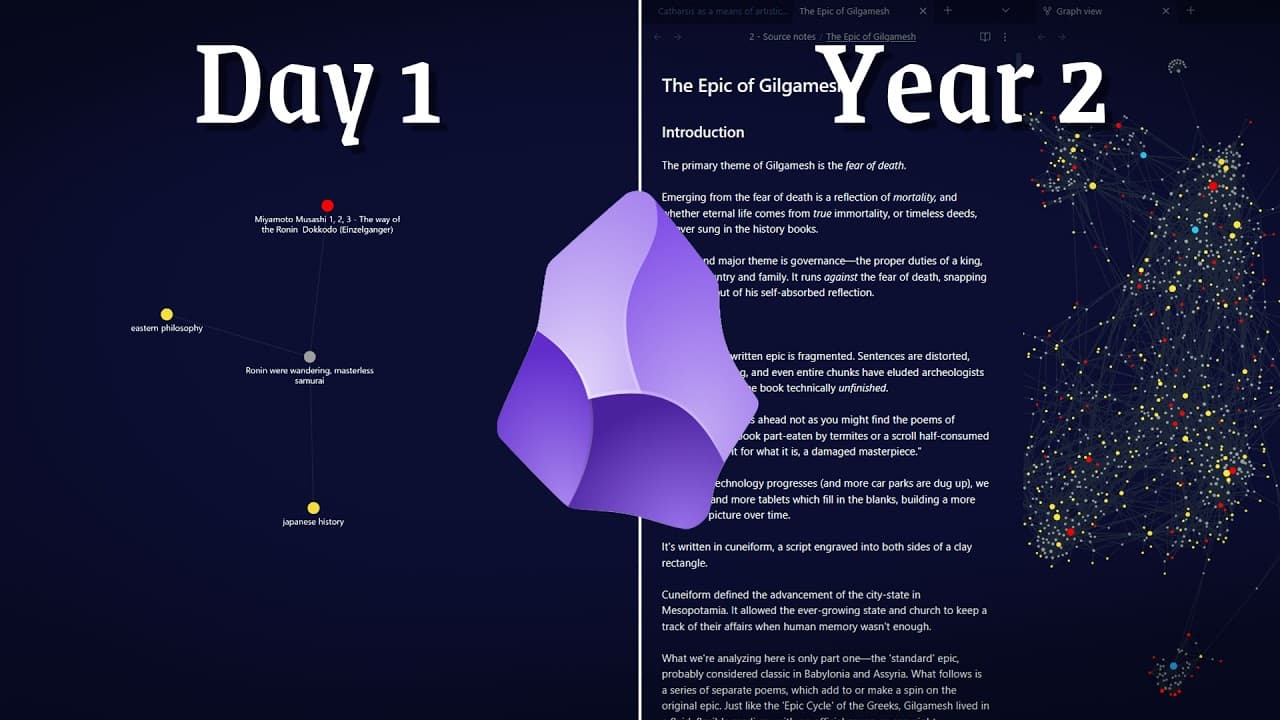
I've used Obsidian every day for two whole years. And after 800 notes, these are the five most important lessons that I learned the hard way. Lessons I hope you can consider in your own journey to avoid stress, uh to avoid getting stuck, and to build a happy life of learning. I'll cover some of the trickiest parts of Obsidian, like the organization... Read More
Key Insights
- Begin writing immediately and refine your system as you progress. This approach prevents procrastination and unnecessary complexity.
- Obsidian can be as simple or complex as you need it to be; start with basic features and add more as required.
- Regularly review and edit old notes to ensure they remain relevant and up to your current standards.
- Use productivity tools like Rise to track time and improve focus, enhancing your writing efficiency.
- Organize notes as you create them to avoid a backlog of disorganized information, saving time in the long run.
- Implement sub-indexes to maintain clarity in organizing notes, preventing redundancy and confusion.
- Focus on writing about topics that genuinely excite you to maintain high-quality and engaging notes.
- Avoid hoarding information; prioritize ideas that evoke a strong emotional response and revisit others later.
Install to Summarize YouTube Videos and Get Transcripts
Explore YouTube Video Summarizer or Get YouTube Transcript Extractor
Questions & Answers
Q: How to start using Obsidian effectively?
To start using Obsidian effectively, begin by writing without focusing too much on creating the perfect system. As you write, gradually adapt the software to your needs by adding features and plugins that enhance your workflow. This approach prevents procrastination and allows you to develop a system that truly supports your goals.
Q: Why is it important to edit and delete old notes?
Editing and deleting old notes is crucial to maintaining a high standard of quality and relevance in your note-taking. Over time, your interests and understanding evolve, making some notes outdated or redundant. Regularly reviewing and updating your notes ensures that your collection remains useful and aligned with your current knowledge and goals.
Q: What is the benefit of organizing notes as you go?
Organizing notes as you go prevents the accumulation of a disorganized backlog, saving time and reducing stress in the future. By tagging and linking notes accurately at the time of creation, you maintain a clear structure that makes it easier to retrieve and use information later, enhancing the overall efficiency of your note-taking.
Q: How can sub-indexes improve note organization?
Sub-indexes improve note organization by providing a clear structure for categorizing related topics without redundancy. By creating sub-indexes, you can manage overlapping themes more effectively, ensuring that notes are connected logically. This method prevents the confusion and messiness that can arise from using broad tags indiscriminately.
Q: Why focus on writing about exciting topics?
Focusing on writing about topics that excite you ensures that your notes remain engaging and valuable. When you write about subjects that evoke a strong emotional response, you naturally produce higher-quality content. This approach also prevents information overload, allowing you to prioritize meaningful insights and ideas.
Q: How does Rise help with productivity?
Rise helps with productivity by tracking how you spend your time and providing insights into your focus patterns. It offers features like focus sessions and distraction alerts, which encourage mindful work habits. By using Rise, you gain a clearer understanding of your work efficiency, helping you make informed decisions to improve your productivity.
Q: What is the risk of hoarding information in notes?
Hoarding information in notes can lead to an overwhelming and cluttered collection that is difficult to manage and use effectively. It dilutes the quality of your notes, making it harder to find valuable insights. By curating your notes and focusing on impactful ideas, you maintain a streamlined and purposeful collection that supports your learning and productivity.
Q: How can you prevent procrastination when using Obsidian?
Prevent procrastination in Obsidian by starting with writing and gradually building your system around your needs. Avoid getting caught up in perfecting the structure before you have content. Focus on creating notes and adapt the software's features as you identify what enhances your workflow, allowing you to develop a personalized and efficient note-taking process.
Summary & Key Takeaways
-
Start writing first and adapt your note-taking system as you gain experience with Obsidian. Avoid the trap of over-planning, which can lead to procrastination and stress.
-
Regularly edit and delete old notes to maintain a high standard of quality and relevance. This approach helps prevent the accumulation of redundant or outdated information.
-
Organize your notes as you create them to prevent future chaos. Use sub-indexes to manage overlapping topics and focus on writing about ideas that excite you for a more engaging note-taking experience.
Read in Other Languages (beta)
Share This Summary 📚
Summarize YouTube Videos and Get Video Transcripts with 1-Click
Try YouTube Summary with ChatGPT & Claude or YouTube Transcript Generator
Explore More Summaries from Odysseas 📚




Summarize YouTube Videos and Get Video Transcripts with 1-Click
Try YouTube Summary with ChatGPT & Claude or YouTube Transcript Generator