How to Build a Second Brain App with AI Search
TL;DR
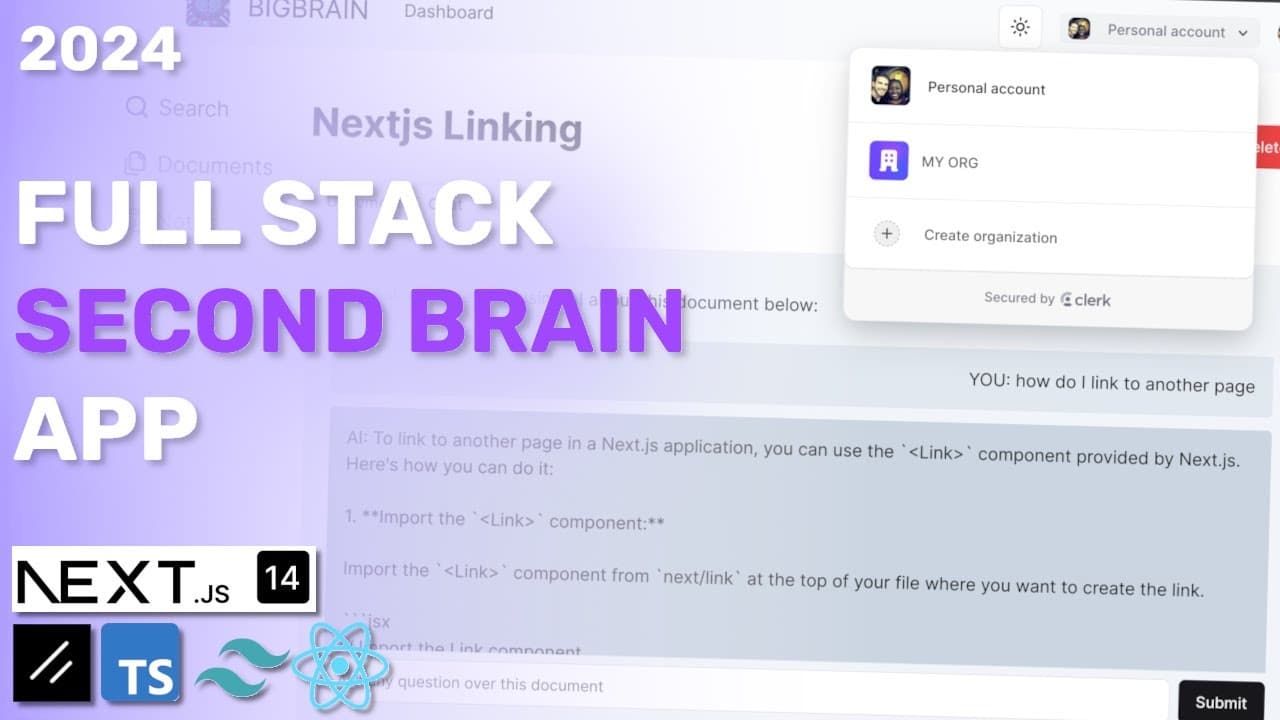
To build a second brain app, use Next.js, Shadcn, TypeScript, Convex, Clerk, and OpenAI for AI-powered document management. Key features include user authentication, document uploads, note creation, and vector-based searching for efficient retrieval of relevant content. The app supports collaborative sharing and organization-specific data management, ensuring a robust user experience.
Transcript
hey everyone how's it going I have a really awesome tutorial where I'm going to walk you through how you can build a second brain type of application if you don't know what a second brain is is basically a place where you can put your documentation your notes and you can use AI to basically ask questions and search over all your documentations I so... Read More
Key Insights
- 📝 The second brain application integrates advanced AI features, allowing users to interact with their notes and documents dynamically.
- 👤 User authentication and organization management are seamlessly handled via Clerk and Convex, facilitating a collaborative environment.
- 👨🔬 Vector search capabilities enable the application to return more relevant results based on the context of user queries and stored documentation.
- 👤 Error handling and state management are crucial in maintaining a smooth user experience, informing users about the success or failure of their actions.
- 👤 The design emphasizes usability and intuitiveness, with skeleton loaders and tooltips enhancing user guidance and engagement during the application’s use.
- 👤 The implementation of modals for critical actions like deletion promotes user safety and prevents unintended data loss.
- 📝 The application's flexibility is demonstrated through its ability to scale features, such as adding notes or documents and managing organization-specific data.
Install to Summarize YouTube Videos and Get Transcripts
Explore YouTube Video Summarizer or Get YouTube Transcript Extractor
Questions & Answers
Q: How do you build a second brain app with AI vector search?
The tutorial builds a second brain app with Next.js, Shadcn, TypeScript, Convex, Clerk, and OpenAI. Its three main features are searching documents and notes with vector search, uploading and chatting with documentation, and creating notes that can later be viewed or deleted.
Q: What technologies are used to build the second brain app?
The app uses Next.js, Shadcn, and TypeScript, with Convex providing the backend service, file storage, and built-in vector search. Clerk handles authentication and organizations, while OpenAI generates document descriptions and answers questions from uploaded content.
Q: How does AI vector search work in the app?
Users enter a query, and vector search finds the most relevant stored note or document. For example, searching “what did I work on today” returns the note about recording a video, while searching “route handlers” returns the uploaded route-handlers documentation.
Q: What happens when a user uploads a document?
The app validates the upload and stores the file in Convex file storage. OpenAI loops over the text to generate a description automatically, after which the user can preview the document in an iframe and chat with its contents.
Q: How can users ask questions about an uploaded document?
The app downloads the stored file from Convex, extracts its text, determines the relevant context, and uses OpenAI to answer the user’s question. The example asks how to handle cookies in a Next.js App Router 14 handler and receives an answer based on the uploaded documentation.
Q: What file types can users upload?
The tutorial says users can upload MDX files, text files, and Microsoft document files. Once uploaded, the documentation can be viewed, searched, queried with AI, or deleted.
Q: How are notes created and managed?
Users enter note content, save it, and can return later to view it. Note creation includes validation, and saved notes can also be deleted or discovered through vector search.
Q: How do Clerk organizations control access to documents and notes?
Documents and notes are scoped either to a user’s personal account or to an organization. A different account in the same Clerk organization can see a shared organization note, while a personal account without uploaded content shows no documentation.
Summary & Key Takeaways
-
The tutorial covers building an application that functions as a "second brain" for managing documentation and notes, utilizing AI for queries.
-
It utilizes Clerk for authentication, Convex as a backend service, and OpenAI for generating documentation summaries and responses to user queries.
-
Key features include document uploads, note creation, AI-assisted searching, and user organization management.
Read in Other Languages (beta)
Share This Summary 📚
Summarize YouTube Videos and Get Video Transcripts with 1-Click
Try YouTube Summary with ChatGPT & Claude or YouTube Transcript Generator
Explore More Summaries from Web Dev Cody 📚





Summarize YouTube Videos and Get Video Transcripts with 1-Click
Try YouTube Summary with ChatGPT & Claude or YouTube Transcript Generator