What Should a Productive Desk Setup Include?
TL;DR
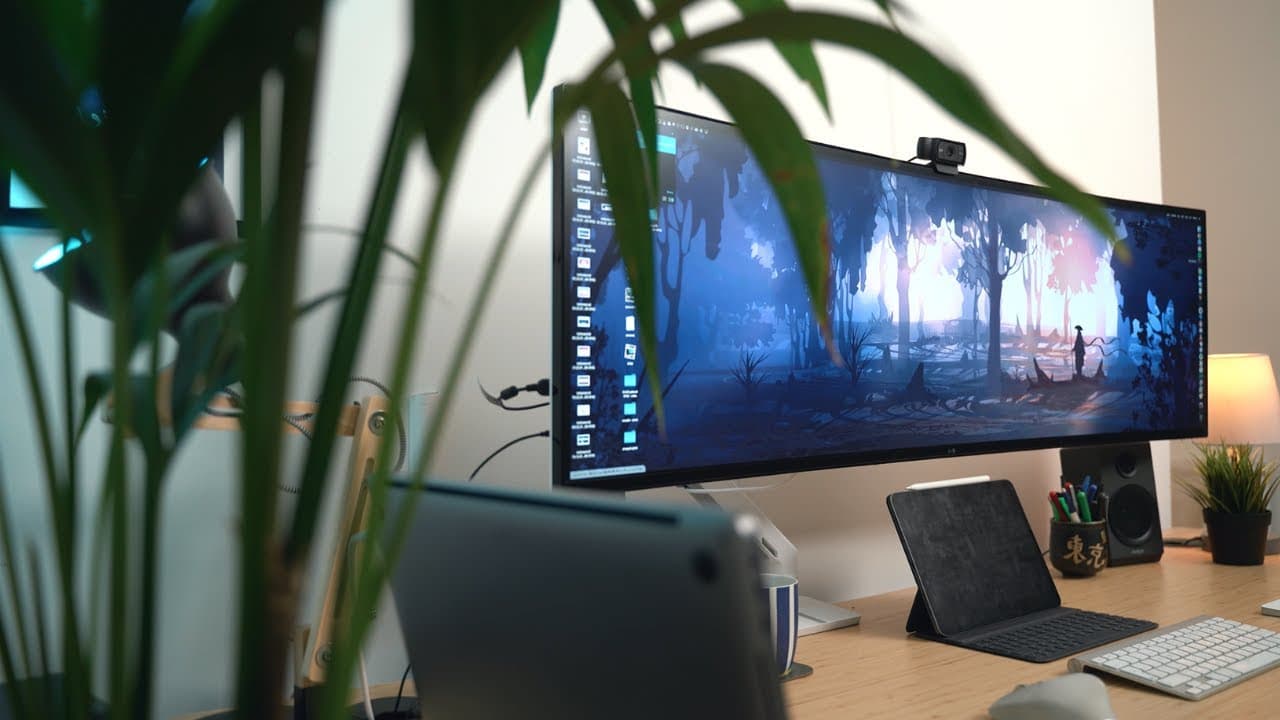
A productive desk setup should feature a flexible standing desk like the Jarvis Electrical, a large monitor such as the LG 49-inch ultra-wide for multitasking, and ergonomic peripherals including a Logitech mouse and an Apple keyboard. Effective cable management and personal touches like plants and lamps also enhance the workspace, promoting both productivity and comfort.
Transcript
hey guys welcome back to the channel if you're new here my name is Ali I'm a doctor working in Cambridge and in this video I'm gonna be taking you through a tour of my 2019 productivity desk setup so I'm gonna talk through everything on this desk all the peripherals the desk everything like that but before we get started I just want to say a massiv... Read More
Key Insights
- 😑 Ali expresses his gratitude to subscribers and viewers who have supported his YouTube channel for the past two years.
- 💁 The Jarvis Electrical standing desk provides a boost of energy and versatility, making it a valuable addition to a productive workspace.
- 🤌 The LG 49-inch ultra-wide monitor offers a vast display area, ideal for multitasking and optimizing productivity.
- 🐭 Ali's choice of peripherals, including the Logitech MX Master mouse and Apple wireless Bluetooth keyboard, enhances his workflow and usability.
- 🥶 Proper cable management and concealment contribute to a clutter-free workspace, allowing for a more focused and organized work environment.
- 👾 Ali incorporates elements like speakers, lamps, and plants to personalize and create a comfortable working space.
- ❓ Documentary streaming platforms, such as Curiosity Stream, offer informative content that aligns with Ali's interest in productivity and personal growth.
Install to Summarize YouTube Videos and Get Transcripts
Explore YouTube Video Summarizer or Get YouTube Transcript Extractor
Questions & Answers
Q: What are the key features of Ali's standing desk setup?
Ali's standing desk offers different height settings, providing versatility and an energy boost. It enhances his productivity during tasks like editing and studying.
Q: How does Ali utilize the LG 49-inch ultra-wide monitor for multitasking?
Ali uses the wide monitor to set up a triple window mode, utilizing one window as the main display and the others for additional apps like email and Slack. It enables efficient multitasking.
Q: What peripherals does Ali use for his desk setup?
Ali uses a Logitech MX Master mouse, an Apple wireless Bluetooth keyboard, and an Apple Magic Trackpad. This combination allows for seamless navigation and control while editing and working.
Q: How does Ali manage his cables and maintain a clutter-free workspace?
Ali utilizes the metal bits underneath his standing desk to manage cables effectively. Additionally, the spacious area provided by his Aleks drawer units allows him to conceal cables and maintain a neat setup.
Summary & Key Takeaways
-
Ali showcases his Jarvis Electrical standing desk, which offers different height settings and adds an energy boost to his work and study sessions.
-
He highlights the LG 49-inch ultra-wide monitor, which provides ample space for editing and multitasking, making it a valuable tool for productivity.
-
Ali introduces his peripherals, including a Logitech mouse, an Apple wireless Bluetooth keyboard, and an Apple Magic Trackpad, that enhance his workflow.
Read in Other Languages (beta)
Share This Summary 📚
Summarize YouTube Videos and Get Video Transcripts with 1-Click
Try YouTube Summary with ChatGPT & Claude or YouTube Transcript Generator
Explore More Summaries from Ali Abdaal 📚



Summarize YouTube Videos and Get Video Transcripts with 1-Click
Try YouTube Summary with ChatGPT & Claude or YouTube Transcript Generator