How to Build a Drawing App Using Voice Commands
TL;DR
To build a drawing app using only voice commands, start by using AI tools like Cursor to create a canvas that allows drawing. The process involves addressing bugs and adding features such as stroke width adjustment and color palettes, demonstrating AI's capabilities and limitations in coding. Understanding the generated code remains essential for effective maintenance and modifications.
Transcript
so I've been meaning to make this video I want to try to build out a very basic application but the catch is I don't want to ever have to type any code I want to use voice to text to basically command the AI to do all my work and we'll see how far we get if we start hitting a bunch of bugs and stuff then it'll be a learning experience for all of us... Read More
Key Insights
- 👨💻 Utilizing voice commands with AI tools can streamline the coding process, particularly for simpler applications.
- 👻 Having an existing project allows AI tools to operate more effectively by providing needed context for code generation.
- 👨💻 Collaboration with AI involves both accepting generated code and critically reviewing it to ensure functionality and bug fixes.
- 🏆 The incorporation of additional features must be tested iteratively, as various elements may not interact perfectly from the start.
- 👨💻 Understanding the generated code is vital for maintaining and modifying it, preventing reliance solely on AI capabilities.
- 👨💻 Despite AI’s ability to facilitate coding, developers must still apply their expertise, especially in complex scenarios.
- 👨💻 Enhancements like adjustable stroke width, color selection, and export options showcase the versatility achievable through coding collaboration.
Install to Summarize YouTube Videos and Get Transcripts
Explore YouTube Video Summarizer or Get YouTube Transcript Extractor
Questions & Answers
Q: What is the primary goal of the project discussed in the video?
The primary goal is to build a simple drawing application using voice commands to direct an AI tool, avoiding traditional code writing. This experiment aims to showcase how effective AI can be in assisting with coding tasks while also teaching viewers about the potential complexities involved.
Q: Why does the presenter emphasize having a pre-existing project when using AI tools?
The presenter emphasizes a pre-existing project as it provides context that helps AI tools understand what to build or modify. Without an initial code base, AI may lack the necessary information, making it harder to generate code that is relevant and functional for the intended application.
Q: How does the presenter handle bugs encountered in the application?
The presenter identifies bugs through testing and then provides descriptive feedback to the AI tool to resolve issues. By using clear instructions and collaborating with the AI, they effectively troubleshoot and enhance the application's functionality while also learning from the coding process.
Q: What challenges does the presenter face while integrating new features into the application?
One of the challenges is ensuring that newly integrated components, such as sliders and buttons, work seamlessly within the existing code structure. Additionally, the presenter occasionally encounters bugs or code that requires further refinement, which leads to the necessity of reviewing and understanding code generated by the AI.
Q: What key functionalities does the completed drawing application include?
The completed drawing application features a drawing canvas, adjustable stroke width, a color palette, an image export function, and undo/redo capabilities. These functionalities enhance user experience, allowing for dynamic interaction and customization while using the application.
Q: Did the AI tool function perfectly without issues during the development?
No, the AI tool experienced several issues throughout the development process, including problems with certain functions not working as intended and some bugs requiring manual intervention. This highlights that while AI tools can assist with coding, a solid understanding of programming is still necessary for effective implementation.
Q: What advice does the presenter give regarding the use of AI-generated code?
The presenter advises that it's important to thoroughly understand any code generated by AI and to read through it critically. This knowledge helps ensure maintainability and allows developers to make informed modifications or fixes as necessary, avoiding over-reliance on AI without comprehension.
Q: How does the presenter feel about the efficiency of using voice commands compared to traditional coding?
The presenter finds using voice commands to be a novel and often efficient method for coding, particularly for simple tasks. However, they recognize that there are complexities and limitations, indicating it may not always be the best approach for every situation, especially when advanced coding is required.
Summary & Key Takeaways
-
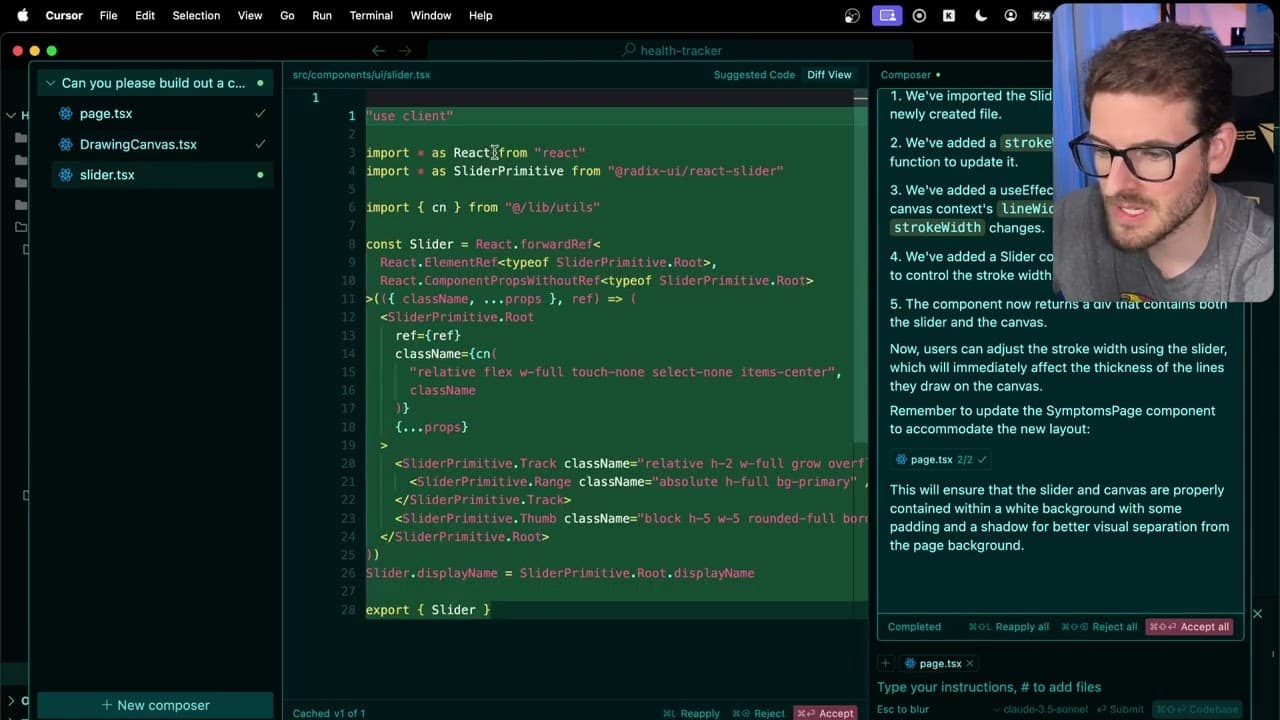
The presenter aims to create a drawing application by giving voice commands to an AI tool named Cursor, emphasizing the tool's efficiency with established projects.
-
Initial tasks involve creating a canvas for drawing and fixing bugs that emerge during testing, demonstrating the process of interacting with AI for coding.
-
The video concludes with the addition of multiple features, such as stroke width adjustment, color palettes, and undo/redo functionality, highlighting both the capabilities and limitations of AI tools in coding.
Read in Other Languages (beta)
Share This Summary 📚
Summarize YouTube Videos and Get Video Transcripts with 1-Click
Try YouTube Summary with ChatGPT & Claude or YouTube Transcript Generator
Explore More Summaries from Web Dev Cody 📚





Summarize YouTube Videos and Get Video Transcripts with 1-Click
Try YouTube Summary with ChatGPT & Claude or YouTube Transcript Generator