How to Use the Calendar Feature on thinkorswim Desktop
TL;DR
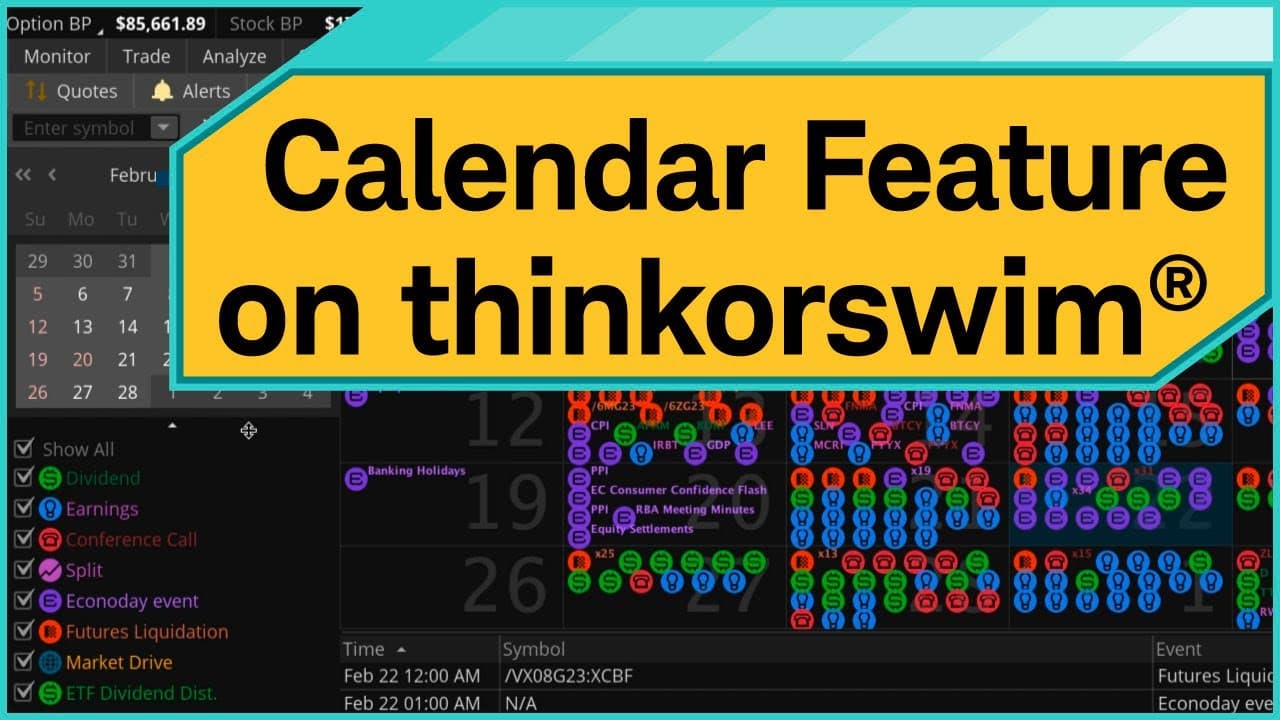
To use the calendar feature on thinkorswim desktop, navigate to the MarketWatch tab and select the Calendar subtab. You can filter events like dividends and earnings by specific symbols or indices, customize your calendar view, and even create alerts for significant market events.
Transcript
Hello, traders. I'm Sara Tyson. As a trader and investor, it's extremely important to stay on top of the news that could potentially move the markets. Luckily, the thinkorswim® platform comes fully integrated with the calendar feature, which is located on the MarketWatch tab. Keep in mind, we're going to look at thinkorswim desktop. Features may be... Read More
Key Insights
- 📅 The thinkorswim platform offers a calendar feature that provides a comprehensive view of scheduled market events.
- 🤬 Users can filter events in the calendar based on their preferences, allowing for customization and focusing on specific event types or symbols.
- 💁 Detailed information about each event is available, including date, time, and additional details.
- 😫 Users can set alerts for specific events, ensuring they never miss important market updates.
- 🫵 The calendar view can be customized to show one day, a week, a month, or a list view.
- 📅 The thinkorswim calendar is fully integrated with the platform's other features, providing a seamless trading and investing experience.
- 🕸️ The calendar feature is available on thinkorswim desktop, with potential differences in thinkorswim web or mobile versions.
Install to Summarize YouTube Videos and Get Transcripts
Explore YouTube Video Summarizer or Get YouTube Transcript Extractor
Questions & Answers
Q: How can the thinkorswim calendar feature help traders and investors stay updated on market events?
The thinkorswim calendar feature provides a comprehensive view of upcoming market events such as dividends, earnings, and economic events. Traders and investors can use this feature to stay informed about events that could potentially impact the markets.
Q: How can users filter the events in the thinkorswim calendar?
Users can filter events by selecting specific event types, such as dividends or earnings. They can also filter events based on symbols, indices, watchlists, or account positions. This allows users to focus on the events that are most relevant to their trading or investment strategies.
Q: Can users access detailed information about each event in the thinkorswim calendar?
Yes, users can click on any event icon in the calendar to access detailed information about the event. This includes the date and time of the event, as well as additional details such as how to access earnings calls. The extensive summary provides all the necessary information for users to make informed decisions.
Q: Is it possible to set alerts for specific events in the thinkorswim calendar?
Yes, users can create alerts based on specific events in the thinkorswim calendar. By right-clicking on an event detail and selecting "Create Alert," users can customize the details of the alert, such as the trigger conditions and notification preferences. This feature helps users stay on top of important events.
Summary & Key Takeaways
-
The thinkorswim platform has a calendar feature that shows scheduled events such as dividends, earnings, conference calls, and economic events.
-
Users can filter the events based on their preferences, such as by selecting specific event types or filtering by symbols, indices, watchlists, or account positions.
-
The calendar also allows users to access detailed information about each event, set customizable views, and create alerts for specific events.
Read in Other Languages (beta)
Share This Summary 📚
Summarize YouTube Videos and Get Video Transcripts with 1-Click
Try YouTube Summary with ChatGPT & Claude or YouTube Transcript Generator
Explore More Summaries from Charles Schwab 📚





Summarize YouTube Videos and Get Video Transcripts with 1-Click
Try YouTube Summary with ChatGPT & Claude or YouTube Transcript Generator