Building an online multiplayer snowball throwing game (vanilla js, node, socket.io)
TL;DR
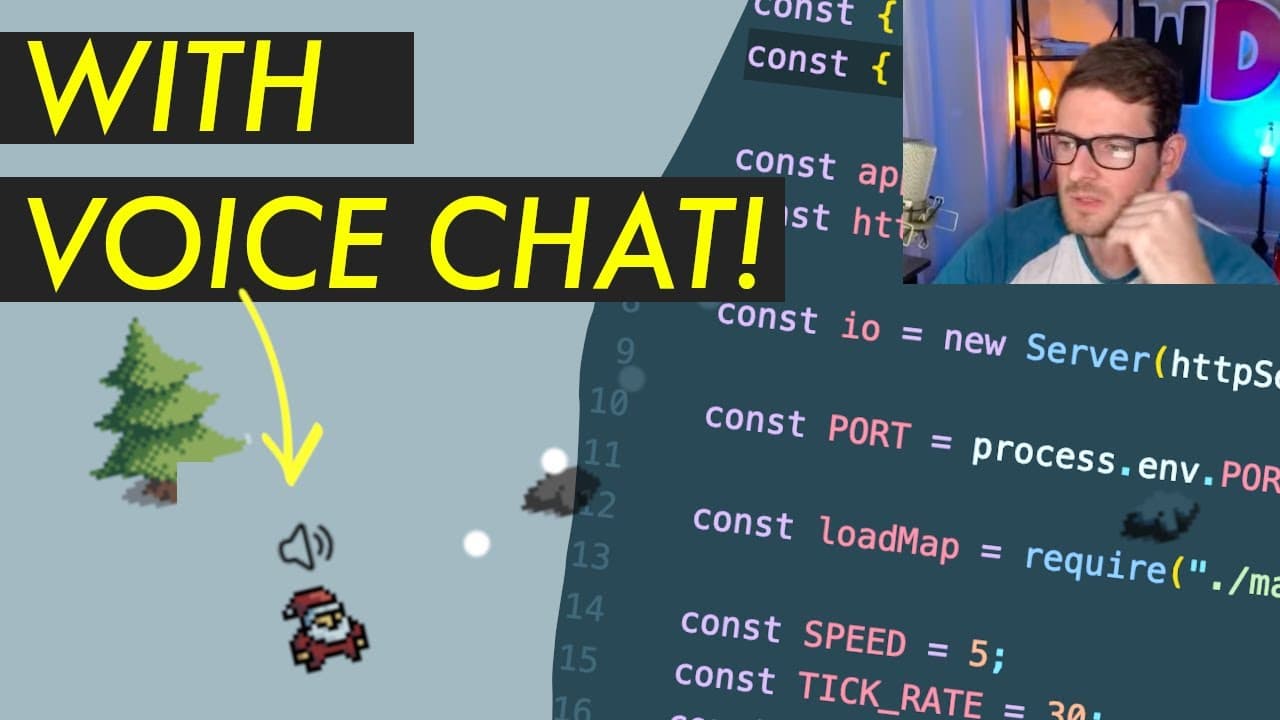
A tutorial on creating a multiplayer Christmas-themed game with snowball fighting and voice chat functionality.
Transcript
all right how's it going everyone so I'm going to be building out this little game basically I want to build something that's kind of themed towards Christmas um since the holidays are coming out but basically this is a game where you have a little player and you can throw snowballs around and also I added in the ability to do voice chat which I'll... Read More
Key Insights
- 👾 The game combines festive elements with functionality, making it engaging for players during the holiday season.
- 👻 Utilizing a real-time communication framework like Socket.io allows for seamless multiplayer experiences.
- 👾 Voice chat enhances player interaction, making the game feel more social and dynamic.
- 👾 The integration of tiled maps adds depth and complexity to the game environment, encouraging exploration.
- 😒 The use of Git for version control assists in managing code changes effectively throughout development.
- 👤 Deployment tools like Railway simplify the process of making applications accessible to users.
- 🎮 Future iterations could expand gameplay mechanics, visually enhance the game, or broaden interaction through additional features.
Install to Summarize YouTube Videos and Get Transcripts
Explore YouTube Video Summarizer or Get YouTube Transcript Extractor
Questions & Answers
Q: What features are included in this Christmas-themed game?
The game allows players to throw snowballs at each other and features voice chat, providing real-time interaction among players. It also has a basic map with obstacles and terrain designed for gameplay.
Q: How does the voice chat integration work in the game?
Voice chat is integrated using Agora's SDK, which allows players to connect to a channel and communicate via microphone. Players can mute and unmute themselves using a button in the game interface.
Q: Why did you choose to use Socket.io for real-time communication?
Socket.io was selected for its simplicity and effectiveness in handling real-time events like player connection, disconnection, and in-game interactions, which are crucial for a responsive multiplayer game experience.
Q: What development tools and technologies were used for this project?
The project utilizes Node.js with Express for the server, Socket.io for real-time communication, Agora.io for voice chat, and a tiled map format for the game environment. It also uses Git for version control and Railway for deployment.
Q: Can players move around the map, and how does that work?
Yes, players can move around the map using keyboard inputs (WASD keys). Their movement is tracked on the server, and the server sends updated player positions to all clients, allowing them to see each other move in real time.
Q: Are there any plans to add additional features or enhancements to the game?
Future enhancements could include proximity chat, optimized graphics, improved collision detection, animations, and more interactive gameplay elements to enhance the overall player experience.
Q: Where can someone access the source code for the game?
The source code for the game can be found in the GitHub repository linked in the video description, where it is hosted under an MIT license, allowing others to use and modify it as they wish.
Q: How do players interact with the environment in the game?
Players can interact with the environment by moving around, throwing snowballs at each other, and navigating obstacles like trees and rocks designed within the tiled map.
Summary & Key Takeaways
-
The content details the development of a Christmas-themed game where players can throw snowballs and engage in voice chat using Agora technology.
-
It covers the technical aspects, including setting up a web server with Express, using Socket.io for real-time communication, and integrating a tiled map for gameplay.
-
Finally, it explains deploying the game using Railway, making it available for everyone to play.
Read in Other Languages (beta)
Share This Summary 📚
Summarize YouTube Videos and Get Video Transcripts with 1-Click
Try YouTube Summary with ChatGPT & Claude or YouTube Transcript Generator
Explore More Summaries from Web Dev Cody 📚





Summarize YouTube Videos and Get Video Transcripts with 1-Click
Try YouTube Summary with ChatGPT & Claude or YouTube Transcript Generator