How to Build a Results Summary Component with Tailwind
TL;DR
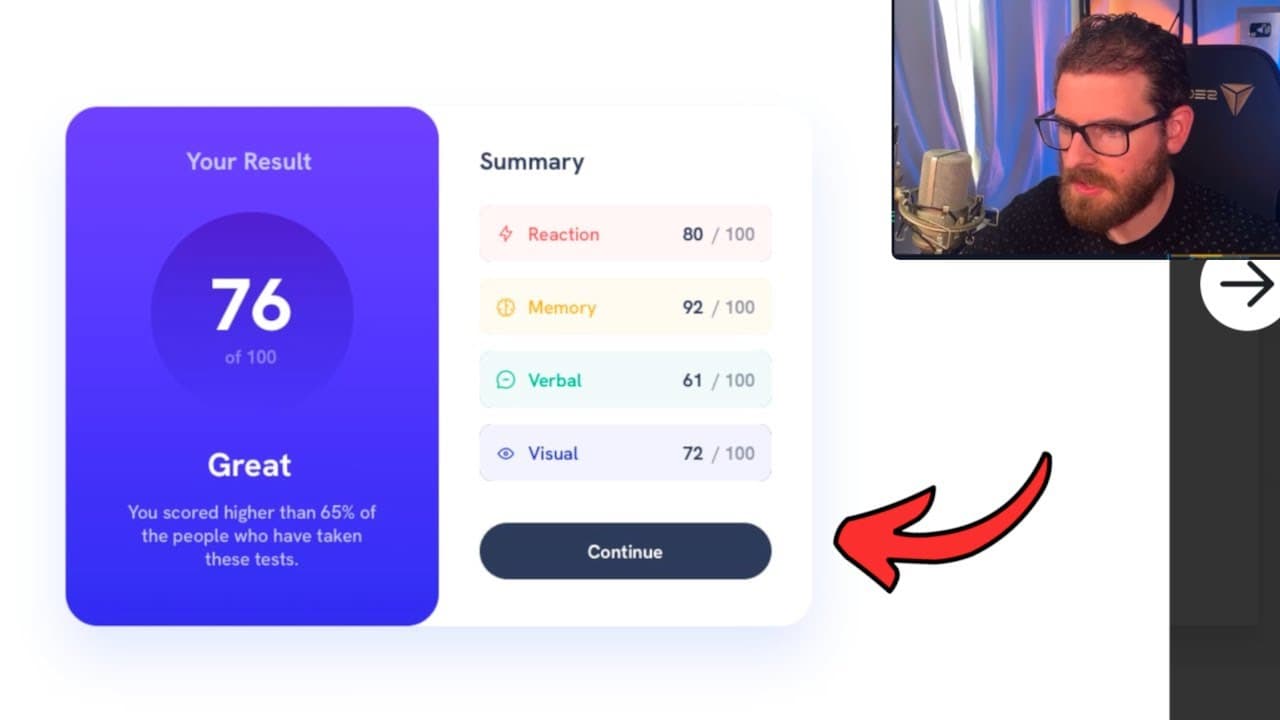
To build a results summary component using React and Tailwind CSS, start by creating a parent div with a rounded border and a light blue background. Use Flexbox for layout to position elements side by side and apply Tailwind utility classes for colors, padding, and typography based on a style guide. Adjust sizes, leverage custom colors for design accuracy, and ensure a responsive layout throughout the development process.
Transcript
it's been a while since they've done one of these front-end Mentor challenges so I figured I'd do a video now since you guys seem to like these we're going to be building out this challenge which is results summary component this is a newbie challenge but I'm going to be using react and Tailwind CSS to kind of build this out so I did already downlo... Read More
Key Insights
- 👻 The video showcases step-by-step instructions for building web components, allowing beginners to follow along effectively.
- 👻 Tailwind CSS's utility-first approach allows for rapid UI adjustments, emphasizing the importance of experimentation during development.
- 😆 Using Flexbox is crucial for creating responsive layouts, providing a flexible method for aligning and distributing space among items in a UI.
- 👻 Custom color definitions in Tailwind CSS enhance the project's design accuracy while allowing for easy color management.
- 👤 The importance of user feedback is highlighted, with the creator encouraging audience interaction to promote community involvement.
- 👨💻 Performance optimization and clean code practices can be achieved through reusable React components, although the creator opts for simpler methods initially.
- 👾 Focusing on consistent typography and spacing is essential for delivering a polished final product, reflecting best practices in web design.
Install to Summarize YouTube Videos and Get Transcripts
Explore YouTube Video Summarizer or Get YouTube Transcript Extractor
Questions & Answers
Q: What technology stack is used in building the results summary component?
The video utilizes React for building the interactive UI and Tailwind CSS for styling. This combination allows developers to create responsive and aesthetically pleasing components quickly. The creator emphasizes the use of Tailwind's utility-first classes to style elements directly within the JSX, facilitating rapid adjustments without needing to switch contexts frequently.
Q: How does the creator customize the background color in the component?
To customize the background color, the creator uses the Tailwind CSS framework, which requires defining custom colors in the project's Tailwind configuration file. They show how to extend colors by adding a pale blue hue, which is then applied to the main container's background using the class name BG pale blue. This illustrates the flexibility of Tailwind in accommodating unique design requirements directly in the component.
Q: What are some layout techniques discussed for arranging elements in the component?
The creator employs several layout techniques, including the use of Flexbox for horizontal and vertical alignment of components. Flexbox is used to ensure that elements are displayed side by side or stacked efficiently, with properties such as justify-center, items-center, and gap to manage spacing and alignment. They also illustrate the importance of using padding and margins to achieve the desired spacing around the components.
Q: Why is it essential to reference a style guide during development?
Referencing a style guide during development is crucial as it provides a consistent framework for design elements such as colors, typography, and component structures. It helps ensure that the resultant UI closely matches the intended design by offering predefined colors and styles. The creator emphasizes using the style guide to choose appropriate colors and measurements, reducing guesswork and enhancing design fidelity.
Q: What challenges does the creator face during the coding process?
The creator faces challenges such as achieving pixel-perfect designs and maintaining component alignment. They acknowledge that some adjustments are necessary since Tailwind CSS focuses on utility instead of providing exact measurements. The process involves trial and error, particularly when trying to match specific colors and styles as per the design guide, highlighting the balancing act between functionality and design accuracy.
Summary & Key Takeaways
-
The video focuses on building a results summary component as part of a front-end mentor challenge using React and Tailwind CSS frameworks.
-
It explains the process of customizing UI elements, including background colors, card structures, and typography, while referencing design specifications from a style guide.
-
Throughout the development, the creator engages with the audience by explaining coding decisions and suggesting best practices related to layout and design.
Read in Other Languages (beta)
Share This Summary 📚
Summarize YouTube Videos and Get Video Transcripts with 1-Click
Try YouTube Summary with ChatGPT & Claude or YouTube Transcript Generator
Explore More Summaries from Web Dev Cody 📚





Summarize YouTube Videos and Get Video Transcripts with 1-Click
Try YouTube Summary with ChatGPT & Claude or YouTube Transcript Generator