How to Run FLUX.2 Klein Locally for Image Editing

TL;DR
FLUX.2 Klein can generate and edit images locally, with quantized versions reportedly running on as little as 2 GB of VRAM or on a CPU. The 9B model delivers better quality than the faster 4B model, but testing reveals weaknesses in long text, anatomy, precise poses, clocks, and strict prompt adherence compared with Qwen Image and Z Image Turbo.
Transcript
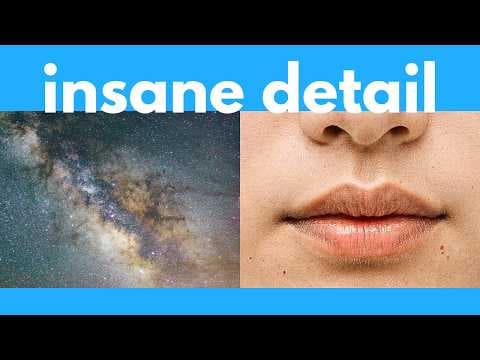
Ladies and gentlemen, we have a new free and open- source image generator, and this is blazing fast, and you can even run it with as low as 2 GB of VRAM, or even just with a CPU. It's called Flux 2 Klein. And in this video, I'm going to test this head-to-head with the top image models out there, so you can see how good this is. Plus, of course, I'm... Read More
Key Insights
- FLUX.2 Klein is a combined image generator and editor that can operate locally, offline, and without generation limits. Quantized versions are reported to run with as little as 2 GB of VRAM, while CPU execution is also presented as an option.
- The 9B variant is the stronger-quality choice based on the reviewer's initial testing, although it runs more slowly and requires more memory than the 4B version. The reviewer recommends choosing 9B whenever the available system memory is sufficient.
- The 4B variant is released under the Apache 2 license and can be used commercially with minimal restrictions. The 9B variant uses the more restrictive FLUX non-commercial license, making model selection important for anyone planning commercial work.
- The base models are undistilled foundation models intended for greater flexibility, including fine-tuning and LoRA creation. Distilled versions prioritize practical generation speed, and separate distilled and base releases are available for both the 4B and 9B variants.
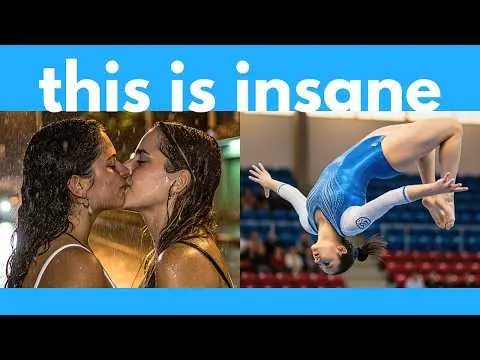
- FLUX.2 Klein produces convincing realistic photographs with natural-looking faces, skin, hands, motion blur, and imperfections. In the presented tests, its amateur selfie result tied with Z Image Turbo and appeared less polished or artificially professional than Qwen Image 2512.
- Text rendering is a significant weakness for FLUX.2 Klein. The 9B model produced many misspellings in a long diary passage and misspelled a sign in a complex Bali scene, while Qwen Image 2512 rendered those requested words more accurately.
- Anatomical accuracy remains unreliable in demanding poses. FLUX.2 Klein failed to reproduce a king pigeon yoga pose and generated four arms, while Qwen Image and Z Image Turbo came closer to the requested body position in the same comparison.
- Image editing is a central advantage of FLUX.2 Klein because generation and editing are built into one model. In a complex clothing-transfer test against Qwen Image Edit 2511, both reproduced the dress accurately, but the reviewer preferred the FLUX.2 Klein result.
Install to Summarize YouTube Videos and Get Transcripts
Explore YouTube Video Summarizer or Get YouTube Transcript Extractor
Questions & Answers
Q: What is FLUX.2 Klein and what can it do?
FLUX.2 Klein is a free, open-source model family that supports both text-to-image generation and image editing within the same model. It can create realistic photographs, anime imagery, illustrations, and stylized artwork, while also modifying supplied images. It is designed for local, offline use, allowing unlimited generations without relying on a hosted image service.
Q: How much VRAM does FLUX.2 Klein require?
The official distilled 4B information cited in the review lists 8.4 GB of VRAM, but quantized versions are reported to run with as little as 2 GB. CPU execution is also possible. Actual requirements depend on the selected 4B or 9B model, its quantization, and whether the workflow performs text-to-image generation or image editing.
Q: Should I use FLUX.2 Klein 4B or 9B?
Use the 9B variant when enough memory is available and image quality is the priority, because the reviewer found its output substantially better than the 4B model during initial testing. Choose 4B when speed, lower hardware requirements, or commercial licensing matters more. The 4B release uses Apache 2, while 9B has a non-commercial license.
Q: Can FLUX.2 Klein be used for commercial projects?
The 4B variant can be used commercially under the Apache 2 license, which the review describes as having minimal restrictions. The 9B model is distributed under the FLUX non-commercial license and is therefore more restrictive. Users planning commercial work should choose the 4B release and review the applicable license before using generated or edited images.
Q: How does FLUX.2 Klein compare with Qwen Image 2512?
FLUX.2 Klein performs well in realistic photography, dot-based illustration, and integrated image editing, but Qwen Image 2512 is more accurate with long text and detailed prompt adherence. Qwen correctly rendered the diary passage and the Bali sunset sign. Its outputs also looked stronger in UI design, although its selfie result appeared too professional for the requested amateur style.
Q: How does FLUX.2 Klein compare with Z Image Turbo?
FLUX.2 Klein and Z Image Turbo are competitive across several visual tests. They tied on the amateur selfie and impressionist-style examples, while FLUX alone correctly composed the entire deer illustration from dots. Z Image performed better on the subway scene and Chinese watercolor painting. Unlike FLUX.2 Klein, Z Image Turbo does not provide the image-editing ability discussed in the review.
Q: What are the main weaknesses of FLUX.2 Klein?
FLUX.2 Klein struggles with long text, exact physical relationships, difficult anatomy, and strict action requirements. It misspelled requested text, failed to show the correct king pigeon pose, produced four arms, and did not fully follow the Bali yoga instruction. It also failed the exact 11:15 clock and full wine-glass test, although every compared model failed that challenge.
Q: How can FLUX.2 Klein be installed for local use?
The tutorial provides downloadable 4B and 9B model files and demonstrates installation through ComfyUI workflows. It covers text-to-image generation, image editing, multiple input images, and separate low-VRAM approaches for generation and editing. The description also links workflow templates, official documentation, quantized GGUF releases, and additional FP8 and FP4 model collections for local setups.
Summary & Key Takeaways
-
FLUX.2 Klein combines text-to-image generation and image editing in one free, open-source model family. It can run offline for unlimited generations, including on consumer hardware. The larger 9B variant offers better observed quality, while quantized releases make local operation possible with very limited VRAM or even CPU-only systems.
-
The comparison finds no universal winner. FLUX.2 Klein performs well on realistic amateur photography, some unusual visual styles, and complex dress transfer. Qwen Image 2512 leads in long text rendering and detailed prompt adherence, while Z Image Turbo performs strongly on selected realistic scenes and Chinese watercolor styling.
-
FLUX.2 Klein still struggles with difficult spatial and semantic requirements. It fails tests involving an exact clock time, a completely full wine glass, advanced yoga anatomy, and some requested actions. The installation portion covers ComfyUI workflows for text-to-image generation, image editing, multiple input images, and low-VRAM configurations.
Read in Other Languages (beta)
Share This Summary 📚
Summarize YouTube Videos and Get Video Transcripts with 1-Click
Try YouTube Summary with ChatGPT & Claude or YouTube Transcript Generator
Explore More Summaries from AI Search 📚




Summarize YouTube Videos and Get Video Transcripts with 1-Click
Try YouTube Summary with ChatGPT & Claude or YouTube Transcript Generator