What Is DHH's Programming Setup and Why Does He Prefer It?
TL;DR
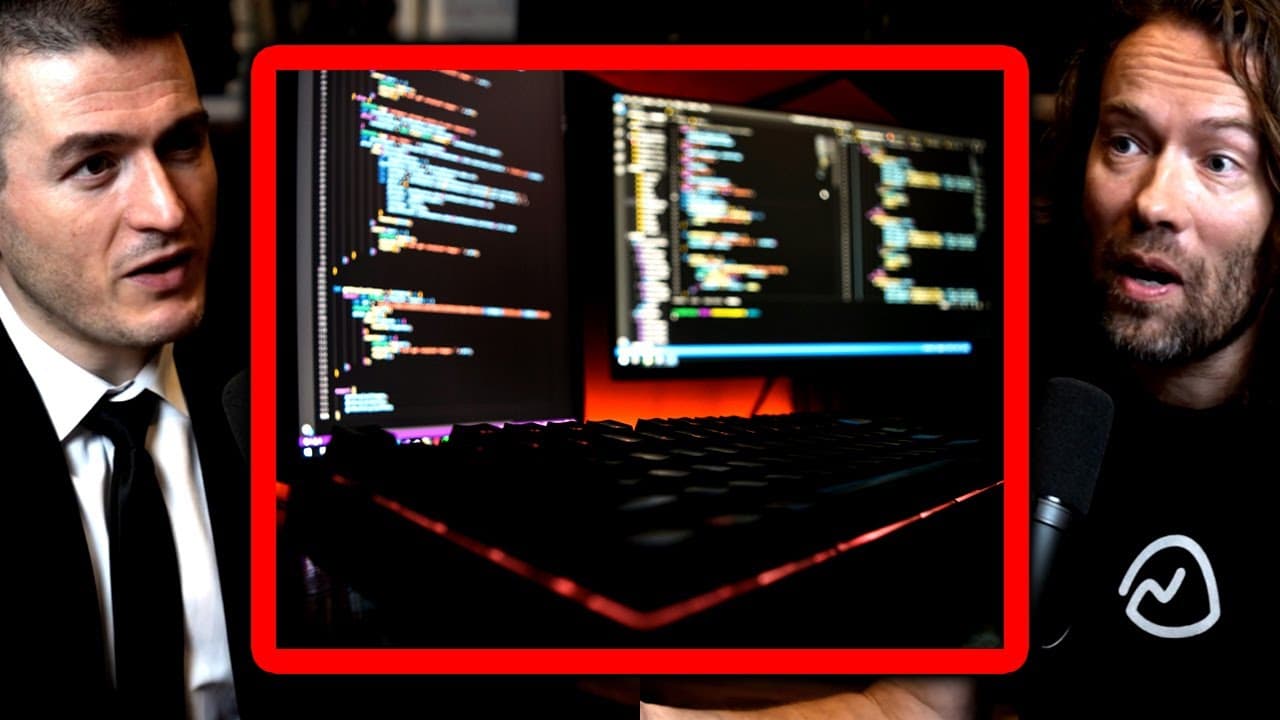
David Heinemeier Hansson (DHH) prefers a programming setup using Linux for its superior customization and efficiency, allowing quick setup of a reproducible environment. He values his single large monitor, the Apple 6K XDR, and enjoys the tactile experience of the Lowree Flow 84 mechanical keyboard. DHH also adopted Neovim as his text editor, appreciating its flexibility compared to Textmate.
Transcript
Read and summarize the transcript of this video on Glasp Reader (beta).
Key Insights
- David Heinemeier Hansson (DHH) transitioned from Apple to Linux for his programming setup, citing improved customization and performance.
- He prefers a single large monitor setup, specifically Apple's 6K 32-inch XDR screen, which he continues to use despite switching to Linux.
- DHH discovered the Lowree Flow 84 mechanical keyboard, appreciating its tactile feedback and sound, which he had previously overlooked.
- He initially avoided Linux due to perceived complexity but found it more suitable for web development after trying it as a desktop environment.
- Linux offers DHH a customizable, reproducible environment that can be set up quickly, enhancing his programming efficiency.
- He values the immediacy and fluidity of Linux's virtual desktop switching, which he finds superior to macOS and Windows.
- DHH's current editor of choice is Neovim, which he finds better than Textmate, his previous editor, due to its flexibility and efficiency.
- He emphasizes the importance of investing in a personalized setup that enhances productivity and comfort for programmers.
- Related book: It Doesn't Have to Be Crazy at Work
- Export your Kindle highlights to Glasp: How to Download Highlights and Notes from Kindle
Install to Summarize YouTube Videos and Get Transcripts
Explore YouTube Video Summarizer or Get YouTube Transcript Extractor
Questions & Answers
Q: What prompted DHH to switch from Apple to Linux for his programming setup?
DHH switched from Apple to Linux because he found Linux to be more customizable and efficient for web development. Despite Apple's strong design and functionality, Linux offered him a more flexible environment that better suited his needs, particularly in terms of virtual desktop management and overall system performance.
Q: Why does DHH prefer a single monitor setup?
DHH prefers a single monitor setup because he values focus and simplicity in his workspace. He uses Apple's 6K 32-inch XDR screen, which he finds unmatched in quality. Having one large screen allows him to concentrate on a single task without the distractions of multiple screens.
Q: What is DHH's opinion on mechanical keyboards?
DHH has grown to appreciate mechanical keyboards, particularly the Lowree Flow 84, for their tactile feedback and sound. He initially overlooked mechanical keyboards, considering them a niche interest, but now recognizes their value in enhancing the typing experience, which is crucial for programmers who spend extensive time at their keyboards.
Q: How does DHH set up his Linux environment for programming?
DHH has created a reproducible Linux environment that he can set up in less than 30 minutes. This setup includes all necessary tools and configurations for his development work, allowing him to quickly get a new machine ready for programming. He values the ability to encode all aspects of his development environment, which enhances productivity.
Q: What advantages does DHH find in Linux's virtual desktop management?
DHH finds Linux's virtual desktop management superior due to its immediacy and fluidity. The ability to switch between virtual desktops quickly, without the latency found in macOS or Windows, significantly improves his workflow and productivity, allowing for seamless multitasking and focus.
Q: What text editor does DHH currently use and why?
DHH currently uses Neovim as his text editor of choice. He appreciates its flexibility and efficiency, especially when paired with Lazy Vim, which eliminates the need for extensive configuration. Neovim allows him to interact directly with text, providing a powerful and streamlined coding experience.
Q: How does DHH view the role of customization in a programmer's setup?
DHH believes that customization is essential in a programmer's setup as it enhances both productivity and comfort. He encourages programmers to invest time in finding the right tools and configurations that suit their specific needs, as these can significantly impact their efficiency and overall satisfaction with their work environment.
Q: What is DHH's perspective on Apple's design and functionality?
DHH acknowledges that Apple has strong design and functionality, with a consistent and aesthetically pleasing user experience. However, he finds that this uniformity can lack the individuality and customization options that Linux offers. While Apple products are well-designed, he appreciates the variety and personalization available with Linux.
Summary & Key Takeaways
-
David Heinemeier Hansson discusses his programming setup, highlighting his transition from Apple to Linux due to its superior customization and performance for web development. He prefers using a single large monitor and has discovered the joys of mechanical keyboards, particularly the Lowree Flow 84.
-
DHH explains how Linux offers a more customizable and efficient environment for programming, allowing him to set up a reproducible system quickly. He appreciates the speed of switching virtual desktops on Linux compared to macOS and Windows, enhancing his workflow.
-
He shares his journey from using Textmate to adopting Neovim as his preferred text editor. DHH values the flexibility and efficiency of Neovim, which, paired with Lazy Vim, offers an excellent editing experience without the need for extensive customization.
Read in Other Languages (beta)
Share This Summary 📚
Summarize YouTube Videos and Get Video Transcripts with 1-Click
Try YouTube Summary with ChatGPT & Claude or YouTube Transcript Generator
Explore More Summaries from Lex Clips 📚
Summarize YouTube Videos and Get Video Transcripts with 1-Click
Try YouTube Summary with ChatGPT & Claude or YouTube Transcript Generator