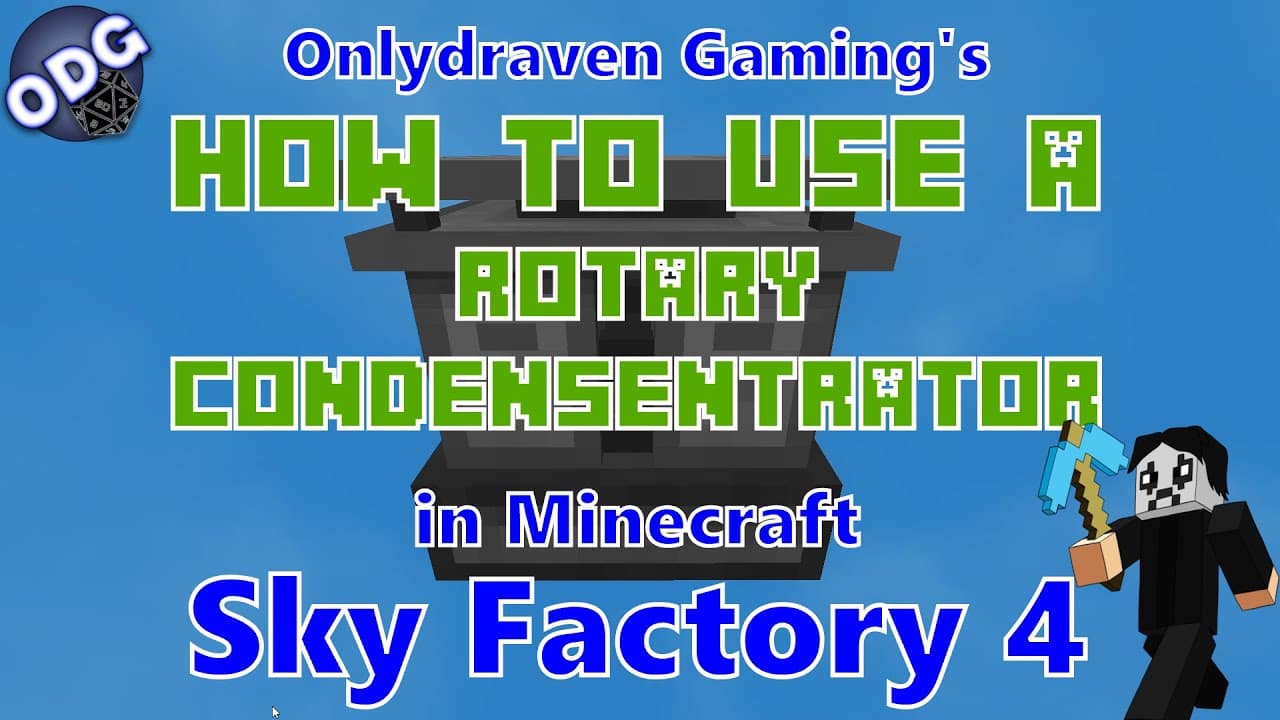
How to Use the Rotary Condenser Trader in Minecraft
TL;DR
To use the Rotary Condenser Trader in Minecraft, players can easily convert gases to fluids or vice versa by toggling the operation mode. It requires four glass, two basic control circuits, one energy tablet, and both a basic fluid and gas tank to craft. The block does not have a GUI, allowing for straightforward operation with inputs and outputs on either side.
Transcript
hello everyone only draven here again and today we're doing another tutorial in minecraft sky factory 4. uh today i'm going to be showing you how to use the rotary condenser trader which is a block from the mechanism mod and is a pretty helpful component this video was specifically requested so thank you to those who put that down in the comments s... Read More
Key Insights
- 🫢 The Rotary Condenser Trader is a user-friendly mechanism block in Sky Factory 4, providing fluid and gas conversion without complicated interfaces.
- 💄 Crafting the Rotary Condenser Trader requires accessible materials, making it an ideal addition to beginner and advanced setups alike.
- 🫢 Toggles for gas to liquid and liquid to gas processing simplify decision-making for converting materials, enhancing gameplay efficiency.
- 🫗 The Rotary Condenser Trader supports multiple recipes, including the production of liquid hydrogen and ethylene, showcasing its versatility.
- 🫢 The machine is designed to fit seamlessly into existing systems, allowing for the easy integration of fluid and gas management processes.
- ❓ Leveraging the Rotary Condenser Trader is crucial for players moving towards advanced crafting, like creating HDPE pellets and other complex materials.
- 💍 Players are encouraged to engage with the community to request additional tutorials, which can foster a collaborative learning environment.
Install to Summarize YouTube Videos and Get Transcripts
Explore YouTube Video Summarizer or Get YouTube Transcript Extractor
Questions & Answers
Q: What materials do I need to craft the Rotary Condenser Trader?
To craft the Rotary Condenser Trader, you require four pieces of glass, two basic control circuits, one energy tablet, one basic fluid tank, and one basic gas tank. This combination will allow you to create the device necessary for converting fluids to gases and vice versa in Minecraft's Sky Factory 4.
Q: How does the Rotary Condenser Trader work?
The Rotary Condenser Trader functions by taking fluids from one side and converting them to gases on the other side, and vice versa. There are no complex settings or menus; users simply toggle between gas or fluid modes using the lever on the machine. The left side is for gas intake/output, while the right side is designated for fluids.
Q: What are some practical applications of the Rotary Condenser Trader?
This block can handle several conversions, including turning water into water vapor or converting ethylene into liquid ethylene. This functionality is essential for various crafting processes, including the creation of HDPE pellets, making the Rotary Condenser Trader an important tool for progressing through Sky Factory 4.
Q: Can I use any power source to run the Rotary Condenser Trader?
Yes, you can use any RF (Redstone Flux) power source to operate the Rotary Condenser Trader. This versatility allows players to integrate it easily into their existing energy setups, ensuring it runs smoothly within a variety of configurations in Sky Factory 4.
Summary & Key Takeaways
-
The Rotary Condenser Trader is a mechanism block used in Sky Factory 4 for converting gases to liquids and vice versa, simplifying fluid manipulation.
-
To create the Rotary Condenser Trader, players need four glasses, two basic control circuits, an energy tablet, as well as basic fluid and gas tanks.
-
The block operates without a GUI, with power inputs from all sides, and facilitates various conversions, including ethylene to liquid ethylene for crafting HDPE pellets.
Read in Other Languages (beta)
Share This Summary 📚
Summarize YouTube Videos and Get Video Transcripts with 1-Click
Try YouTube Summary with ChatGPT & Claude or YouTube Transcript Generator
Explore More Summaries from Onlydraven Gaming 📚




Summarize YouTube Videos and Get Video Transcripts with 1-Click
Try YouTube Summary with ChatGPT & Claude or YouTube Transcript Generator