
YouTube Summary with ChatGPT & Claude

YouTube Video Summarizer with ChatGPT

Paste a link for a free summary and transcript — no sign‑up. Or add the extension and get them beside every video you watch.

4.3 on Chrome Store2,000,000+ usersChrome · Safari · Edge · Firefox

Get Transcript & Summarize YouTube Videos

In short

What is YouTube Summary with ChatGPT & Claude?

A free browser extension that summarizes YouTube videos, web articles and PDFs with ChatGPT, Claude, Gemini or Mistral. On YouTube it puts the summary and the full transcript beside the video — timestamps you can click, a transcript you can copy or highlight, and exports to Notion, Obsidian and Markdown. This page will summarize a video without installing anything: paste the link above.

Price
Free — no credit card
Models
ChatGPT · Claude · Gemini · Mistral
Works on
YouTube, articles, PDFs
Watch it work

A summary beside the video, not in another tab

Three steps

How to summarize a YouTube video

  1. 01

    Add the extension and open a video

    Install YouTube Summary on Chrome, Edge or Firefox, then open any YouTube video. The summary widget appears beside the player.

  2. 02

    Pick a model and read the summary

    Choose ChatGPT, Claude, Gemini or Mistral and get the key points in seconds — with timestamps you can click to jump to that moment.

  3. 03

    Read, copy or highlight the transcript

    The full transcript sits beside the video in the language you choose. Copy it in one click, or highlight the lines worth keeping and export them to Notion, Obsidian or Markdown.

What you get

The parts of a video worth keeping

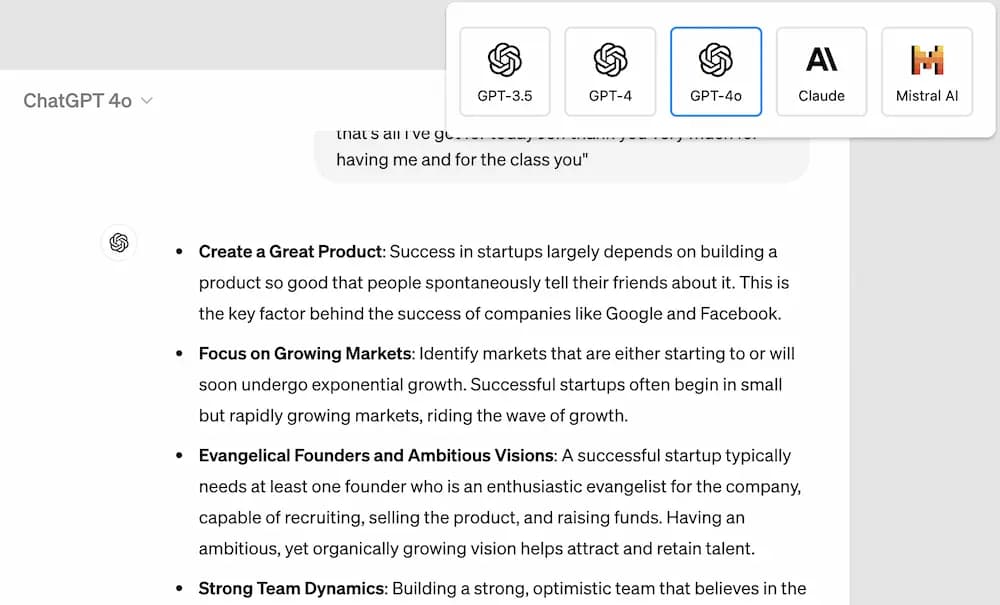
Summarize with ChatGPT, Claude, Gemini or Mistral

Pick the model, the length and the number of key points. The summary comes back in seconds, in the language you choose — not necessarily the one the video is in.

  • ChatGPT, Claude, Gemini and Mistral
  • Custom prompt and summary length
  • Summary in the language you pick
Choosing an AI model to summarize a YouTube video in the extension

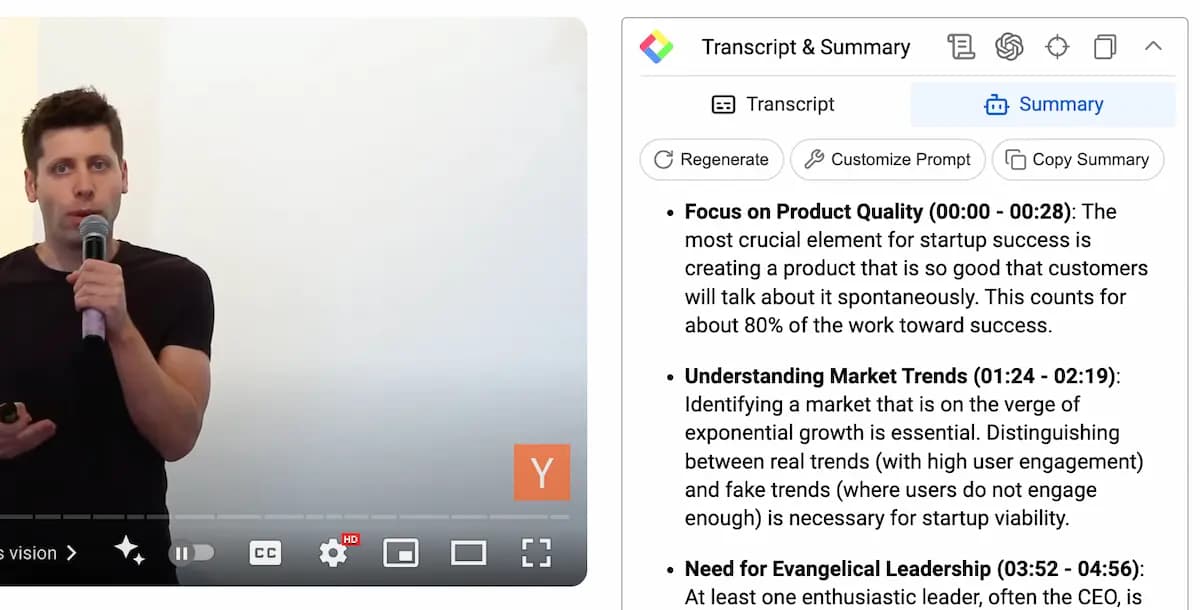
Timestamps on the page, while the video plays

The on-page summary is timestamped. Click a key point and the player jumps to that second, so a 45-minute talk can be checked in five.

A timestamped summary shown beside a playing YouTube video

The full transcript, in the language you choose

Read along beside the video or copy the whole transcript in one click, timestamps included. Available in every language YouTube has captions for.

Highlight the transcript and keep it

Highlight lines of the transcript, add a note, and export to Notion, Obsidian, Roam Research or mem.ai — or download as Markdown, HTML, CSV or JSON.

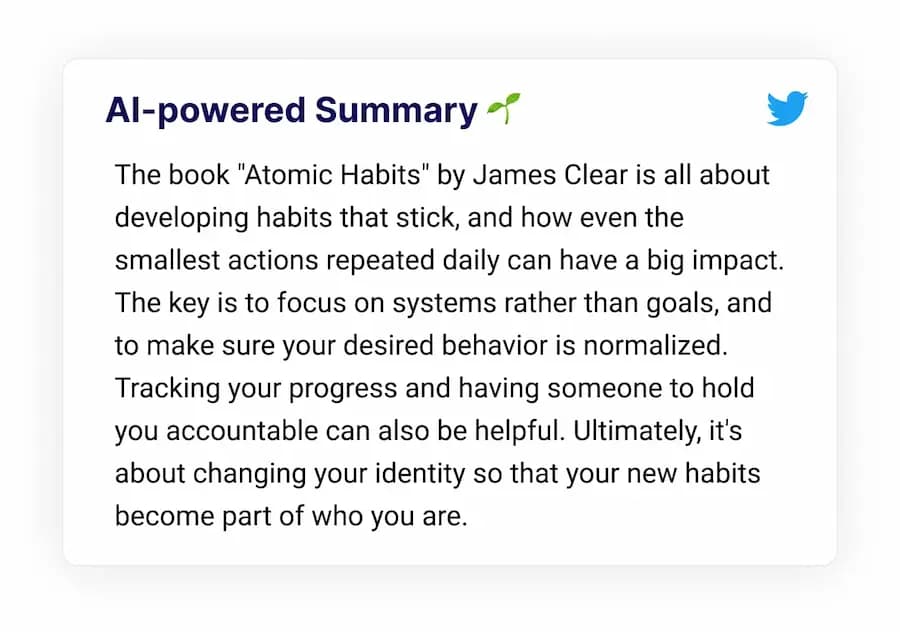
Articles and PDFs, the same button

The same extension summarizes web articles and PDFs, so one install covers what you read as well as what you watch.

An AI summary of a web article generated by the extension
2,000,000+

people summarize videos and articles with Glasp.

ForbesThe GuardianBusiness InsiderEntrepreneurLifehackerMakeUseOf

What users say

  • The best tool ever! Such a huge time saver and increases the productive.
    C. Harshan
  • It's absolutely amazing. It significantly reduces my time & efforts.
    F. Jijicawna
  • Excellent, so fast and quick, the button that floats on the youtube thumbnails and on the websites is so helpful, gets everything done in 1 click. THANK YOU SO MUCH!
    R. Kethavath
Answers

Frequently asked questions

What is YouTube Summary with ChatGPT & Claude?

A free browser extension that uses ChatGPT and Claude to summarize YouTube videos, so you can get the key points without watching the whole thing. You choose the length of the summary and how many key points to show, with or without timestamps.

Is YouTube Summary free to use?

Yes. Summarizing YouTube videos and getting transcripts is free, with no subscription fee.

Is there a free YouTube summarizer without sign-up?

Yes. Paste any YouTube URL into the box at the top of this page and get an AI summary and transcript instantly — no account and no extension needed. The extension adds transcript highlighting, custom prompts and a saved history.

Can AI summarize a 2-hour YouTube video?

Yes. Long lectures, podcasts and interviews are handled the same way: the whole transcript is processed and the summary carries timestamps so you can jump to the moments that matter.

How do I get a YouTube transcript with timestamps?

Open a video with the extension installed and click the transcript icon. The full transcript appears beside the video with clickable timestamps, and one click copies all of it. The transcript extractor on this site does the same without an install.

Which browsers does it work in?

Chrome, Edge and Firefox have their own listings; Brave and Opera install the Chrome build. On Safari and on your phone, the Glasp app has its own YouTube reader.

Can I choose the length and language of the summary?

Yes. Set the length and the number of key points in the extension, and pick the summary language independently of the language spoken in the video.

Can I save and highlight the transcript?

Yes. Highlight lines of the transcript, add notes, and export them to Notion, Obsidian, Roam Research and mem.ai, or download as Markdown, HTML, CSV or JSON.

More questions? Read the docs or email hi [at] glasp.co.

Watch less. Learn more.

Add YouTube Summary to your browser and the next video you open comes with a summary and a transcript. It's free.