How to Use Glasp with Meta Muse: Ask About Your Highlights and YouTube Summaries

Oct 29, 2026
5 min read
4 views
Muse, Meta's personal agent, can work with the things you have saved in Glasp: your web highlights, Kindle highlights, bookmarks, and the summaries you made with YouTube Summary. Once it is connected, you can ask Muse about your own reading and the videos you summarized, and it answers from what you kept, with links and timestamps. Setting it up takes one message in a Muse chat.
What you need
A Glasp account with some highlights or summaries in it. If you are new, start with How to install Glasp.
Muse, in the browser at muse.ai or in the iOS or Android app. Meta lists Muse for the US, Canada, and Singapore, so check whether it is available where you are.
Connect Glasp to Muse
1. Ask Muse to create the connector.
Open a chat with Muse and send this message:
"Please create a custom connector for Glasp using this MCP server: https://glasp.co/api/mcp"
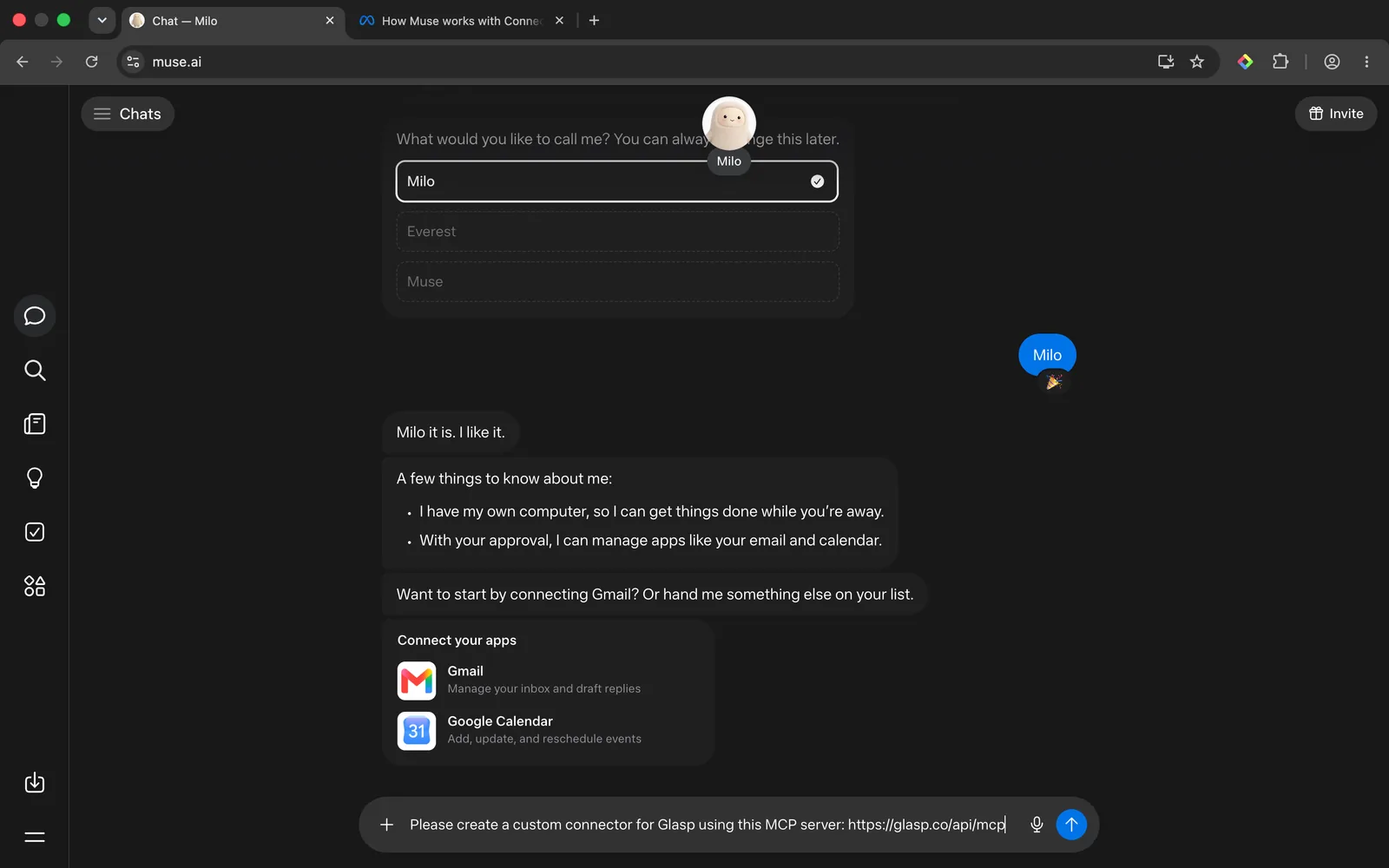
Muse will ask whether it may share information with glasp.co. Choose "Allow once" to approve this one step, or "Always allow this site" if you do not want to be asked again.
2. Check what Muse will be able to do, then press Connect.
Before connecting, Muse explains what the Glasp connector offers. It can read your highlights, recent highlights, the highlights on a given page, your Kindle highlights, bookmarks, summaries, and memories, plus the highlights other readers made public on a page. The connector is read-only apart from one permission you approve when connecting: saving a page to your Glasp bookmarks by URL. Your bookmarks are public on your profile. It can never edit or delete anything, including your highlights.
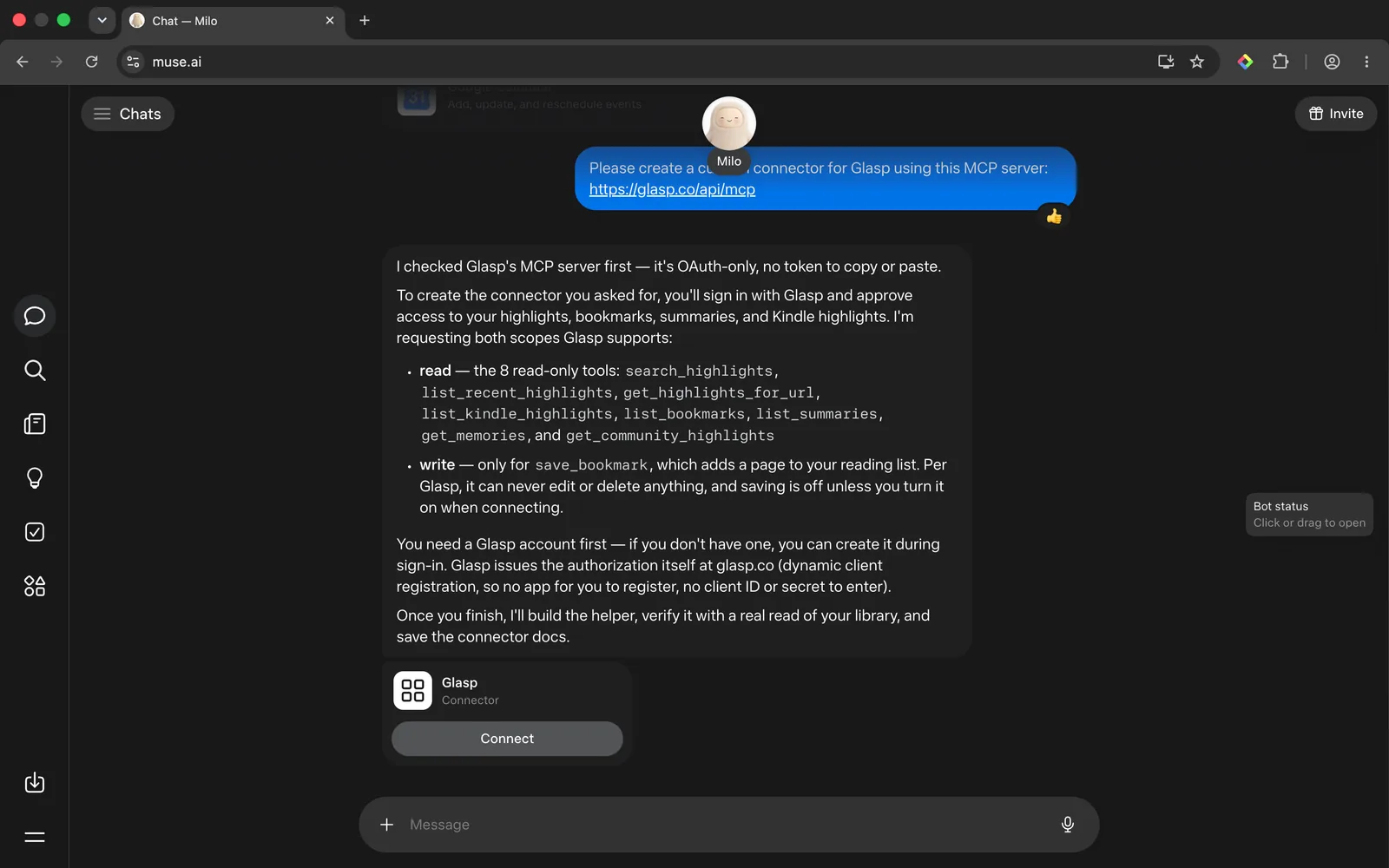
Press Connect, sign in with your Glasp account on glasp.co, and approve. There is no token to copy and no app to register.
3. Confirm it works.
Muse tells you when the connector is ready. Ask it something simple to check, such as "What have I highlighted recently on Glasp?"
Ask Muse about your own reading
Now you can ask in plain language, the way you would ask a friend who read everything with you:
"What have I highlighted about learning?"
"Find the passages I saved on habit formation, from articles and Kindle books, and group them by idea."
"I'm writing about remote team culture. Pull my highlights on it and draft an outline that cites them."
Each answer points back to the article or book it came from, so you can open the source and check the quote.
Ask Muse about a YouTube video you summarized
If you use YouTube Summary with ChatGPT & Claude, your summaries are saved in Glasp, and Muse can read them. Paste the video link and ask your own question:
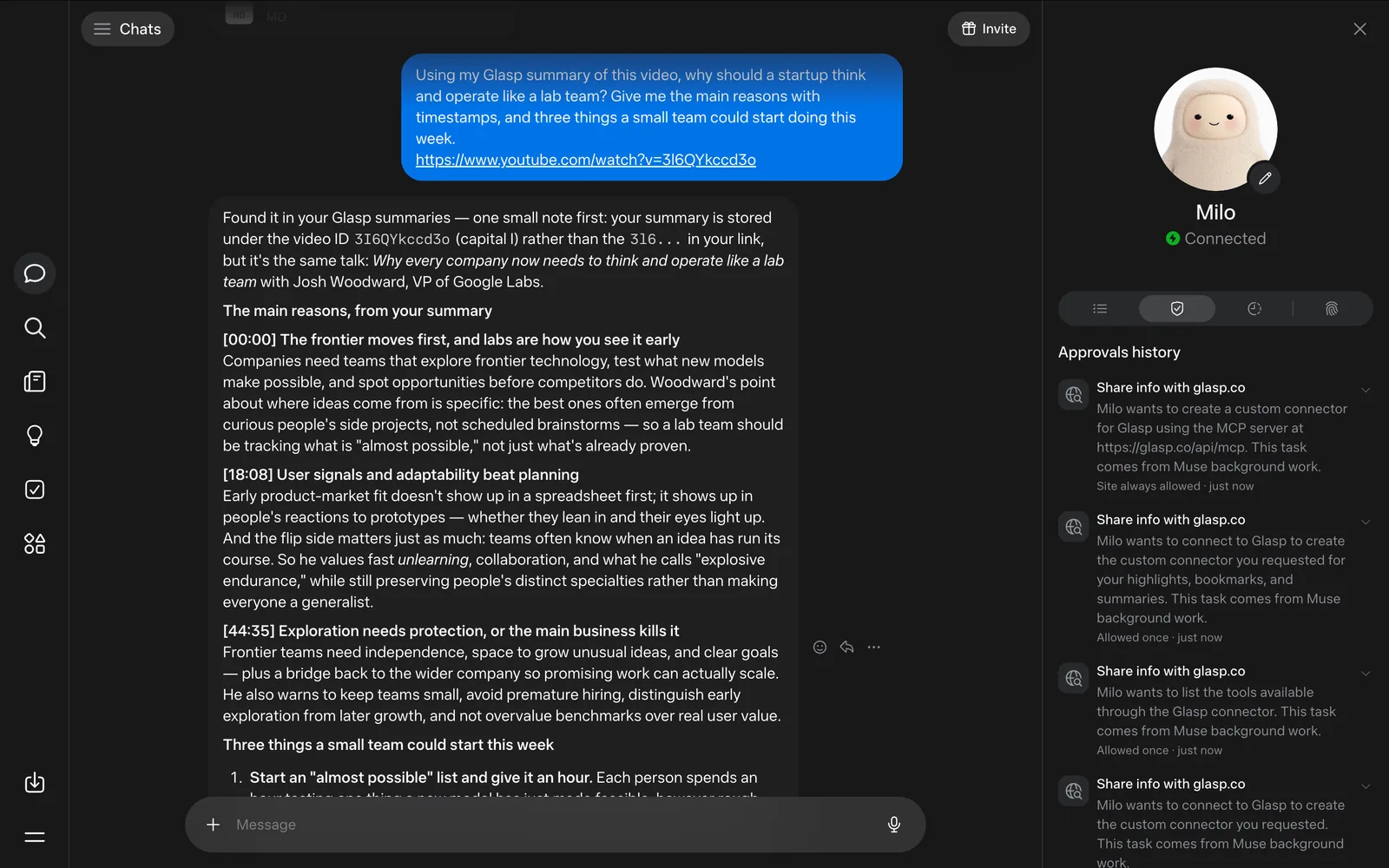
"Using my Glasp summary of this video, why should a startup think and operate like a lab team? Give me the main reasons with timestamps, and three things a small team could start doing this week. https://www.youtube.com/watch?v=3I6QYkccd3o"
Muse found the summary of Josh Woodward's talk on Google Labs and answered with the reasons at 00:00, 18:08, and 44:35, then three concrete steps for a small team.
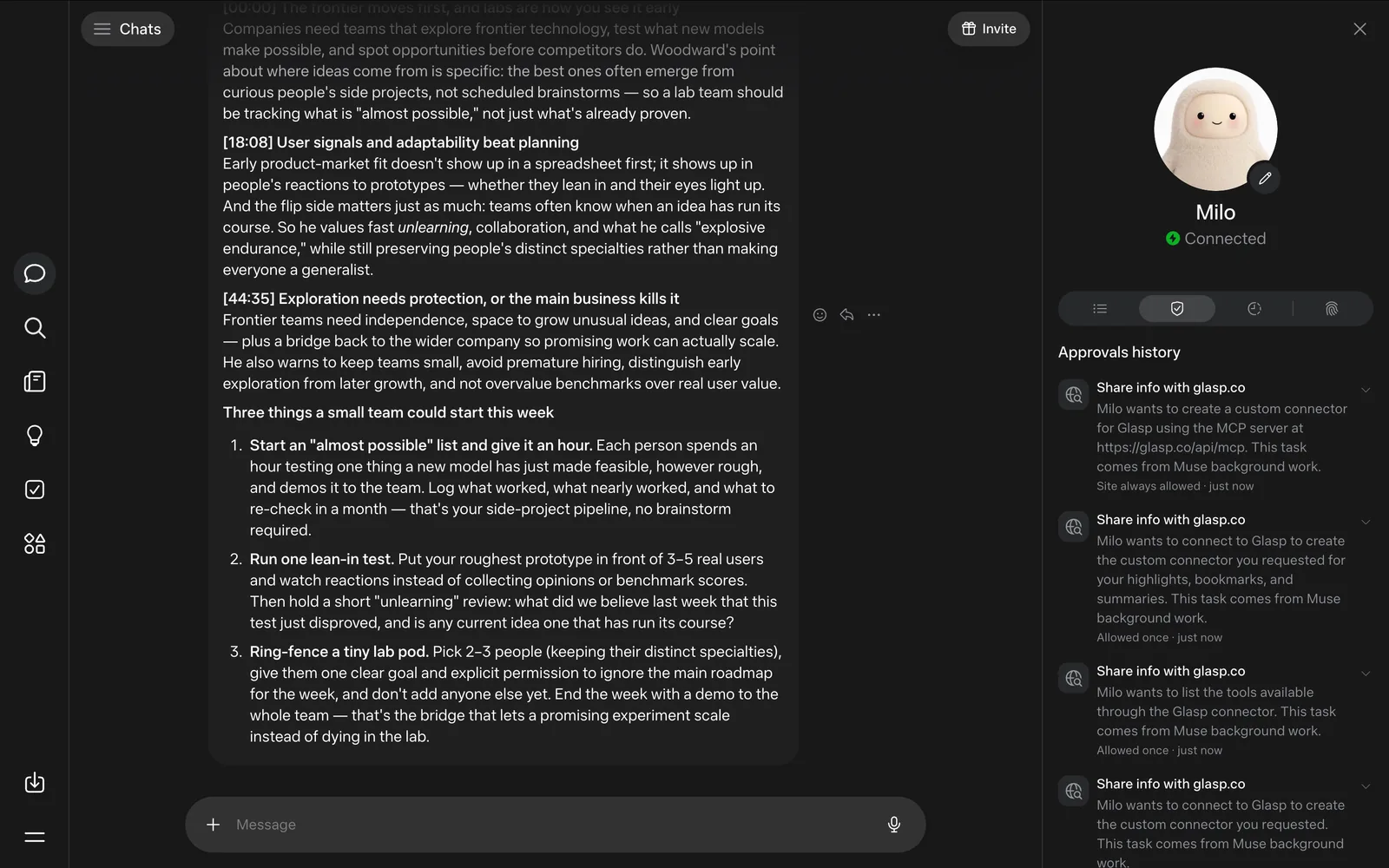
You can also ask across all your summaries at once, for example "Show me the summaries of YouTube videos I saved on Glasp, and what I can learn from them." Muse groups them by theme and can put the full text into one document for you.
Tips
Give Muse the link when you mean one page or video. With a URL, Muse looks up the exact item instead of searching your whole library.
Say "my Glasp summary" or "my highlights". It keeps Muse working from what you saved rather than searching the web.
Add a note to the highlights that matter. A short note gives the search more to match on, and tells your future self why you kept the passage.
Privacy
Muse reads your Glasp library only after you connect it and sign in to Glasp. The connector is read-only apart from one permission you approve when connecting: saving a page to your Glasp bookmarks by URL, and your bookmarks are public on your profile. It can never edit or delete anything, including your highlights. Meta notes that it does not review custom connectors, so connect only services you trust. Web highlights are public on your Glasp profile by default; if you want everything private, private highlighting is part of the Pro and Unlimited plans (how to highlight privately).
FAQs
Do I need to install anything?
No. You add Glasp from a Muse chat. Muse works in the browser at muse.ai and in its mobile apps, and once Glasp is connected you can use it from either.
Can Muse change or delete my highlights?
No. It can never edit or delete anything, including your highlights. Apart from reading, the only thing it can do is save a page to your Glasp bookmarks by URL, a permission you approve when connecting. Your bookmarks are public on your profile.
Does Muse read whole articles or video transcripts?
It reads what you saved in Glasp: your highlights and notes, page titles and links, and the summaries you made. For a YouTube video, that means your summary and any transcript passages you highlighted.
Are my Kindle highlights included?
Yes. Once your Kindle highlights are in Glasp, Muse can search them along with your web highlights.
Does this work with other AI assistants too?
Yes. The same Glasp connector works with Claude, ChatGPT, and other clients that support the Model Context Protocol. See How to connect Glasp to Claude, ChatGPT, and Claude Code.
Before you leave
If you have any questions, please refer to the FAQ or contact us.
👉 X
See you next time,
Glasp team