How to Find Like-Minded People on Glasp

Sep 16, 2026
3 min read
0 views

Glasp helps you find people who highlight the same web articles and Kindle books that you do. Shared reading can be a simple starting point for discovering people with similar interests.
This guide shows you how to add the highlights the feature needs, open your like-minded people page, and explore its graph and list views.
Step 1: Highlight something first
Glasp finds like-minded people through the material you have highlighted, so you need to save some highlights before using the feature. These can come from web articles you highlight with the Glasp browser extension or from Kindle books whose highlights you import into Glasp.
If you have not started highlighting yet, use these guides to set up the relevant source:
👉 How to Install the Glasp Browser Extension and Start Highlighting
👉 How to Download Highlights and Notes from Kindle
Once you have highlights from web articles or imported Kindle books, Glasp can use that reading activity to find people who have highlighted the same material.
Step 2: Open Find Like-minded people
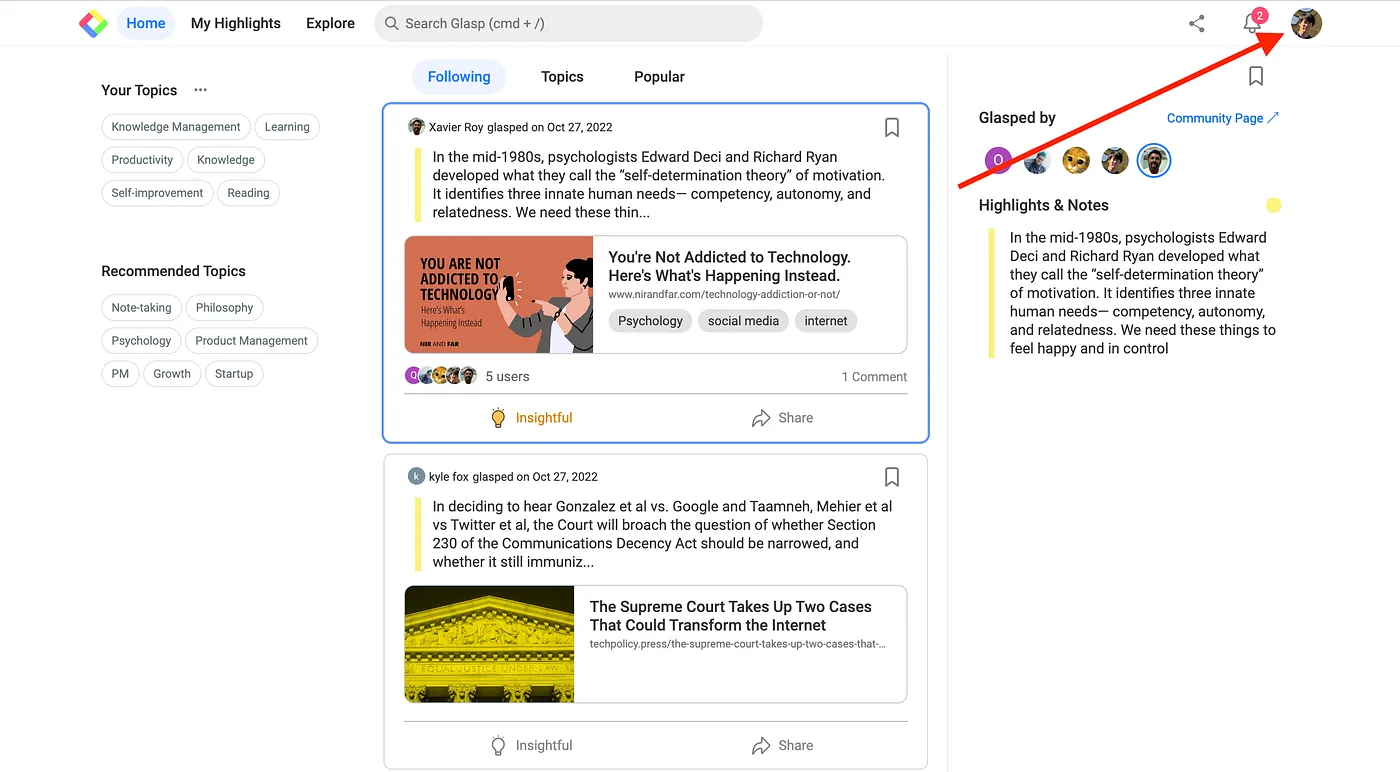
Go to the Glasp Home page, then click your profile icon at the top right.
A menu appears. Choose Find Like-minded people from the menu.
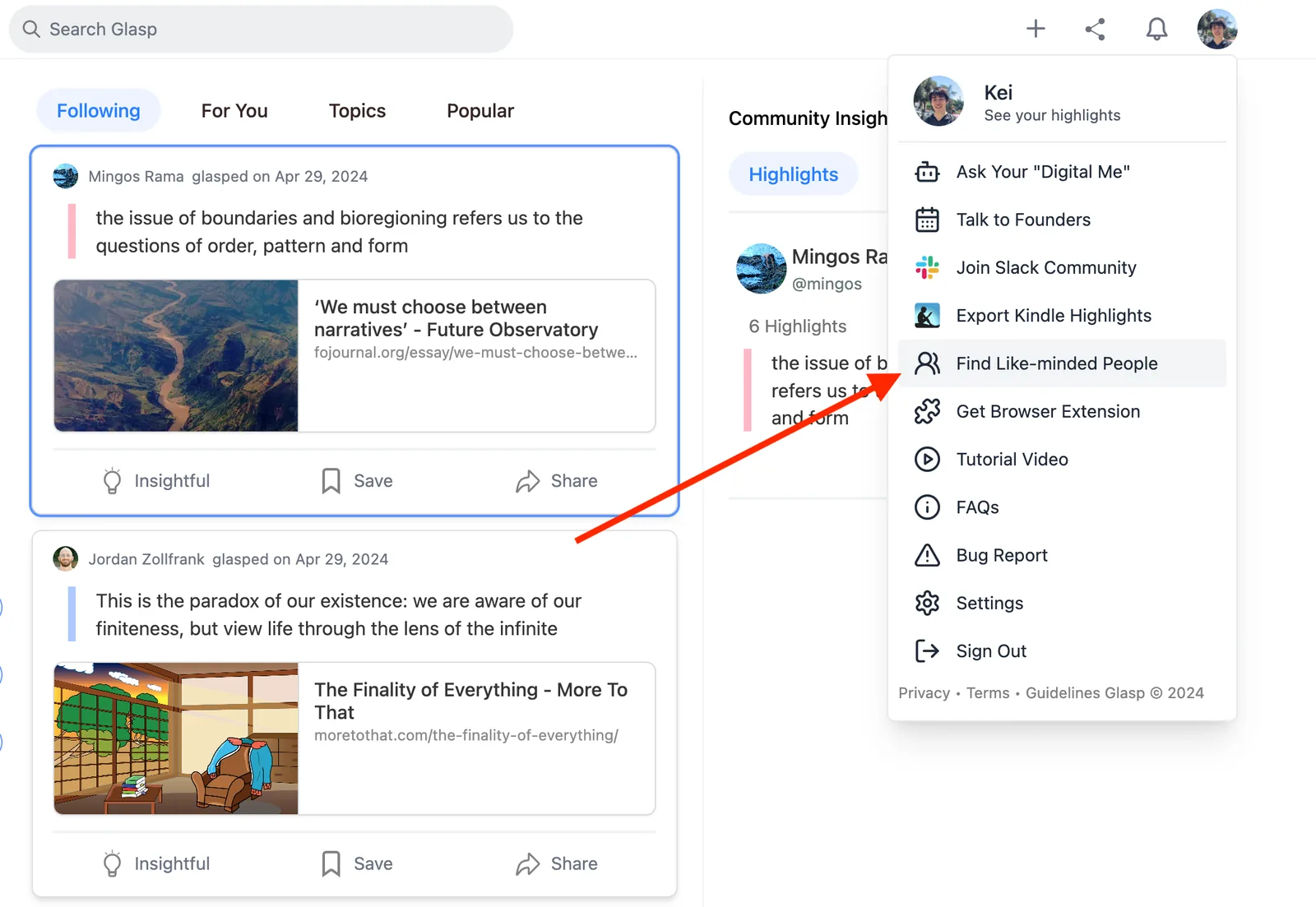
This opens the page where you can see people connected to your highlighted articles and books.
Step 3: Explore the graph and the list
The page first shows a graph of your like-minded people.
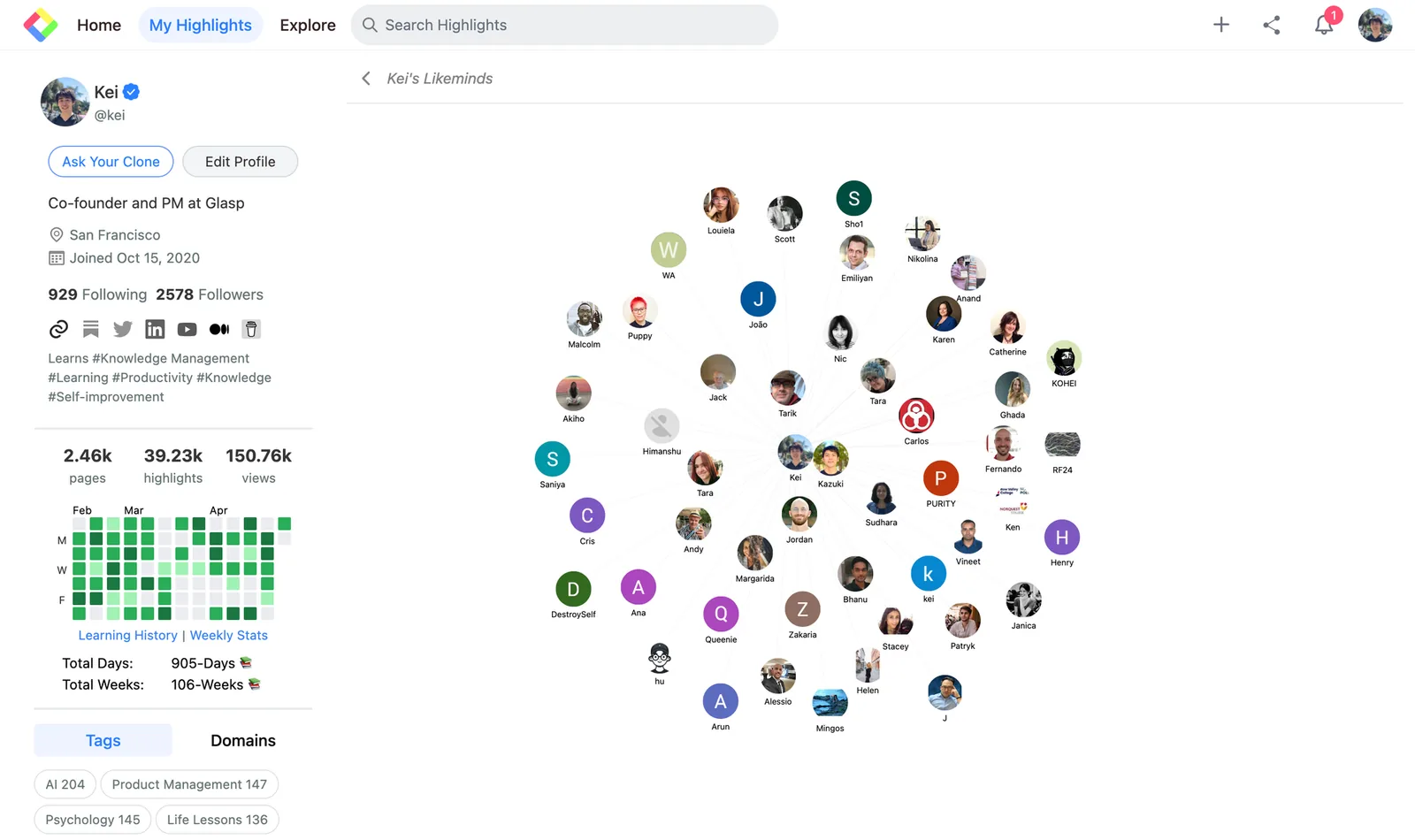
Use the graph to browse the people Glasp has found through your shared reading. Each person represents a possible connection based on articles or books that both of you have highlighted.
To see the same results in a list, click Lists at the top of the page. The list view also shows the number of mutual reads you share with each person.
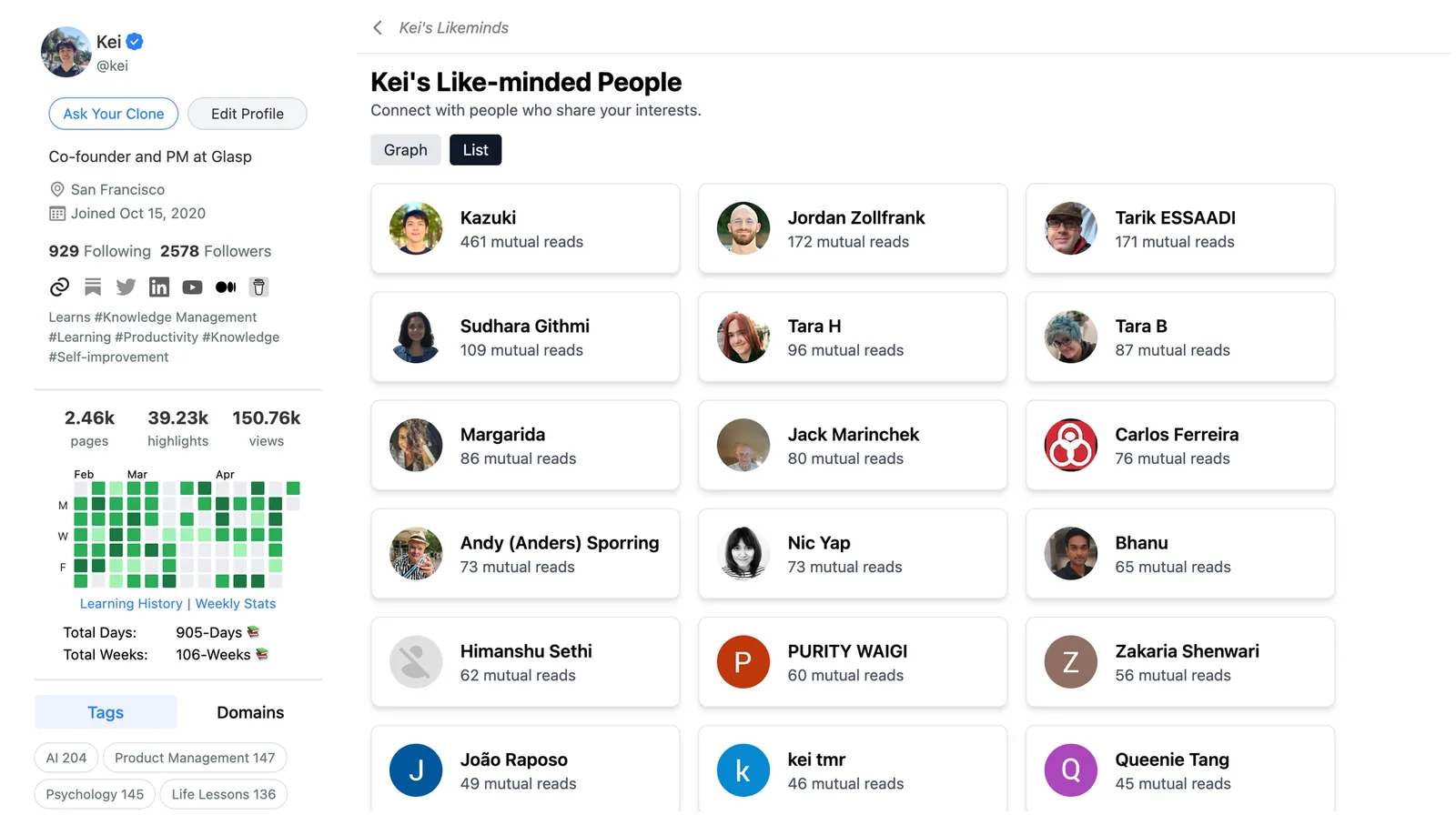
Click any person in either the graph or the list to open their profile. From that profile, you can also see that person's own like-minded people page.
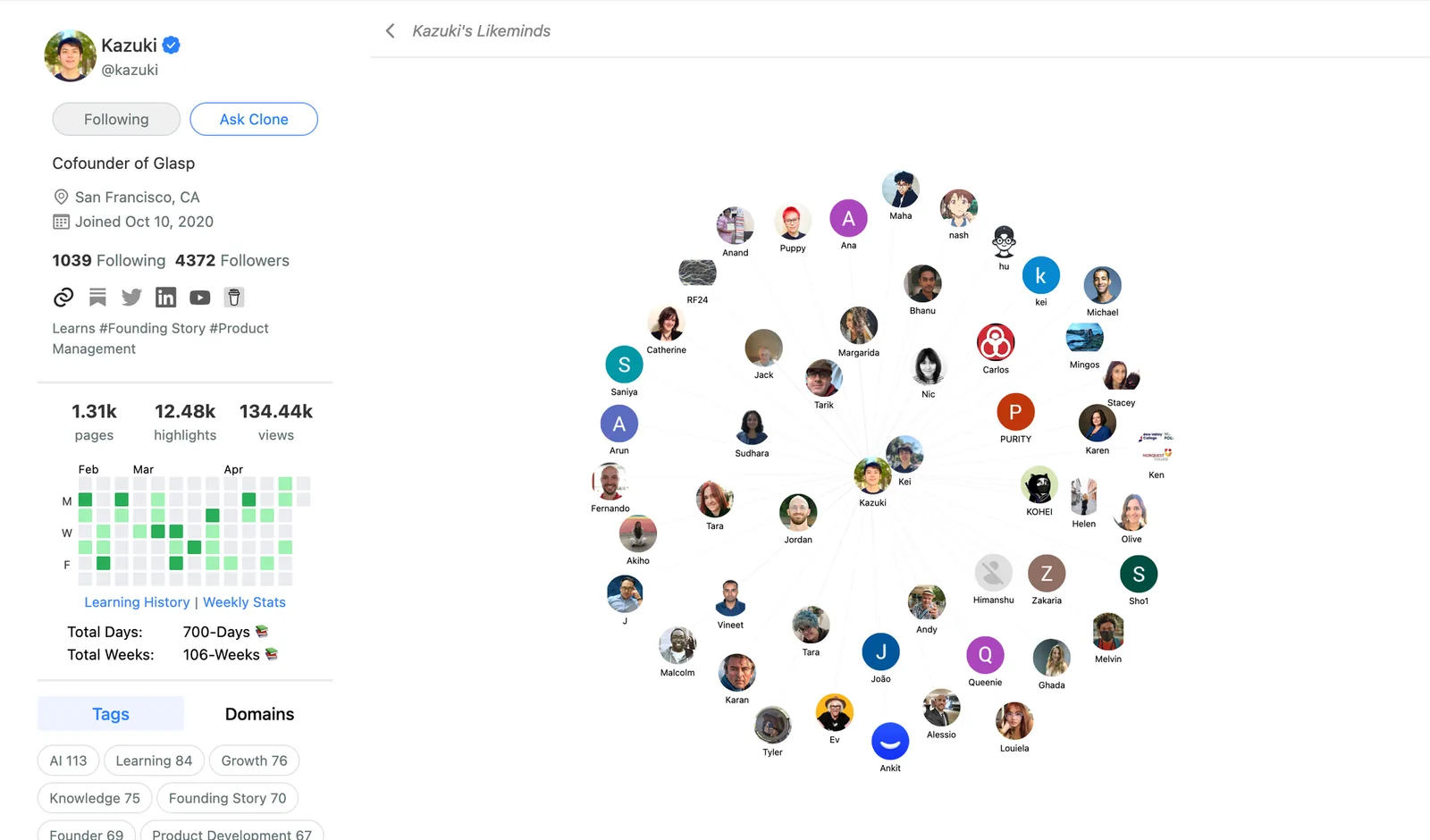
Exploring these profiles can help you find people who have read the same articles and books. Those shared interests may lead to useful and serendipitous connections.
FAQs
What counts as like-minded on Glasp?
Glasp finds like-minded people based on the web articles and Kindle books you have highlighted. People who have highlighted the same articles or books can appear as like-minded connections.
Do I need highlights before I can use this feature?
Yes. You need to highlight web articles with the browser extension or import highlights from Kindle books first. The feature uses those highlights to find shared reading.
Does it work with Kindle books?
Yes. Import your Kindle highlights into Glasp, and the books you have highlighted can be used to find like-minded people.
What does the number in the list view mean?
It shows the number of mutual reads you share with that person.
Can I open someone's profile from this page?
Yes. Click a person in the graph or the list to open their profile. You can also see their own like-minded people page from there.
Is my like-minded people page visible to others?
Yes. Opening another person's profile shows their like-minded people page, and other people can open yours the same way.
Want to do more?
👉 How to Use Glasp's Atomic Interest Graph to Map Your Knowledge Journey
👉 How to Export Highlights and Notes to Obsidian
Before you leave
Thank you for reading. We hope this guide helps you discover people through the articles and books you care about.
👉 FAQs
👉 X
See you next time,
Glasp team