How Medical Students Use Glasp to Study: Lectures, Clinical Reading, and Exam Review

Oct 13, 2026
7 min read
3 views
A medical student reads all day, in pieces. A topic page on UpToDate before rounds. A pharmacology handout between lectures. A recorded lecture at night. A guideline, a review article, a radiology case. By the block exam, the shelf, or Step 1 and Step 2, the parts that mattered are spread across a dozen sites and a semester of videos, and rereading all of it is not possible.
Tens of thousands of people studying medicine and the health sciences already use Glasp. This post walks through one day of that reading and shows where Glasp fits in each part, so that what you marked on Monday is still there, in one place, when you sit down to review for boards.
The examples use a medical curriculum. The same workflow works for dental, nursing, and pharmacy courses.
What you need: the free Glasp browser extension for Chrome, Safari, Firefox, Edge, Brave, or Opera (how to install it), and the Glasp app on iPhone or Android if you want to review on your phone.
Before you start
Privacy. Web highlights are public on your Glasp profile by default. Private web highlighting needs a Pro or Unlimited plan. Uploaded PDFs are always private.
Patient information. Never put patient names, dates of birth, medical record numbers, or anything else that could identify a patient into highlights, notes, tags, or AI prompts.
Cost. Highlighting, notes, tags, and the mobile apps are free. The free plan includes 3 AI summaries a day and up to 30 uploaded PDFs. Students with a university email can get a student plan. See glasp.co/students for current terms.
Morning: clinical reading before rounds
On a clerkship, you look up a condition on UpToDate or AMBOSS before rounds, or read the guideline the team will discuss.
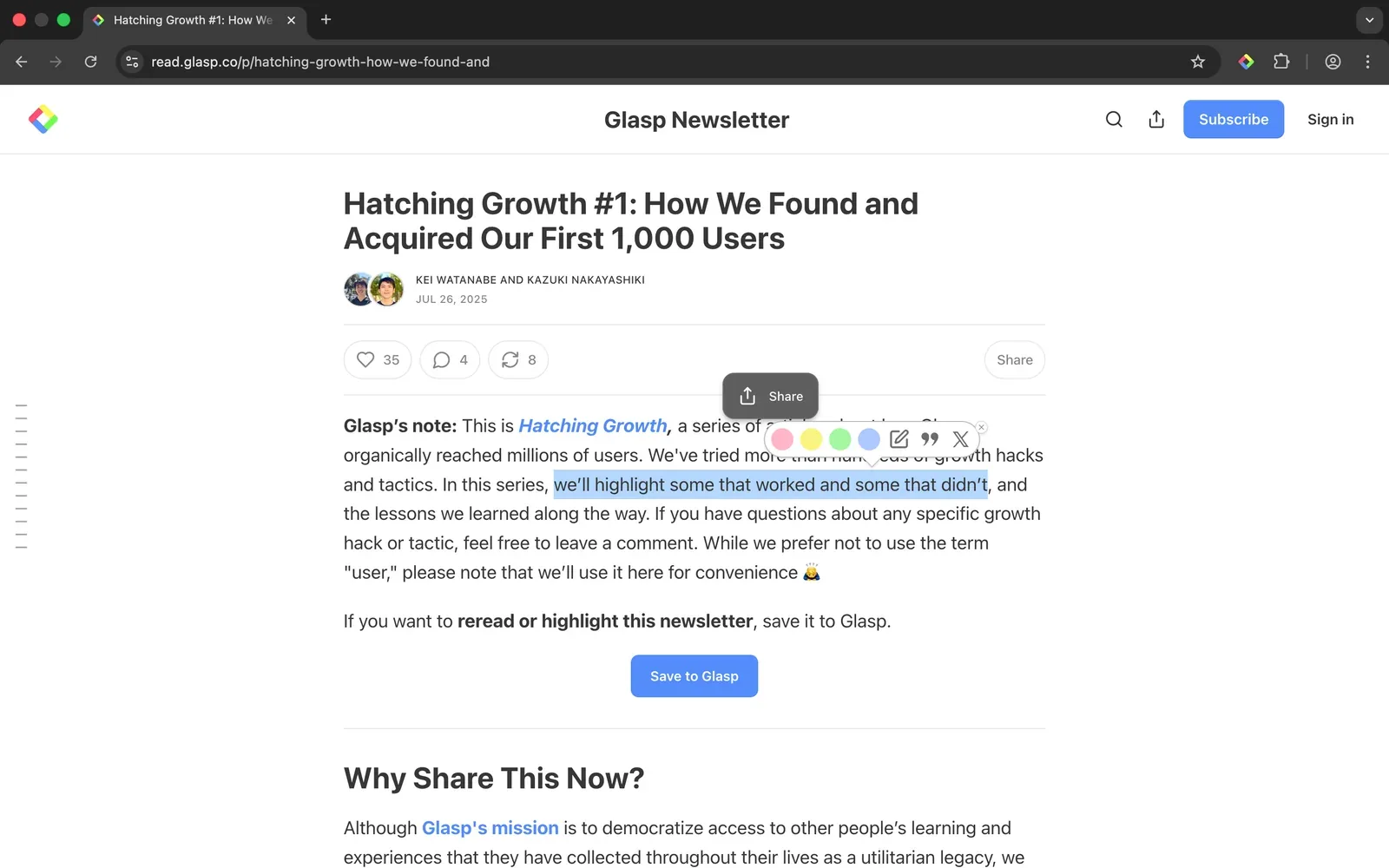
With the Glasp extension on, select the lines you want to keep and pick a color. Glasp works on pages that open in your browser, including UpToDate, AMBOSS, The Lancet, NEJM, Radiopaedia, and Geeky Medics. Each highlight keeps a link to its source, so you can always check the full context later.
What to highlight. Highlight less than you think. The lines worth keeping are usually:
the first-line treatment and the dose or threshold that goes with it,
the one feature that tells two similar conditions apart,
the exception your attending asked about.
Use colors for a reason. For example: yellow for facts you must memorize, blue for reasoning you want to understand, pink for anything you got wrong on rounds.
Add a note while it is fresh. A short note next to a highlight, such as "attending asked about this" or "mixed this up with nephritic syndrome," tells your future self why it mattered. A note like that is worth more than a second reading.
Afternoon: lecture slides and PDFs
Course handouts and lecture slides often come as PDFs. Upload them to Glasp and highlight them in your browser, the same way you highlight a web page. Your highlights and notes appear in the sidebar next to the document.
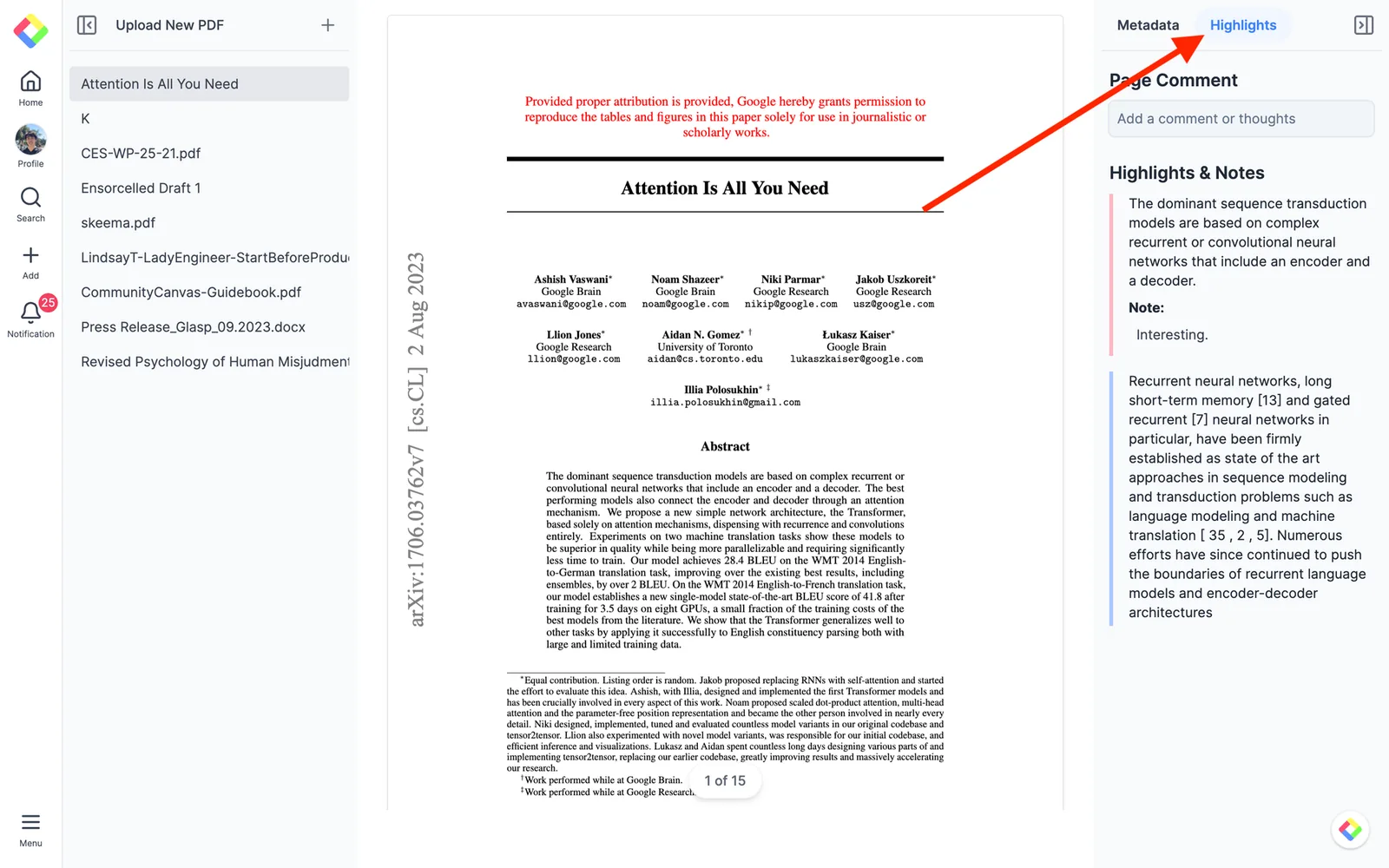
Uploaded PDFs are always private, so your course materials are not shared. The free plan holds up to 30 uploaded PDFs. (How to upload and highlight PDFs)
Evening: recorded lectures and review videos
Many lectures and board-review channels are on YouTube. With the extension, a panel opens next to the video.
Skim first with the summary. The Summary tab gives you an AI summary of the video, so you can decide which part of a ninety-minute lecture to rewatch.
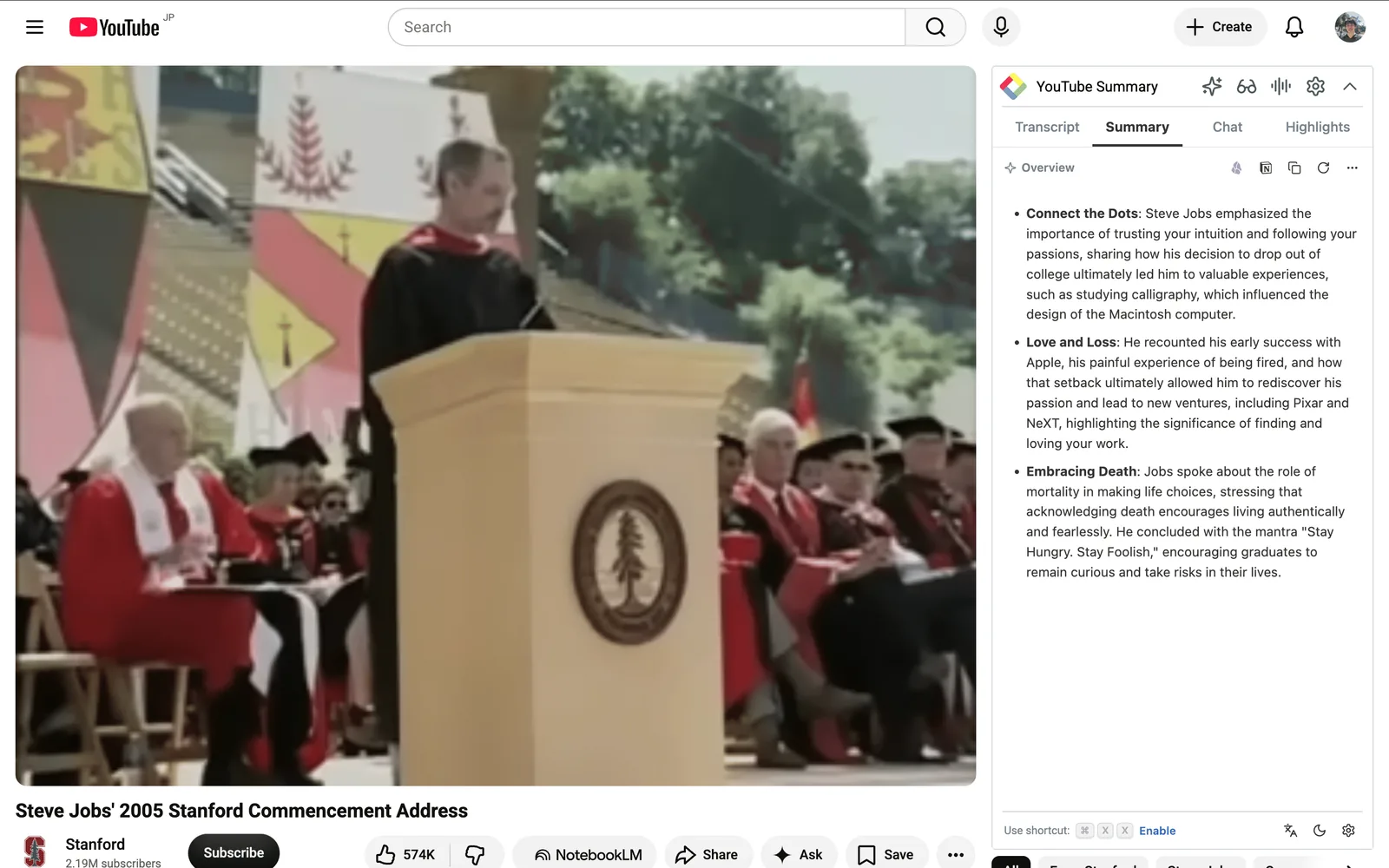
Then highlight the transcript. The Transcript tab shows the lecture text with timestamps. Highlight the lines you want to keep. Each highlight keeps its timestamp, so later you can jump back to the exact moment the lecturer explained it.
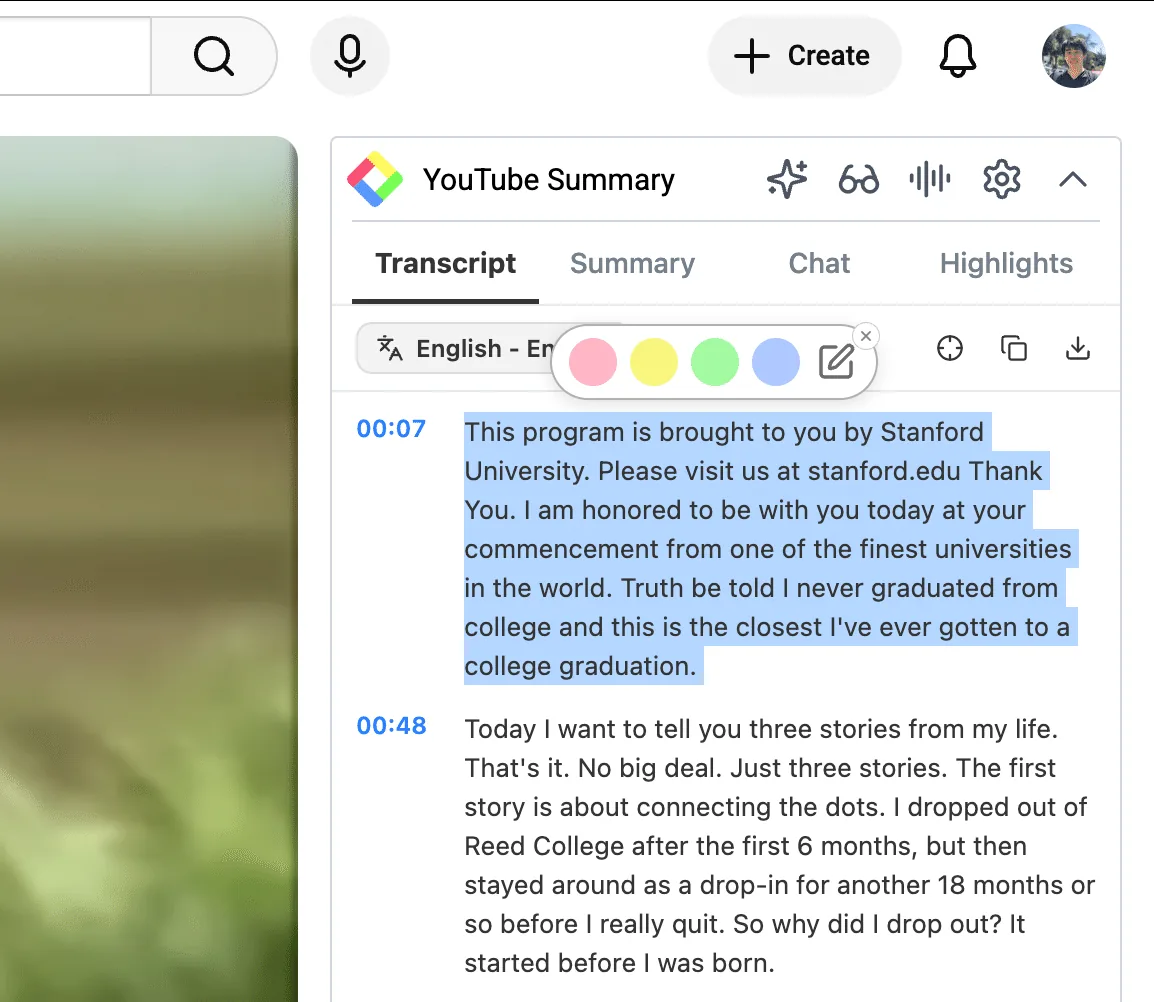
This works best for lectures that are dense with definitions and mechanisms: highlight the sentence where the mechanism is stated, not the whole explanation. (How to highlight a YouTube transcript)
Every day: tag by exam topic
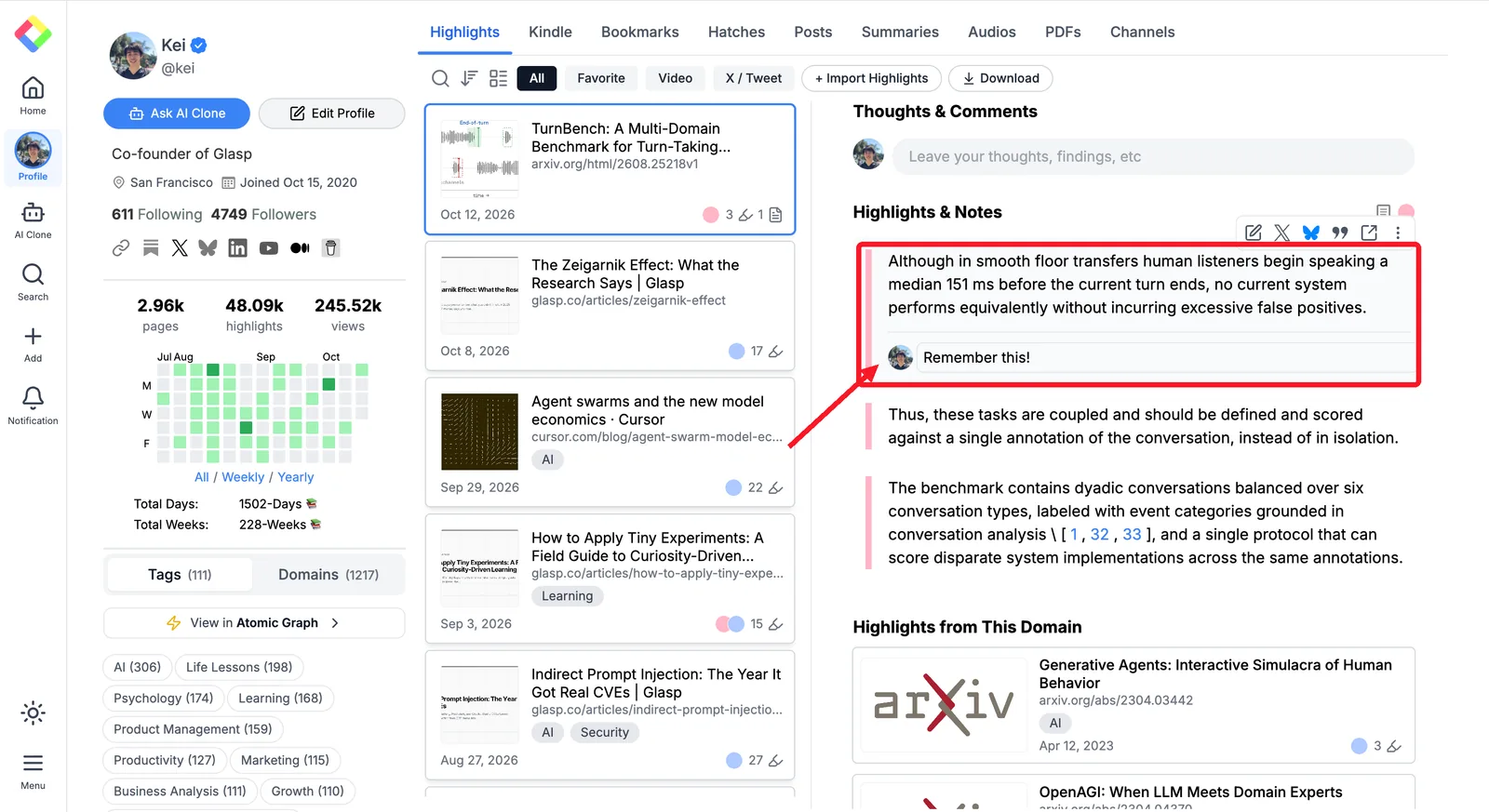
Tags turn a day of scattered reading into one page per topic, with every passage you marked from every site, PDF, and video.
Open the page you highlighted on your Glasp profile and add a tag. Glasp also suggests tags for the page.
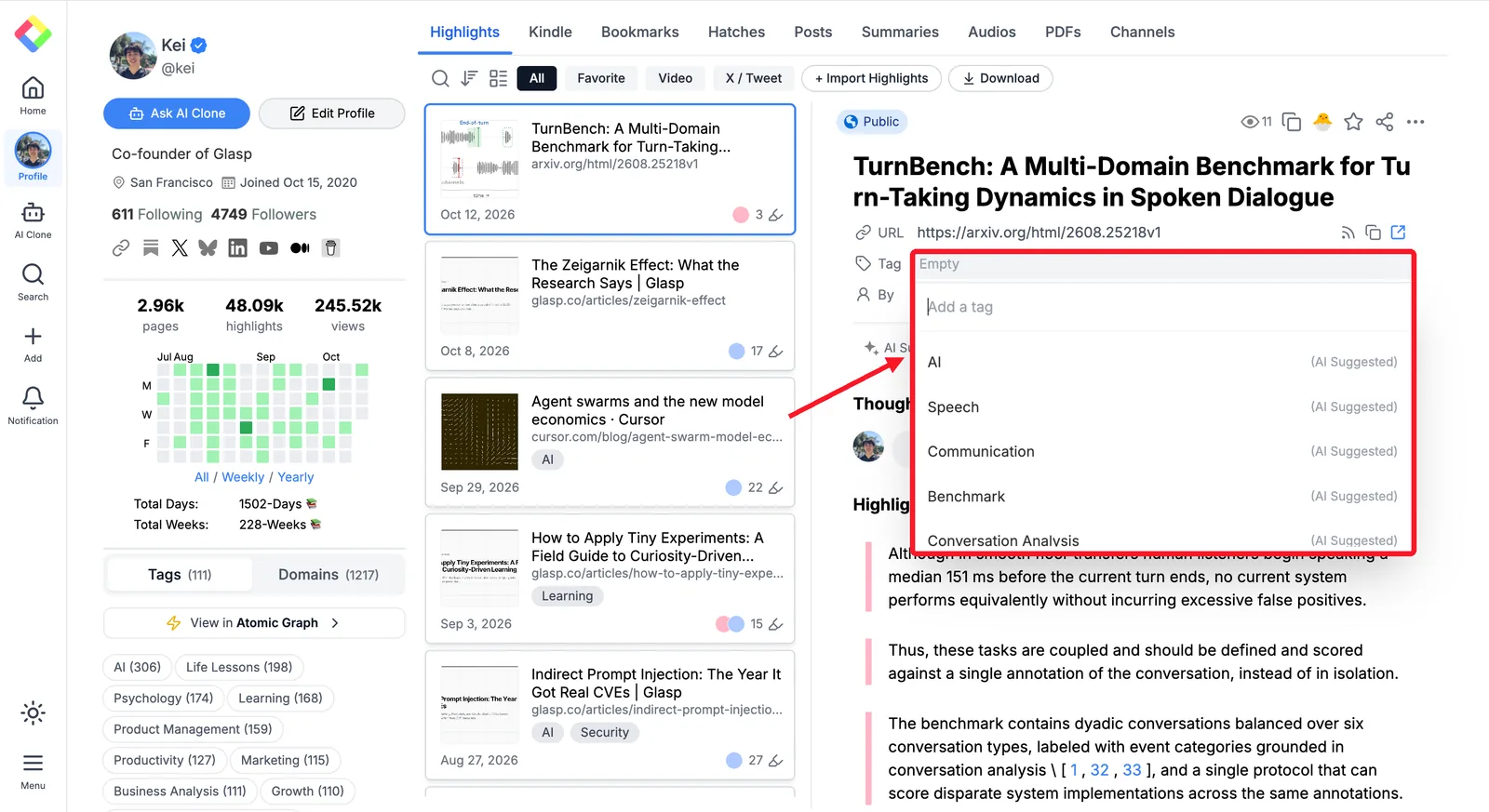
A simple scheme that holds up all year:
One tag for the block or clerkship:
renal-block,cardio-block,medicine-clerkship.One tag for the concept:
acid-base,heart-failure,pneumonia.One tag for what needs another look:
reviewfor anything you missed or are unsure of, so it is ready before a shelf or board exam.
Use the same tags every day and your review material builds itself.
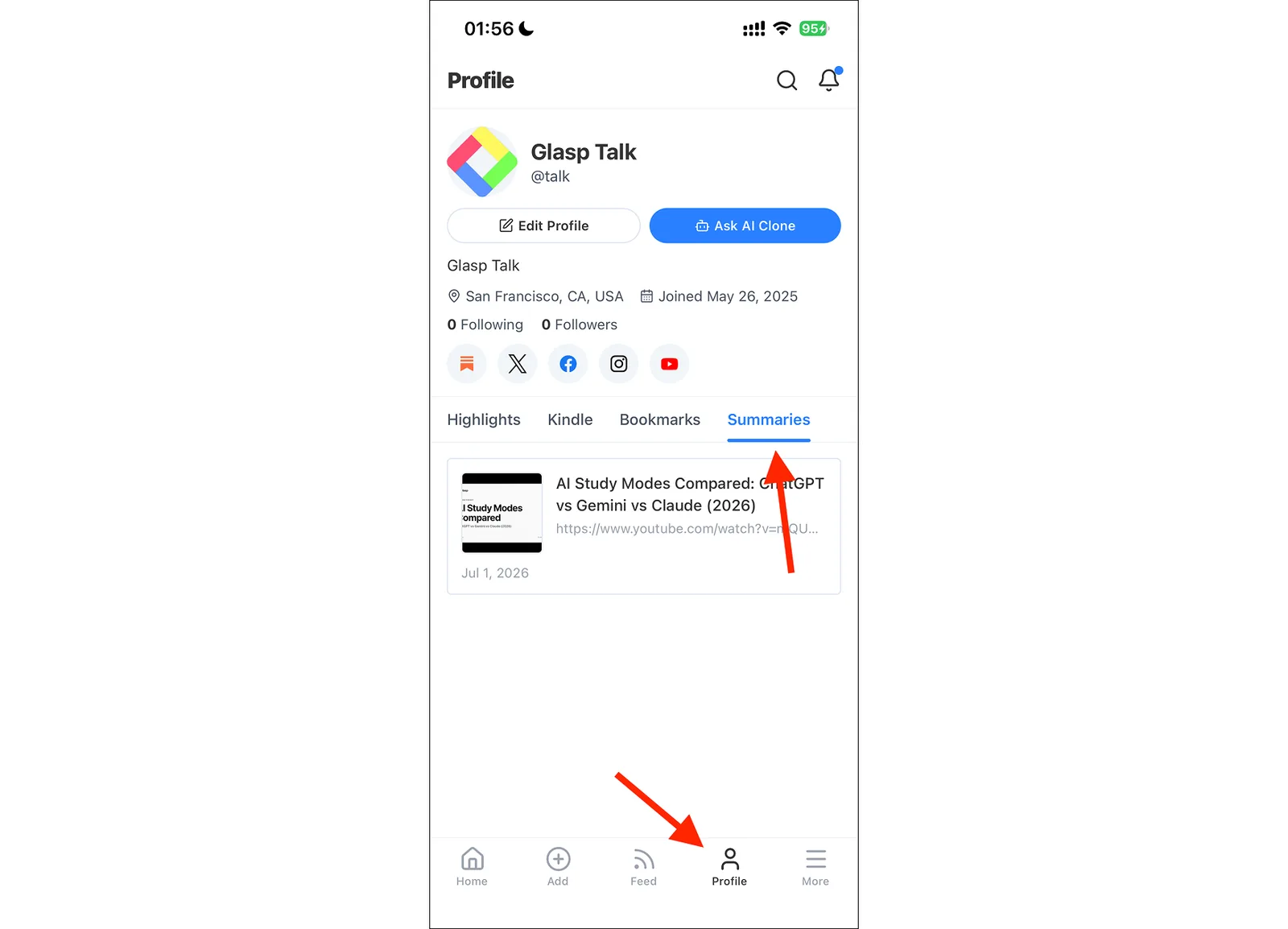
Review in short gaps. Open the Glasp app on iPhone or Android, go to your profile, and read through one topic while you wait between cases.
Before the exam: let an AI quiz you from your own highlights
Connect Glasp to Claude or ChatGPT with the Glasp MCP Connector. Your AI assistant can then search your highlights and answer with each passage and its source link.
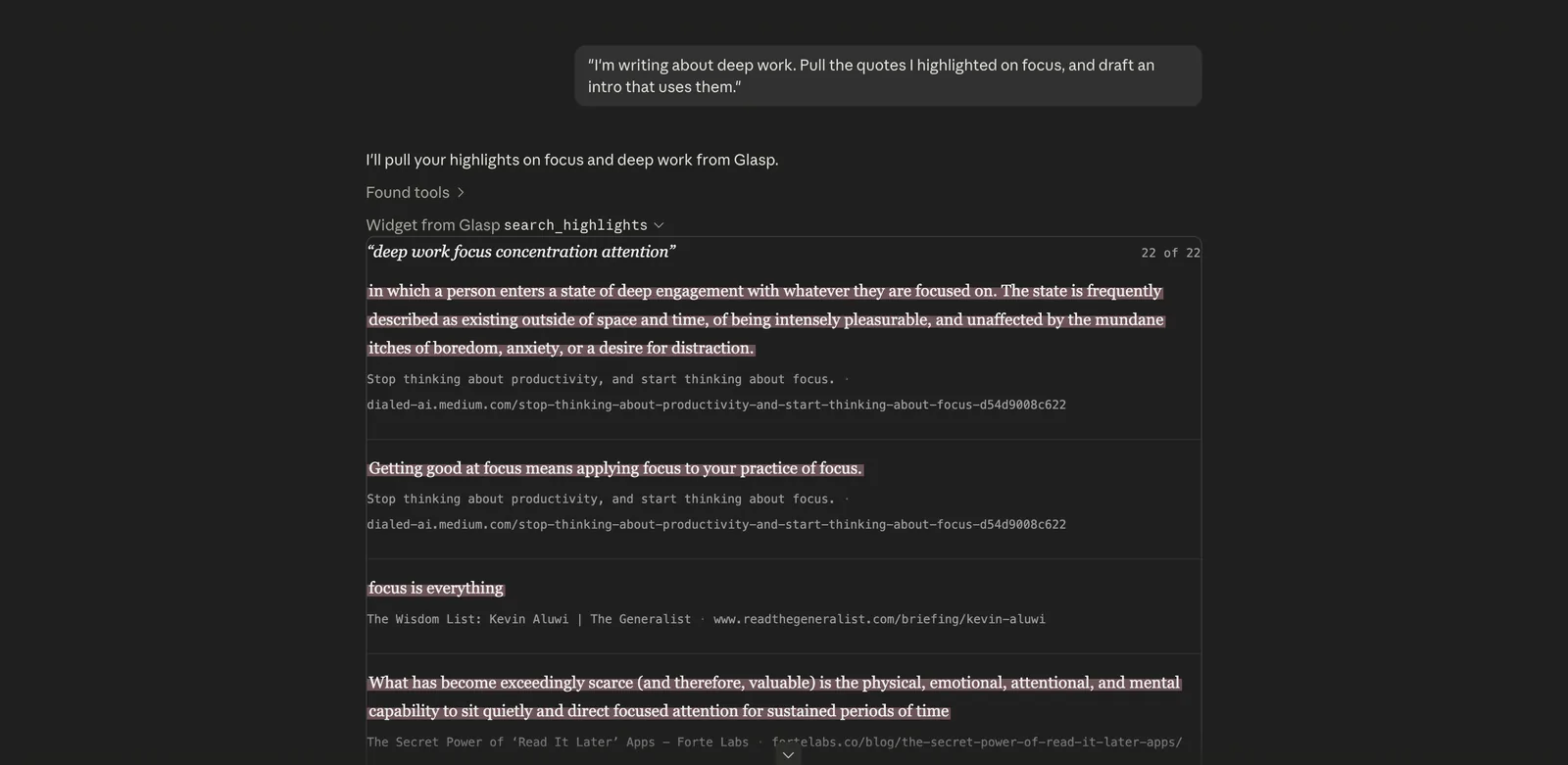
Try prompts like these:
"Quiz me with ten questions on what I highlighted about heart failure this month. Show the source link with each answer."
"Search my Glasp highlights for acid-base disorders. Ask me one short-answer question at a time. After I answer, show the highlight that supports the answer and its source link. If my highlights do not support an answer, say so."
"Find passages in my highlights that make different recommendations about community-acquired pneumonia. Show each passage with its source link. Do not decide which recommendation is clinically correct."
Ask the assistant to base each question on a highlight it found and to show that passage with its source link. Check the passage before you rely on the answer.
A weekly routine that keeps up
Every day: highlight as you read, add a note to anything surprising, tag it.
Once a week: open your
reviewtag and ask your AI assistant to quiz you on the week's highlights.Before a block or shelf exam: go through your block and concept tags one by one, then quiz yourself on the weakest topic.
Where Glasp fits in your study stack
Glasp is where you capture and find again the passages that mattered, each tied to its web page, PDF, or video timestamp. It works alongside the tools you already use:
Anki stays your spaced-repetition tool. You can turn Glasp highlights into Anki cards.
Notion or OneNote stays the place for longer notes and summaries.
Question banks stay the place to practice applying what you know. This post does not claim that Glasp works inside paid question banks such as UWorld.
A note on accuracy
AI summaries, questions, and answers can leave out context or be wrong. Use them to find what to review, then check the original source and your current course or clinical guidance. Glasp is a study aid, not a source for patient-care decisions.
FAQs
Does Glasp work on sites I log in to?
Glasp works on pages that open in your browser, including many sites that need a login, such as those you access through your school library. If a page loads inside an app or a locked viewer instead of a normal browser tab, highlighting may not work there.
Are my highlights public?
Highlights are public on your Glasp profile by default. Private highlighting needs a Pro or Unlimited plan. Uploaded PDFs are always private. The MCP Connector reads only your own highlights.
Is it free?
Highlighting, tags, notes, and the mobile apps are free. The free plan includes 3 AI summaries a day and up to 30 uploaded PDFs.
Can I turn my highlights into flashcards?
Yes. You can download your highlights as Markdown or CSV, and turn them into Anki flashcards. (How to Turn Your Glasp Highlights into Anki Flashcards)
Can I use Glasp on my phone?
Yes. The Glasp app for iPhone and Android lets you read your highlights, and on iPhone and iPad you can highlight in Safari with the Glasp Safari extension that comes with the app.
Before you leave
If you have any questions, please refer to the FAQ or contact us.
👉 X
See you next time,
Glasp team