How to Reveal Hidden Buy Buttons on Sales Pages
TL;DR
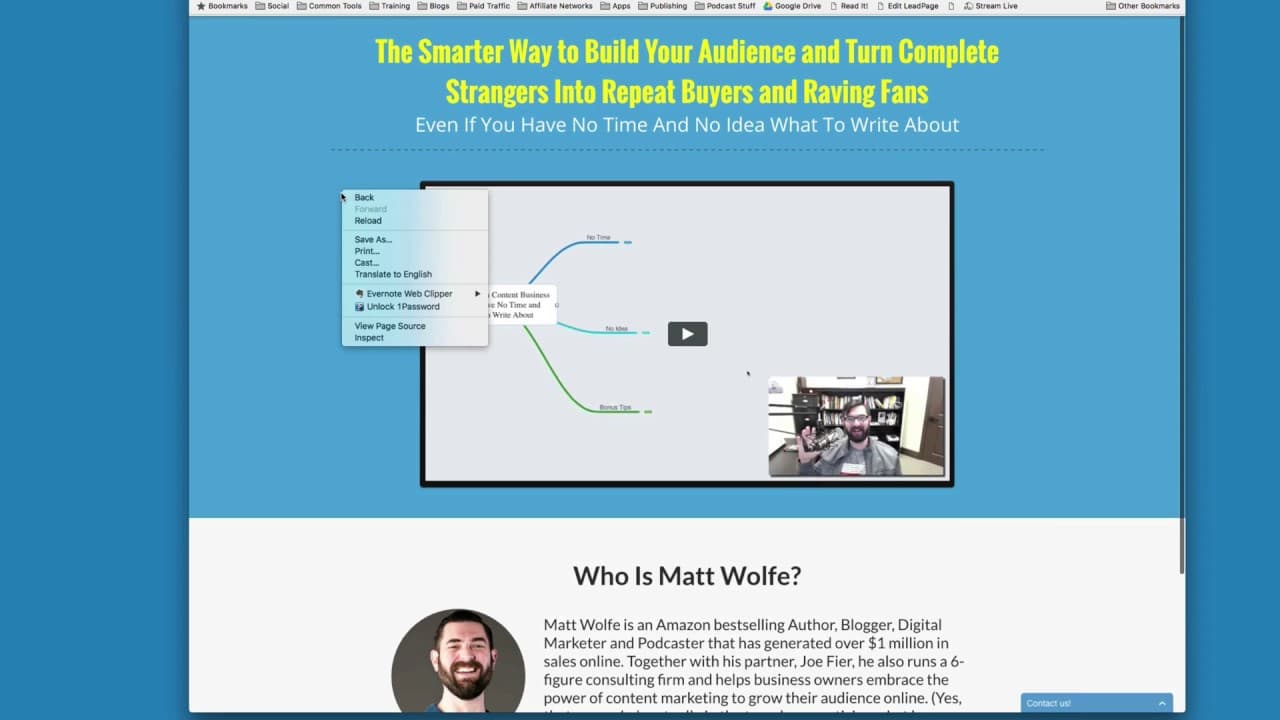
To reveal hidden buy buttons on sales pages, use Chrome's inspect tool to search for 'display: none' in the source code. Change it to 'display: block' to make the buttons visible, allowing you to see pricing and other details without watching long sales videos.
Transcript
there Matt wolf here i want to go over a real quick little tip for you i'm going to be doing a series of videos that are kind of the i don't really quite note to call them i guess they're kind of you know marketing hacks ways to sort of spy on other people's marketing you know it's I'm gonna be teaching some tips on how you could kind of get sneak ... Read More
Key Insights
- 🦻 Revealing hidden buy buttons aids in understanding competitors' marketing strategies.
- 👻 Using Chrome's inspect tool allows for easy manipulation of source code to uncover hidden elements.
- 👀 This technique can be utilized to access pricing information quickly without watching full sales videos.
- 👨🔬 Ethical considerations should be taken into account when using this method for market research.
- 📟 Understanding how to reveal hidden elements on sales pages can provide valuable insights for marketers.
- 💨 Matt Wolf's tutorial showcases a practical and effective way to uncover hidden buy buttons on websites.
- 🛀 This technique can be applied to various websites, not limited to those shown in the video.
Install to Summarize YouTube Videos and Get Transcripts
Explore YouTube Video Summarizer or Get YouTube Transcript Extractor
Questions & Answers
Q: What is the purpose of uncovering hidden buy buttons on sales pages?
Uncovering hidden buy buttons allows marketers to access pricing and details without watching lengthy videos, aiding in market research and analysis.
Q: Why is Matt Wolf sharing this tip despite potential criticism?
Matt Wolf shares this technique to educate marketers on common marketing tactics and help them gain insight into competitors' strategies.
Q: Can this method be applied to websites other than those shown in the video?
Yes, this Chrome hack can be used on various websites to uncover hidden buy buttons and view pricing information quickly.
Q: What should marketers be cautious of when using this technique?
Marketers should be mindful of ethical implications when using this method to gain insights into competitors' strategies and should use the information responsibly.
Summary & Key Takeaways
-
Matt Wolf shares tips on spying on marketing strategies by revealing hidden buy buttons.
-
Using Chrome and inspecting source code, you can unhide buy buttons hidden on sales pages.
-
This technique allows marketers to see pricing and details without watching entire videos.
Read in Other Languages (beta)
Share This Summary 📚
Summarize YouTube Videos and Get Video Transcripts with 1-Click
Try YouTube Summary with ChatGPT & Claude or YouTube Transcript Generator
Explore More Summaries from Matt Wolfe 📚





Summarize YouTube Videos and Get Video Transcripts with 1-Click
Try YouTube Summary with ChatGPT & Claude or YouTube Transcript Generator