How to Control Claude Cowork From Your Phone
TL;DR
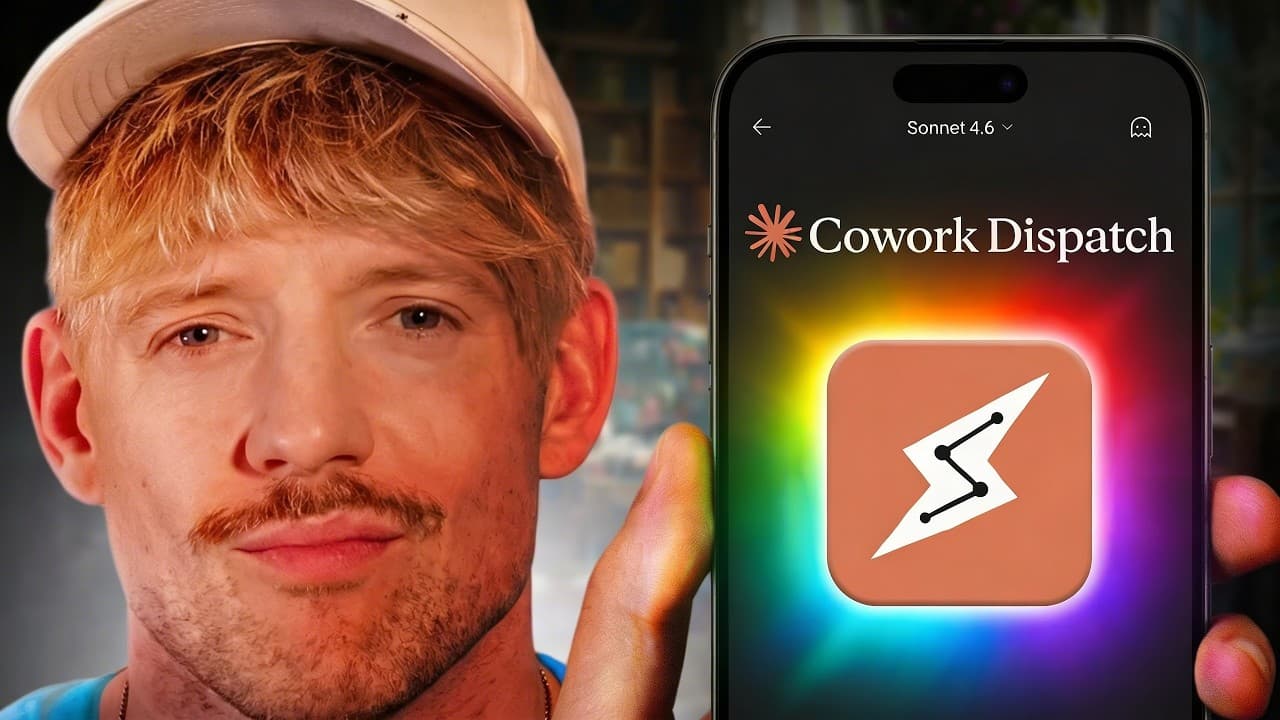
Claude Cowork Dispatch lets you send mobile requests that access desktop files, connected services, and browser sessions on your computer. Set it up through the desktop Claude app, pair your phone using the displayed link or QR code, keep the laptop awake, and authorize the necessary connectors and Chrome extension. The laptop must remain open because Dispatch remotely controls its resources.
Transcript
Claude Coowork have just released a brand new feature, but let you use it from your phone, which means that you can build twice as quickly if you know exactly how to use it. So maybe we've got our coffees, we're locked in. Now, let's say that you and I are at the gym. We can't use co-work. However, now with Claude Co-work Dispatch, we're now able t... Read More
Key Insights
- Claude Cowork Dispatch is a mobile interface for sending tasks to Cowork running on a computer. Requests can continue in the background after the user closes the phone, provided the associated laptop remains open, awake, and able to access the required local or browser resources.
- Dispatch setup is completed from the Claude desktop app by opening Cowork, selecting Dispatch, and pairing a phone through the displayed QR code or link. The Claude mobile app is also required, and the presenter needed to reinstall the desktop app before the feature appeared.
- Desktop file access is available remotely through Dispatch because Cowork operates through the paired computer. In the demonstration, a phone request located a Markdown file on the desktop, read its contents, and returned the documented process without the user sitting at the laptop.
- Connected services expand Dispatch beyond local file retrieval. With Gmail, Google Calendar, and Notion connected, Cowork can answer questions about appointments, gather information from accounts, and create new pages containing requested action items while the user is away from the computer.
- Cross-service workflows are possible by combining information and actions across connectors. A request could inspect an inbox for action items and then place those actions into Notion, or use information from an AI meeting notetaker as input for another connected service.
- Browser automation works through the Claude Chrome extension and the user's existing browser session. The extension must be enabled and connected, and Claude may provide an authorization link when it cannot access Chrome or request permission before taking an action.
- Website tasks can be delegated when a direct connector or API is unavailable. Examples mentioned include form filling, job applications, competitor website research, Google Sheets creation, and retrieving private channel information from YouTube Studio through the browser interface.
- Dispatch currently appears to provide one chat window rather than many parallel conversations. The presenter characterizes it as a compact remote assistant, making it more suitable for a continuing stream of mobile requests than numerous simultaneous, isolated Cowork sessions.
Install to Summarize YouTube Videos and Get Transcripts
Explore YouTube Video Summarizer or Get YouTube Transcript Extractor
Questions & Answers
Q: How do you set up Claude Cowork Dispatch on a phone?
Open the Claude desktop app, select Cowork in the middle, and choose Dispatch from the left side. Dispatch displays either a QR code or a link for pairing. Install the Claude app on the phone and complete that pairing process. In the demonstration, Dispatch appeared automatically in the mobile app only after the presenter deleted and reinstalled the desktop application.
Q: Does Claude Cowork Dispatch work when the laptop is closed?
Claude Cowork Dispatch requires the paired laptop to remain open because the feature remotely operates through that computer. The presenter also uses a keep-awake setting so the laptop does not shut down during a task. If Cowork needs to interact with a website, the relevant browser session and Chrome extension must also remain available and properly connected.
Q: How can Claude Cowork access desktop files from a phone?
Send Dispatch a mobile message identifying the desktop file and describing the information you need. Cowork uses the paired computer to locate and read the file, then returns the requested details in the conversation. The demonstration asks Cowork to find a desktop Markdown file about reliably scraping YouTube videos and confirm the process recorded inside it.
Q: Which connected services can Claude Cowork Dispatch use?
The demonstrated setup connects Cowork with Notion, Gmail, and Google Calendar. These connections allow mobile requests to inspect account information, report upcoming appointments, and create a Notion page with specified tasks. The presenter also suggests using information from an AI meeting notetaker and combining multiple connected services within a single workflow when the required access is available.
Q: Can Claude Cowork create a Notion to-do list remotely?
Claude Cowork can create a Notion page remotely when Notion is connected and the requested action is authorized. The demonstration asks for a page called Jack's to-do list containing three activities and an emoji on every line. Cowork requests permission, receives authorization for the session, creates the page, and makes it available for inspection in Notion.
Q: How does browser automation work with Claude Cowork Dispatch?
Browser automation uses the Claude Chrome extension and the browser session on the paired computer. After receiving a phone request, Cowork opens and navigates the relevant website in the background, performs available actions, and reports the result in Dispatch. If the extension is disconnected, Claude may prompt the user to open an authorization link before attempting the browser task again.
Q: What browser tasks can Claude Cowork perform from a phone?
The examples include examining YouTube Studio analytics, filling online forms, handling job applications, researching competitor websites, creating Google Sheets, and carrying out other activities normally completed in a browser. The demonstration asks for the click-through rate of the latest YouTube video, and Cowork navigates Studio before reporting that no click-through-rate data is available for the unpublished item.
Q: What limitations and permissions affect Claude Cowork Dispatch?
Dispatch depends on an open, awake laptop and requires authorization to access protected files, connected services, or browser actions. The Claude Chrome extension must be enabled for website automation. The demonstrated version also appears to offer only one chat window, so users cannot create numerous parallel Dispatch conversations. Some actions may pause until the user approves the requested permission.
Summary & Key Takeaways
-
Claude Cowork Dispatch pairs the Claude desktop and mobile apps, allowing requests sent from a phone to run through a computer. Setup begins under Cowork and Dispatch in the desktop app, where a link or QR code appears. The presenter had to reinstall the desktop app before Dispatch appeared automatically on mobile.
-
Dispatch can retrieve information from desktop files and work across connected services such as Gmail, Google Calendar, and Notion. The demonstrations include reading a Markdown file, checking the next day's calendar, and creating a Notion to-do page. Permission prompts can authorize individual actions or remain active for the session.
-
Browser automation extends Dispatch to tasks performed on websites, including checking YouTube Studio analytics, filling forms, researching sites, creating Google Sheets, and examining competitors. It requires the Claude Chrome extension and an active browser connection. The computer must stay open and awake while Claude completes requested browser actions in the background.
Read in Other Languages (beta)
Share This Summary 📚
Summarize YouTube Videos and Get Video Transcripts with 1-Click
Try YouTube Summary with ChatGPT & Claude or YouTube Transcript Generator
Explore More Summaries from Jack Roberts 📚



Summarize YouTube Videos and Get Video Transcripts with 1-Click
Try YouTube Summary with ChatGPT & Claude or YouTube Transcript Generator