How to Build an AI-Powered Second Brain System
TL;DR
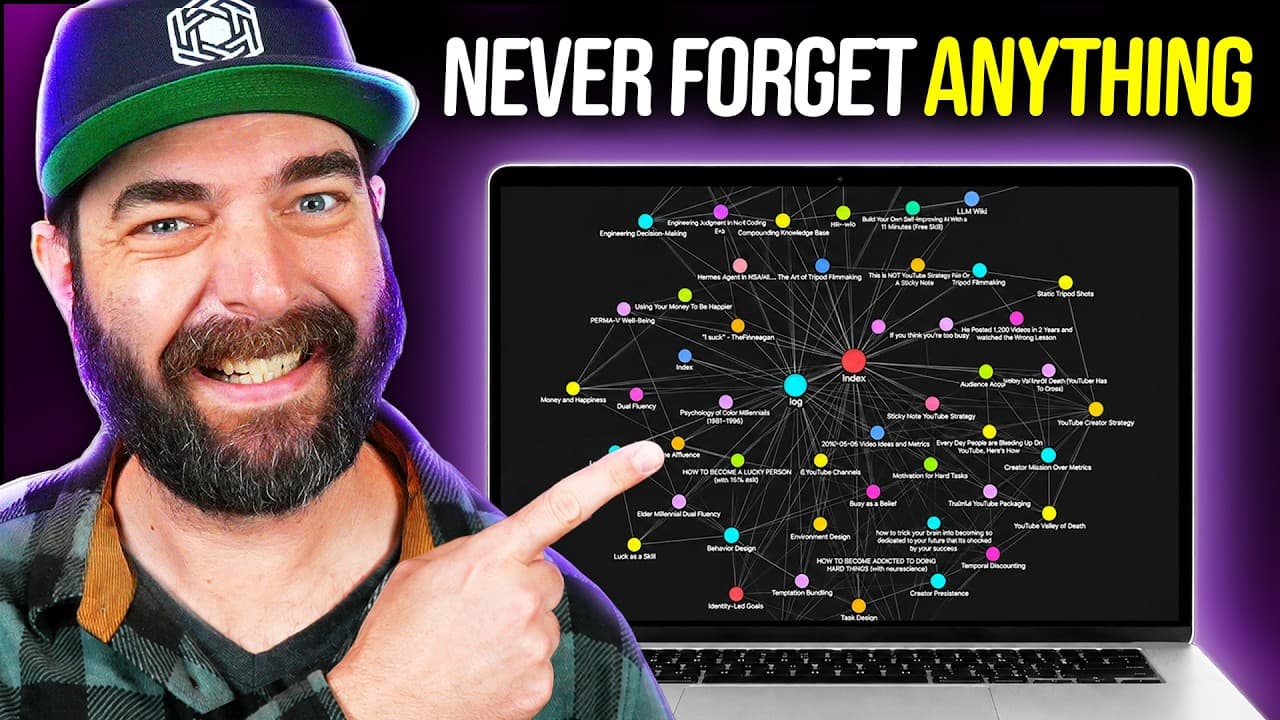
To create an AI-powered second brain system, integrate a wiki, CRM, and journaling tool using Obsidian and Codeex. This setup allows you to store and interact with information from various sources, while AI helps organize, summarize, and connect data, enhancing productivity and knowledge management. Automate processes for seamless updates and backup to GitHub for data security.
Transcript
So, I just built a second brain knowledge management system that has an entire wiki built in that I can chat with. It will pull any information from that second brain when I chat. It's got a built-in CRM. I can journal and it will actually look at my wiki knowledge base and try to help me with whatever issues I'm going through from my journal by lo... Read More
Key Insights
- An AI second brain integrates a wiki, CRM, and journaling tool for comprehensive knowledge management.
- Obsidian serves as the platform to organize and visualize data using markdown files.
- Codeex, or similar platforms, enables automation and interaction with the knowledge base.
- The system utilizes AI to summarize and interlink information, enhancing retrieval and usability.
- A web clipper tool is essential for importing data from various online sources into the knowledge base.
- The system can be automated to process new entries and update the knowledge base regularly.
- A GitHub repository can be used for backing up the knowledge base, ensuring data security.
- The AI assistant provides personalized responses by grounding its advice in the stored knowledge.
Install to Summarize YouTube Videos and Get Transcripts
Explore YouTube Video Summarizer or Get YouTube Transcript Extractor
Questions & Answers
Q: How to build an AI second brain system?
To build an AI second brain, integrate Obsidian for data organization and Codeex for automation and AI interaction. Use a web clipper to import data, and set up automations to process and update entries. Implement a GitHub repository for backups. The system combines a wiki, CRM, and journaling tool to manage and interact with your knowledge base.
Q: What tools are needed for an AI second brain?
Key tools for an AI second brain include Obsidian for organizing data, Codeex for automating tasks and AI interactions, and a web clipper for importing online content. Additionally, a GitHub repository is recommended for backing up the knowledge base, ensuring data security and accessibility.
Q: How does the AI second brain system work?
The AI second brain system works by using AI to organize, summarize, and interlink data stored in a wiki, CRM, and journaling tool. Users import data via a web clipper, and automations ensure regular updates. AI provides personalized insights by grounding responses in the stored knowledge, enhancing productivity and knowledge management.
Q: What is the role of AI in the second brain system?
AI plays a crucial role in the second brain system by summarizing and interlinking data, providing personalized insights, and automating processes. It enhances the usability of the knowledge base by offering tailored responses based on stored information, and by identifying patterns and connections across different data points.
Q: How to automate the AI second brain system?
Automate the AI second brain by setting up scheduled tasks in Codeex to process new data entries and update the knowledge base. Use automations to move processed files and update GitHub for backups. This ensures the system remains current and secure without requiring manual intervention.
Q: How to use the CRM in the AI second brain?
To use the CRM in the AI second brain, input contact details and interactions with individuals into the system. The CRM organizes this information, allowing you to query past interactions and connect them with relevant knowledge stored in the wiki. This helps in maintaining and leveraging professional relationships efficiently.
Q: How to journal in the AI second brain?
Journal in the AI second brain by starting a chat session with the keyword 'journal' and entering your thoughts. The system will save the entry, index it, and provide AI-grounded responses based on related content in the wiki and past journal entries. This enhances self-reflection and decision-making processes.
Q: Why use GitHub with the AI second brain?
Using GitHub with the AI second brain provides a secure and accessible backup solution for your knowledge base. By regularly pushing updates to a private repository, you ensure that your data is safe from local failures and can be accessed from anywhere, maintaining the integrity and continuity of your information.
Summary & Key Takeaways
-
The AI second brain system combines a wiki, CRM, and journaling tool to manage and interact with personal knowledge. Using Obsidian and Codeex, users can import, organize, and query data from multiple sources, with AI providing summaries and connections.
-
Automations ensure continuous updates and processing of new data, while GitHub integration offers a secure backup solution. The system leverages AI to enhance productivity by offering personalized insights and recommendations based on stored information.
-
This setup is ideal for individuals seeking an advanced method to manage and utilize information efficiently, with AI enhancing the process by interlinking and summarizing data for easy retrieval and application.
Read in Other Languages (beta)
Share This Summary 📚
Summarize YouTube Videos and Get Video Transcripts with 1-Click
Try YouTube Summary with ChatGPT & Claude or YouTube Transcript Generator
Explore More Summaries from Matt Wolfe 📚





Summarize YouTube Videos and Get Video Transcripts with 1-Click
Try YouTube Summary with ChatGPT & Claude or YouTube Transcript Generator