How to Use Hailuo AI Director Mode for Videos
TL;DR
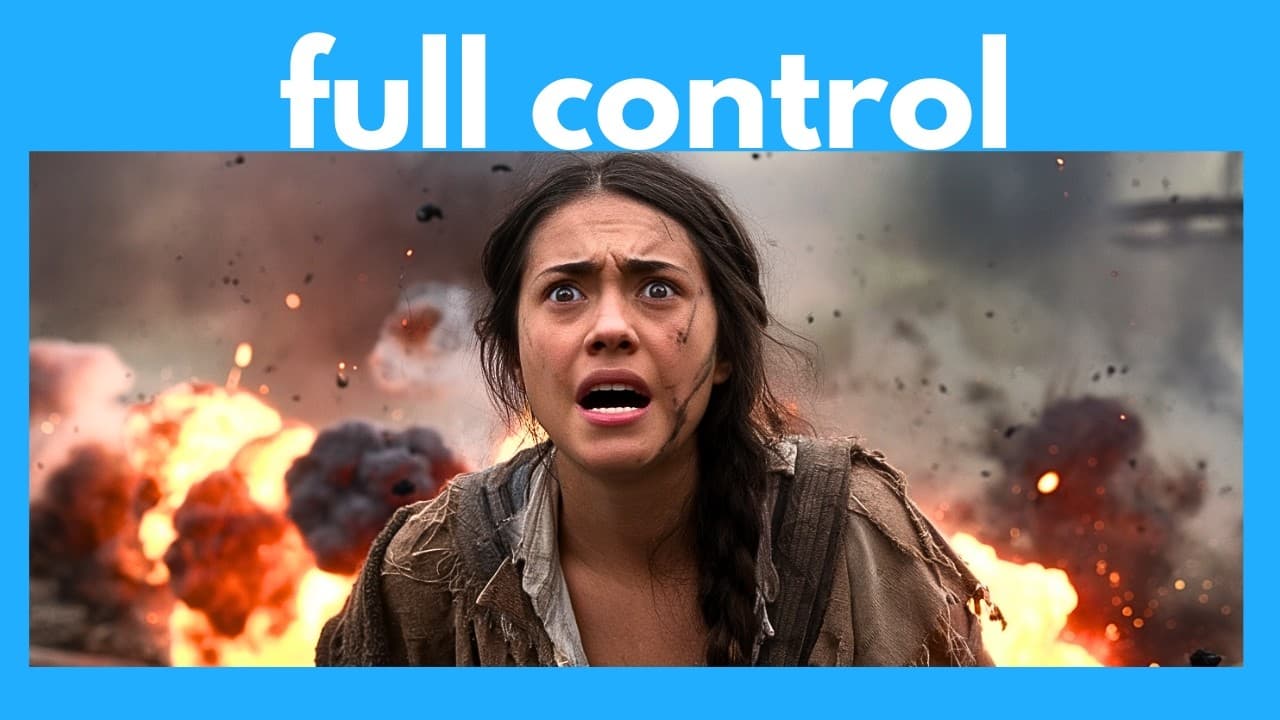
Hailuo Minimax’s TTV Director mode lets you control camera movement by selecting preset cinematic shots or inserting movements into a text-to-video prompt. It supports options such as orbiting, tilting, tracking, panning, zooming, and camera pushes, with up to three movements per generation. The walkthrough also compares Director mode with Hailuo’s regular model and Cing, so read on to understand its setup, controls, and limitations.
Transcript
so one of my favorite AI video generators High L Minimax has just released a really useful and Powerful feature it's a new model called TTV director and this allows you to control the camera movement of the video as if you're the director or the cameraman of the scene so in this video I'm going to show you how to use it and I'm going to review its ... Read More
Key Insights
- Hailuo Minimax TTV Director mode enables control of camera movements, enhancing video creation.
- Users can select from various cinematic shots like orbit, tilt, and tracking to craft scenes.
- The Director mode offers more precise control compared to other models like Cing.
- Users can combine up to three camera movements for a single video generation.
- The Director mode is currently available only for text-to-video, not image-to-video.
- Cing's models lack the versatility of Hailuo's Director mode in handling camera movements.
- The tool is accessible with a free plan, offering 1,000 credits plus 100 bonus credits daily.
- Director mode significantly improves the cinematic quality of AI-generated videos.
Install to Summarize YouTube Videos and Get Transcripts
Explore YouTube Video Summarizer or Get YouTube Transcript Extractor
Questions & Answers
Q: How do you use Hailuo AI Director Mode for videos?
Log in or sign up for free, open the Video tab, and click Create. Under Text to Video, select the TTV Director model, enter a prompt, choose or insert camera movements at the desired points, and then click Generate.
Q: What camera movements are available in Hailuo Director Mode?
Preset choices include left and right circling, upward and downward tilt, left and right walking, stage left, stage right, and scenic shot. Free Selection adds truck left or right, pan left or right, push in, pull out, zoom in or out, tilt up or down, pedestal up or down, shake, tracking shot, and static shot.
Q: How many camera movements can you combine in one Hailuo video?
Free Selection lets you combine a maximum of three camera movements in one video generation. The demonstration inserts tilt down near the beginning and zoom in later in the prompt.
Q: What is the difference between truck and pan camera movements?
Truck moves or slides the camera horizontally to the left or right. Pan keeps the camera in the same position while turning it left or right.
Q: How are push in and pull out different from zooming?
Push in moves the entire camera inward, while pull out moves the entire camera outward. Zoom in and zoom out change the lens view while the camera itself remains still.
Q: Does Hailuo Director Mode follow camera instructions better than the regular model?
In the demonstrated medic scene, Director mode tilted down and then zoomed in as requested. The regular text-to-video model instead appeared to tilt slightly upward at the start and only zoomed in slightly, so the Director result followed the specified movements more closely.
Q: Is Hailuo Director Mode available for image-to-video generation?
The Director model is currently available under the Text to Video tab. The existing page information states that it is not currently available for image-to-video generation.
Q: How does Hailuo Director Mode compare with Cing’s camera controls?
The comparison says Cing offers several camera-movement controls for text-to-video. However, those controls are unavailable with Cing 1.5 and 1.6 and are limited to the older Cing 1.0 model, while Hailuo’s Director mode provides direct movement selection and combinations.
Summary & Key Takeaways
-
Hailuo Minimax's TTV Director mode revolutionizes AI video creation by allowing users to control camera movements such as orbit and tilt, providing a cinematic feel. This feature, available for text-to-video, surpasses competitors like Cing, which lacks such versatility.
-
The Director mode offers users the ability to combine up to three camera movements in one video, enhancing creativity and precision. It's accessible with a free plan, providing 1,000 initial credits and 100 daily bonus credits, making it an attractive tool for creators.
-
Compared to traditional models, Hailuo's Director mode significantly improves the cinematic quality of AI-generated videos, offering a more immersive and professional output. Users can generate three videos for free daily, making it a cost-effective tool for video creators.
Read in Other Languages (beta)
Share This Summary 📚
Summarize YouTube Videos and Get Video Transcripts with 1-Click
Try YouTube Summary with ChatGPT & Claude or YouTube Transcript Generator
Explore More Summaries from AI Search 📚
Summarize YouTube Videos and Get Video Transcripts with 1-Click
Try YouTube Summary with ChatGPT & Claude or YouTube Transcript Generator