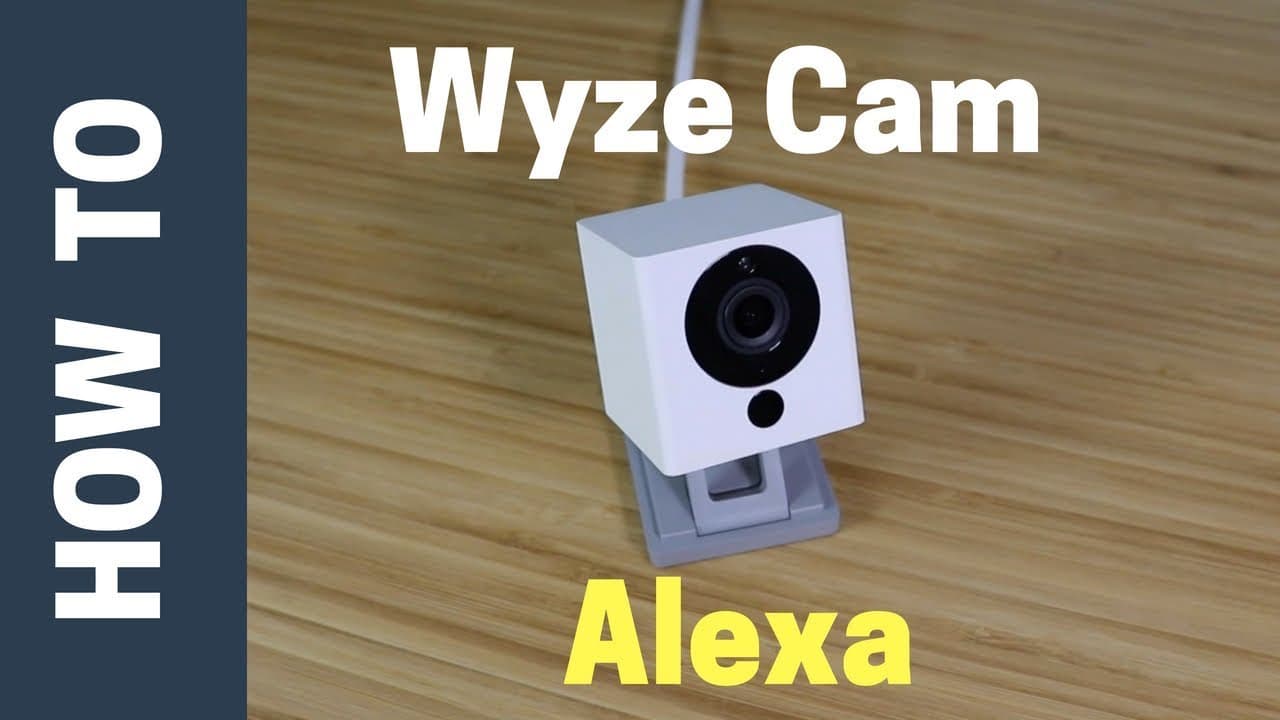
How to Integrate Wyze Cam with Alexa for Live Feeds
TL;DR
Integrating Wyze Cam with Alexa allows users to access live video feeds on devices like Fire TV and Echo Show, making it easier to monitor activity at home. To set it up, enable the Wyze Cam skill in the Alexa app, then add your device to the smart home section. Note that the integration does not support two-way communication or camera movement.
Transcript
hey what's up this is Reid with smart home solver and today we're going to be talking about the why scam Alexa integration that was announced recently and this is gonna make the why scam cameras which are already pretty good even better and we've done reviews of the why scam the why scam pan check out those links in the description below this featu... Read More
Key Insights
- 🤱 Wyze Cam's integration with Alexa enhances user convenience by providing live feed access on devices like TV.
- 😀 The connection process involves enabling the Wyze Cam skill in the Alexa app and adding the device to the smart home section.
- 🖤 While the integration offers benefits like quick feed access, it lacks features such as two-way voice communication and camera movement control.
- 👍 Using Wyze Cam with Alexa proves useful in scenarios like monitoring the front door or using it as a baby monitor in a kid's bedroom.
- 👶 Wyze Cam regularly updates its software, adding new features to its inexpensive cameras.
- 💦 The integration works on various Amazon devices like Fire TV, Echo Show, and more.
- 🤱 Users can benefit from using Wyze Cam with Alexa in situations where accessing the live feed quickly is essential, like checking on kids or monitoring an outdoor area.
Install to Summarize YouTube Videos and Get Transcripts
Explore YouTube Video Summarizer or Get YouTube Transcript Extractor
Questions & Answers
Q: What are the advantages of the Wyze Cam Alexa integration?
The integration allows users to easily view live feeds on their TV without needing to use the app on their phone. It adds convenience for monitoring various areas without needing constant physical presence.
Q: What are the limitations of using Wyze Cam with Alexa?
One limitation is the lack of two-way voice communication when accessing the live feed through Alexa. Additionally, users cannot control camera movement through Alexa, requiring the app for such functionalities.
Q: How can users connect their Wyze Cam to Alexa?
Users need to open the Alexa app, search for the Wyze Cam skill, enable it, and input their Wyze Cam credentials. After that, they can add the Wyze Cam as a device in the smart home section of the app.
Q: What are some practical use cases for using Wyze Cam with Alexa?
Users can utilize the integration for monitoring their front door without needing to physically check, as well as using it as a baby monitor in a kid's bedroom for quick surveillance.
Summary & Key Takeaways
-
Wyze Cam integrates with Alexa for added convenience, allowing users to view live feeds on their TV.
-
Steps to connect Wyze Cam to Alexa involve enabling the Wyze Cam skill in the Alexa app.
-
The integration provides benefits like quick access to live feeds but lacks two-way voice communication and camera movement.
Read in Other Languages (beta)
Share This Summary 📚
Summarize YouTube Videos and Get Video Transcripts with 1-Click
Try YouTube Summary with ChatGPT & Claude or YouTube Transcript Generator
Explore More Summaries from Smart Home Solver 📚



Summarize YouTube Videos and Get Video Transcripts with 1-Click
Try YouTube Summary with ChatGPT & Claude or YouTube Transcript Generator