How to Create Stunning AI Art Prints with Midjourney and Stable Diffusion
TL;DR
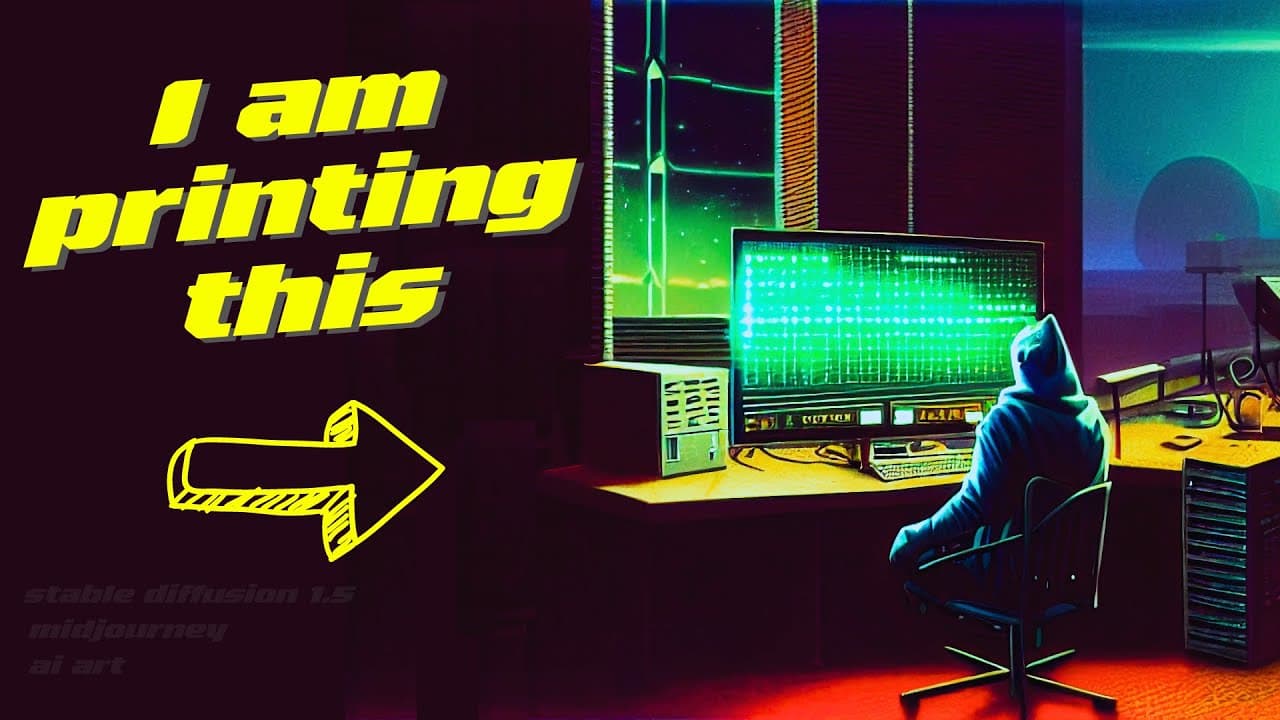
To create a stunning AI art print, use Midjourney for artistic styles and Stable Diffusion 1.5 for editing images, including adjusting the aspect ratio for printing. After finding an image that meets your needs, you can enhance it further with these tools before ordering a print, making the process both exciting and accessible.
Transcript
So I have been trying for a while now to create an image that I want to send for a print. I had a lot of good options, but I could not find exactly what I wanted to spend money on. But now with the great artistic style from Midjourney and the new image to image editor from Stabley Fusion 1.5, I found exactly what I was looking for. Let's s... Read More
Key Insights
- 💯 AI tools like Midjourney and Stabley Fusion can help users find the perfect image for printing.
- 🥳 Editing the aspect ratio using AI tools can improve the quality of the image for printing.
- 🥰 Printing AI-generated art can be an exciting and inspiring experience for users.
- 🥰 Using AI in art and printing can open up new creative possibilities.
- 🥰 Sharing experiences with AI art can inspire others to explore the technology.
- 🕴️ AI tools can help users enhance and adjust images to suit their preferences.
- 🥰 The cost of printing AI art can be reasonable and worth the investment for a unique piece.
Install to Summarize YouTube Videos and Get Transcripts
Explore YouTube Video Summarizer or Get YouTube Transcript Extractor
Questions & Answers
Q: How did the user struggle to find the right image for printing?
The user had many good options but couldn't find the perfect one, wanting a 10 out of 10 instead of just an 8 out of 10.
Q: What tools did the user use to edit the image for printing?
The user used Stabley Fusion from Dream Studio AI to adjust the aspect ratio and enhance the image for printing.
Q: Why did the user choose to print the image after editing?
After enhancing the image with Stabley Fusion, the user was happy with the result and decided to order a print for $30.
Q: What was the user's plan after ordering the print?
The user planned to do an unboxing video and was excited about the first AI print, hoping to inspire others to create their own AI art prints.
Summary & Key Takeaways
-
The user struggled to find the right image for printing until using AI tools Midjourney and Stabley Fusion 1.5.
-
The desired image was of a hacker in a retro style, with multiple screens and computers in a basic room.
-
After editing with Stabley Fusion to correct the aspect ratio, the user found the perfect image for printing.
Read in Other Languages (beta)
Share This Summary 📚
Summarize YouTube Videos and Get Video Transcripts with 1-Click
Try YouTube Summary with ChatGPT & Claude or YouTube Transcript Generator
Explore More Summaries from All About AI 📚
Summarize YouTube Videos and Get Video Transcripts with 1-Click
Try YouTube Summary with ChatGPT & Claude or YouTube Transcript Generator