How to Set Up OpenCode with Skills and Models
TL;DR
Install OpenCode with Bun, connect an OpenCode Zen API key, and choose an available model before testing the agent on an existing repository. Custom capabilities can be added through skill.md files, permission settings, MCP servers, and Oh-My-OpenCode, while build mode lets the agent create files and background agents can handle longer adaptation tasks.
Transcript
So hello again. So, um this is I guess um the last day of uh 2025 and um yeah, I decided I have some uh spare time and um just uh stream a little bit to just get back into the habit really. So, um I still need to make some adjustments because I should be live on YouTube, but I cannot really see it. Okay, it should be working now. So we are live on ... Read More
Key Insights
- Bun is used to install OpenCode because the demonstrated Nix package is version 1.84 while the Git repository is at version 2.19. The installation provides a terminal interface where models, modes, context usage, and agent activity can be inspected.
- OpenCode Zen provides access to additional models after the user logs in with an API key. The interface then lists options including Haiku, Opus, Sonnet, and GPT, allowing the user to switch models according to the task and available subscription.
- Repository analysis is a practical first test for the coding agent. When pointed at the presenter’s NixOS configuration, OpenCode identifies multiple hosts, home-directory configuration, secrets management, declarative disk management, and Hyprland, demonstrating that it can inspect and summarize an unfamiliar codebase.
- Agent skills are reusable behaviors defined through a skill.md file. A skill includes front matter such as its name, description, and license, followed by regular Markdown instructions that tell the model how to perform a specialized workflow.
- Skill permissions determine how OpenCode exposes and loads capabilities. An allow setting loads a skill automatically, deny hides it from the agent, and ask requires approval, which is useful when a skill may execute scripts or perform sensitive local operations.
- Build mode allows OpenCode to create and modify files, while plan mode is read-only and may request permission for actions such as retrieving documentation. The presenter switches to build mode after undoing the initial attempt so the agent can complete the skill conversion.
- The adapted skill creator keeps guidance for producing effective OpenCode skills but removes some original Claude-oriented scripts. The omitted components include front-matter validation, skill packaging into a ZIP file, and initialization of new skills from templates.
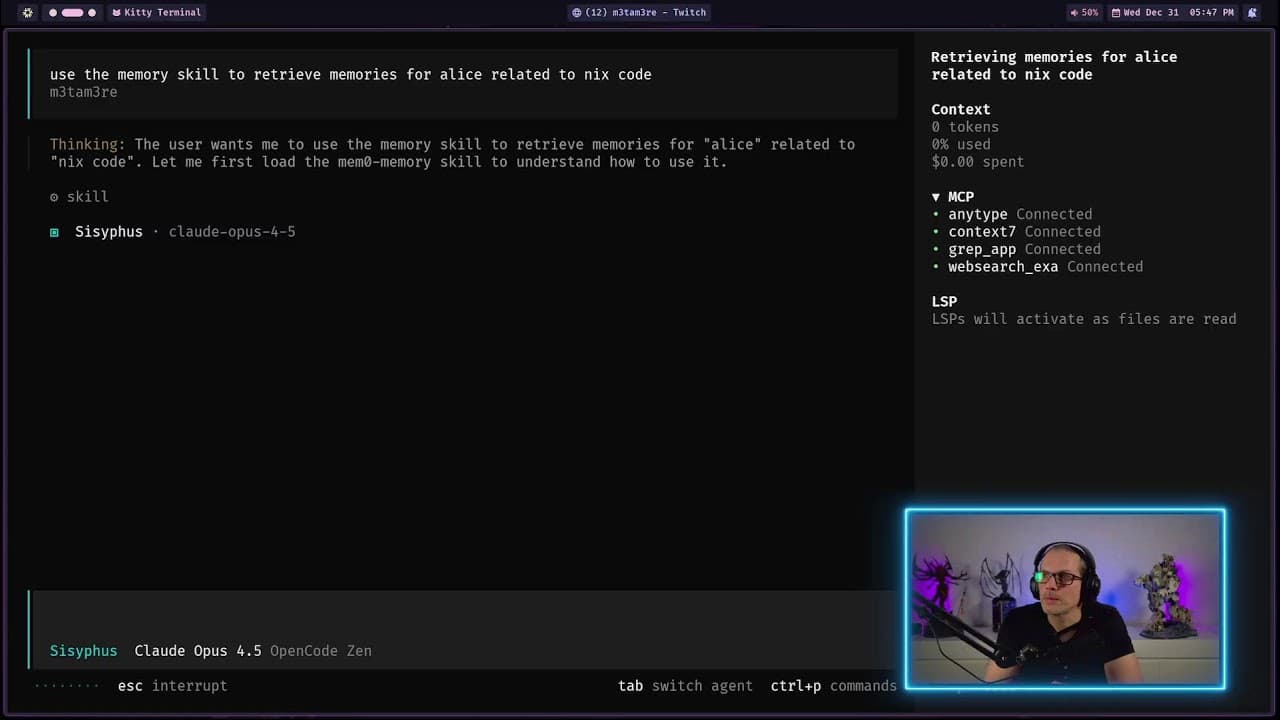
- Oh-My-OpenCode extends the base agent with predefined coding agents, better LSP support, and compatibility for Claude commands, agent skills, and hooks. Its agents include Sisyphus, Oracle, and Librarian, and later work demonstrates todo lists and background-agent execution.
Install to Summarize YouTube Videos and Get Transcripts
Explore YouTube Video Summarizer or Get YouTube Transcript Extractor
Questions & Answers
Q: How do you install OpenCode with Bun?
Use the Bun-based installation method shown on the OpenCode website, then launch the installed program by entering the OpenCode command in a terminal. The presenter chooses Bun because the demonstrated Nix package is version 1.84 while the Git repository is at version 2.19, making the Bun route preferable for accessing the newer release.
Q: How do you configure models in OpenCode?
Run the OpenCode login flow, select OpenCode Zen, and provide the API key associated with the account. After authentication, the model selector displays additional options, including Haiku, Opus, Sonnet, and GPT. The terminal interface can then be used to switch models and inspect context-window usage during a conversation.
Q: How can OpenCode analyze an existing codebase?
Launch OpenCode from the target repository and ask it to describe or explain the codebase. In the demonstrated NixOS configuration, the agent identifies the repository type, multiple hosts, home-directory configuration, secrets management, declarative disk management, and Hyprland. This provides a quick way to test whether installation and model access are working.
Q: What is an OpenCode agent skill?
An OpenCode agent skill is a reusable behavior described in a skill.md file. The file contains front matter with details such as the skill name, description, and license, followed by regular Markdown instructions. These instructions guide the model through a specialized task, such as creating additional skills that follow a defined structure and workflow.
Q: How do skill permissions work in OpenCode?
Skill permissions are configured in the OpenCode JSON file. Setting a skill to allow makes it available for automatic loading, deny hides it completely from the agent, and ask prompts the user for approval. The approval option is particularly relevant when a skill might execute scripts or otherwise perform actions on the local machine.
Q: How do you port a Claude skill to OpenCode?
Place or reference the original Claude skill in the OpenCode configuration, then ask the agent to adapt it while following OpenCode’s agent-skill documentation. Use build mode when file creation is required. After generation, review the resulting skill.md, compare its structure with the source, and test whether OpenCode detects and reports the new skill.
Q: What is the difference between plan mode and build mode in OpenCode?
Plan mode is presented as read-only, so the agent analyzes the task and may ask for permission before actions such as retrieving documentation. Build mode permits the agent to create the requested files and complete the adaptation. The presenter reverts the first attempt and restarts in build mode because the skill conversion needs an actual skill.md file.
Q: What does Oh-My-OpenCode add to OpenCode?
Oh-My-OpenCode adds predefined agents for coding work, improved LSP support, and compatibility features for Claude commands, agent skills, and hooks. The named agents include Sisyphus, Oracle, and Librarian. The later workflow also shows model configuration, todo tracking, background-agent execution, progress monitoring, and autonomous skill-conversion work.
Summary & Key Takeaways
-
The setup begins by installing OpenCode with Bun because the demonstrated Nix package was behind the Git repository version. After launching the terminal interface, the presenter connects an OpenCode Zen account using an API key, gains access to additional models, and tests repository analysis on an existing multi-host NixOS configuration.
-
OpenCode agent skills are reusable behaviors defined in skill.md files with front matter and Markdown instructions. The presenter asks the agent to port a Claude skill creator into the OpenCode configuration, changes from read-only planning to build mode, reviews the generated file, and compares the adaptation with the original scripts.
-
The workflow is expanded by installing Oh-My-OpenCode, which adds predefined coding agents, improved LSP support, and compatibility features for Claude commands, skills, and hooks. Later stages cover model-selection issues, another skill conversion using Claude Sonnet, todo tracking, background-agent execution, autonomous work, and an introduction to memory systems.
Read in Other Languages (beta)
Share This Summary 📚
Summarize YouTube Videos and Get Video Transcripts with 1-Click
Try YouTube Summary with ChatGPT & Claude or YouTube Transcript Generator