How to Master Your Music Using the Maserati GRP Plugin
TL;DR
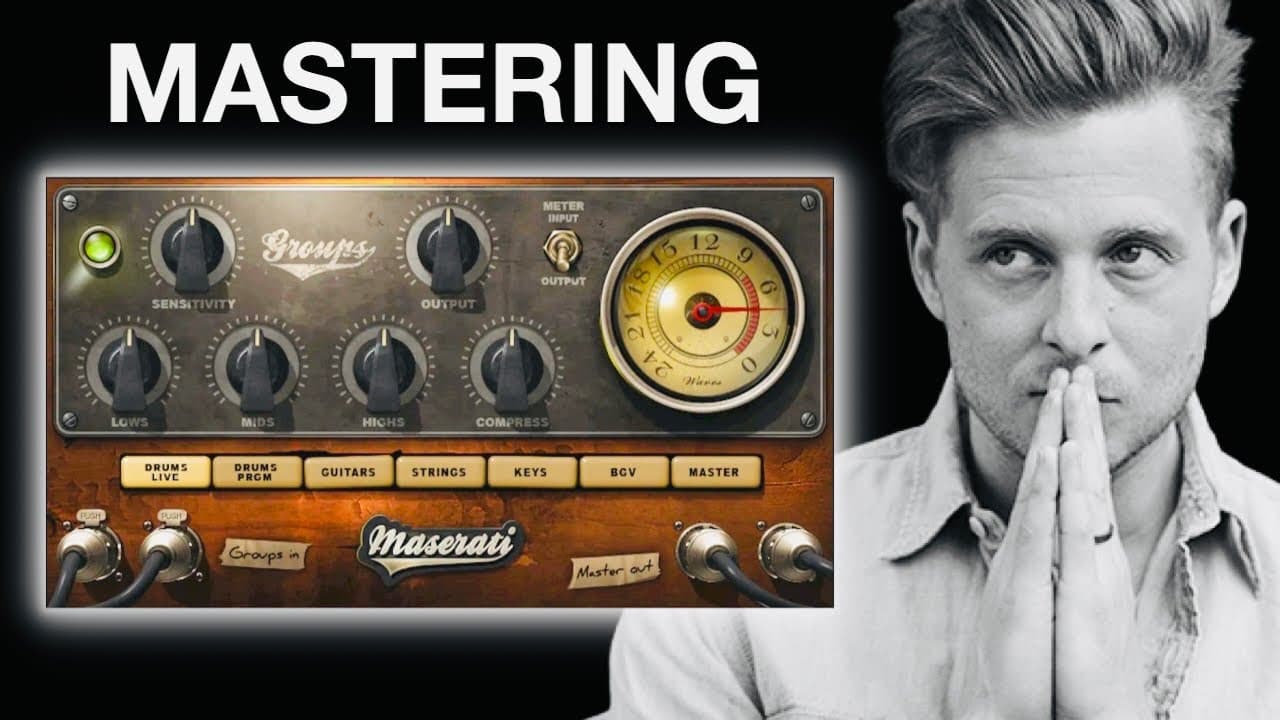
To master your music using the Maserati GRP plugin, start by selecting the master button and setting the output knob to -1 dB to avoid clipping. Adjust the sensitivity while playing your track to achieve optimal levels, and make subtle changes to frequency and compression for a polished sound. Trust your ears to finalize adjustments for the best quality.
Transcript
in this video I'm gonna show you the one plugin that I use to master all of my own music and I actually found out about it after taking a songwriting course with Ryan Tedder who is the lead singer of One Republic and has written many hit songs for big name artists a quick disclaimer I am not a mastering engineer and I'm not telling you that this is... Read More
Key Insights
- 👂 Mastering is a crucial process in music production that finalizes the sound of tracks for distribution.
- 😉 The Maserati GRP plugin, utilized in the video, was developed in collaboration with Grammy-winning engineer Tony Maserati and is currently affordable.
- 👂 Proper settings, such as the output level and sensitivity, are essential to ensure a polished and professional sounding track.
- 👤 Users are encouraged to use their ears as the primary tool for adjustments, reinforcing the subjective nature of music production.
- 🤕 Different frequency bands and compression levels can be adjusted to enhance the overall feel of a track, but caution is advised to avoid over-alteration.
- ✋ The video supports amateur musicians in understanding the intricacies of mastering, thereby making high-quality production accessible.
- 🪡 After mastering, music needs to be prepared for distribution, emphasizing the importance of the release process as much as the mastering phase.
Install to Summarize YouTube Videos and Get Transcripts
Explore YouTube Video Summarizer or Get YouTube Transcript Extractor
Questions & Answers
Q: What is the purpose of the Maserati GRP plugin?
The Maserati GRP plugin is designed for music mastering, allowing artists to apply finishing touches and polish their tracks. It ensures that mixes are competitive with commercial music and enhances overall volume output, making them suitable for various listening environments like phones and cars.
Q: How does one prevent clipping when using the Maserati GRP plugin?
To prevent clipping, the output knob should be set to negative one decibel. This setting helps ensure that the master bus maintains a safe output level and avoids distortion, allowing the music to be clear and without unwanted artifacts when played on different platforms.
Q: What should users be cautious of when applying compression with this plugin?
Users should be cautious not to over-compress their tracks as it can lead to a squashed sound. The plugin features sensitivity controls that light up to indicate appropriate levels, encouraging users to make tweaks based on the visual feedback while listening to their music.
Q: Why is mastering considered the final step in music production?
Mastering is regarded as the final step because it refines the overall sound of a mix, providing an essential polish before the music is released. This stage ensures tracks meet industry standards, competing effectively with commercially available music on streaming services and radio.
Q: Is the author of the video a professional mastering engineer?
The video creator clarifies that they are not a mastering engineer and are sharing their personal method that has been effective for them. This disclaimer highlights that the showcased techniques are based on personal experience rather than professional expertise.
Q: What additional resource does the creator offer for releasing music?
The creator invites viewers to click on another video that guides them through releasing songs on streaming platforms and monetizing their music. This highlights their intention to support budding artists in both production and distribution aspects.
Q: Why might users not need to make substantial changes to their mixes when using this plugin?
Users often may not need to make significant changes if their original mix is already well-balanced. The video creator emphasizes the importance of crafting a quality mix prior to mastering, suggesting that minor adjustments can often suffice depending on the track's initial sound quality.
Summary & Key Takeaways
-
The video showcases the Maserati GRP plugin by Waves, designed for mastering music, which is crucial for finalizing tracks to compete in the industry.
-
It offers a step-by-step process for using the plugin, including setting the output knob to prevent clipping and adjusting sensitivity and frequency bands.
-
Viewers are encouraged to experiment with the plugin while relying on their ears to make final adjustments for the best sound quality.
-
(Content reviewed on 2026-08-27.)
Read in Other Languages (beta)
Share This Summary 📚
Summarize YouTube Videos and Get Video Transcripts with 1-Click
Try YouTube Summary with ChatGPT & Claude or YouTube Transcript Generator
Explore More Summaries from Home Studio Academy 📚

Summarize YouTube Videos and Get Video Transcripts with 1-Click
Try YouTube Summary with ChatGPT & Claude or YouTube Transcript Generator