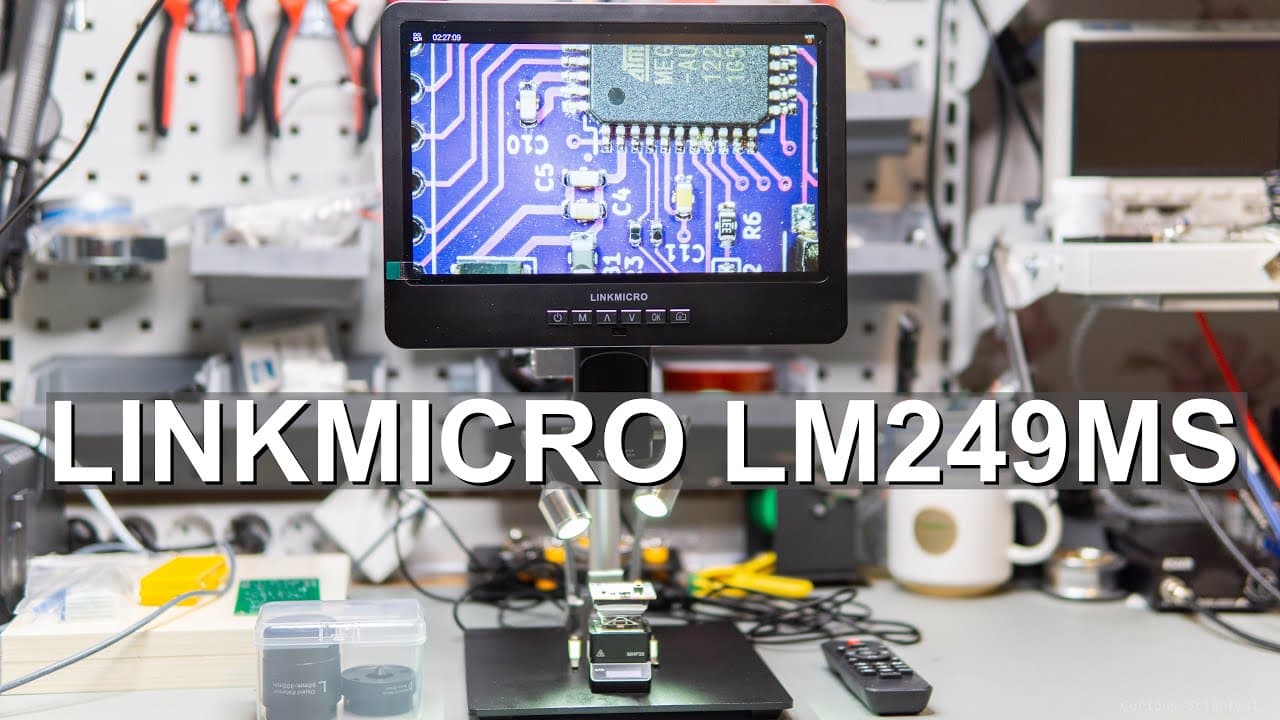
Reviewing the LINKMICRO LM249MS digital microscope
TL;DR
The video provides a detailed guide on setting up and using a digital microscope.
Transcript
this video is supported by link micro welcome everyone in this video I'm going to show you my new equipment which is a digital microscope from link micro the microscope comes with a handbook as well as a quick uh assembly manual so it is easy to set up the microscope uh quickly and easily the microscope came in a cardboard box but it is padded with... Read More
Key Insights
- 🔬 The digital microscope by Link Micro is equipped with essential accessories, enabling comprehensive usage for hobbyists and professionals alike.
- 😄 Its assembly showcases thoughtful design, allowing flexibility and ease in adjustments while ensuring stability during observations.
- ✋ The microscope's high magnification capacity reveals intricate details of small objects, facilitating insightful scientific exploration and learning.
- 👤 Users can manipulate various settings through an intuitive remote control, demonstrating the device's user-friendly technology.
- 😄 The inclusion of multiple lenses enhances versatility, enabling users to study specimens at different levels of detail with ease.
- 👨🔬 Sample observations highlight the microscope's potential for biological and electronic studies, making it highly applicable for research and education.
- ❓ Some limitations regarding lighting are mentioned, suggesting improvements could enhance overall image quality further.
Install to Summarize YouTube Videos and Get Transcripts
Explore YouTube Video Summarizer or Get YouTube Transcript Extractor
Questions & Answers
Q: What accessories come with the digital microscope?
The microscope includes an HDMI cable, USB power cables, a power supply, a bug box for observing insects, an SD card for storage, additional lenses for magnification, and a remote control for adjusting settings. These accessories facilitate both setup and usage of the microscope for various observations.
Q: How is the digital microscope assembled?
Assembly involves securing the Z Rod to the base plate, attaching the bracket for adjusted viewing angles, and ensuring the microscope aligns properly with screws. Additionally, connecting power sources to the display and LED lights is crucial for functionality, making the setup process straightforward with clear instructions.
Q: How does the microscope handle different magnification levels?
The microscope allows users to change lenses to achieve varying magnification levels, making it versatile for inspecting small objects. It is demonstrated in the video where different lenses result in distinct views of small components, successfully showcasing the microscope’s capabilities to reveal intricate details.
Q: What is the purpose of the remote controller?
The remote controller is designed for easy navigation of the microscope's display settings, including image capture, video recording, and adjusting parameters like resolution and contrast. Its wireless functionality enhances the user experience, allowing hands-free adjustments while observing specimens.
Summary & Key Takeaways
-
The video introduces a new digital microscope from Link Micro, highlighting its multiple accessories, including cables, an HDMI connection, and a bug box for specimen observation.
-
It explains the assembly process of the microscope, detailing how to connect the power supply, adjust the stand, and operate the on-screen display using a remote controller.
-
Several samples are examined under the microscope, showcasing its high magnification capabilities and image quality, while minor concerns about lighting are addressed.
Read in Other Languages (beta)
Share This Summary 📚
Summarize YouTube Videos and Get Video Transcripts with 1-Click
Try YouTube Summary with ChatGPT & Claude or YouTube Transcript Generator
Explore More Summaries from Curious Scientist 📚




Summarize YouTube Videos and Get Video Transcripts with 1-Click
Try YouTube Summary with ChatGPT & Claude or YouTube Transcript Generator