How to Build a Smart AI System with Gemini and NotebookLM
TL;DR
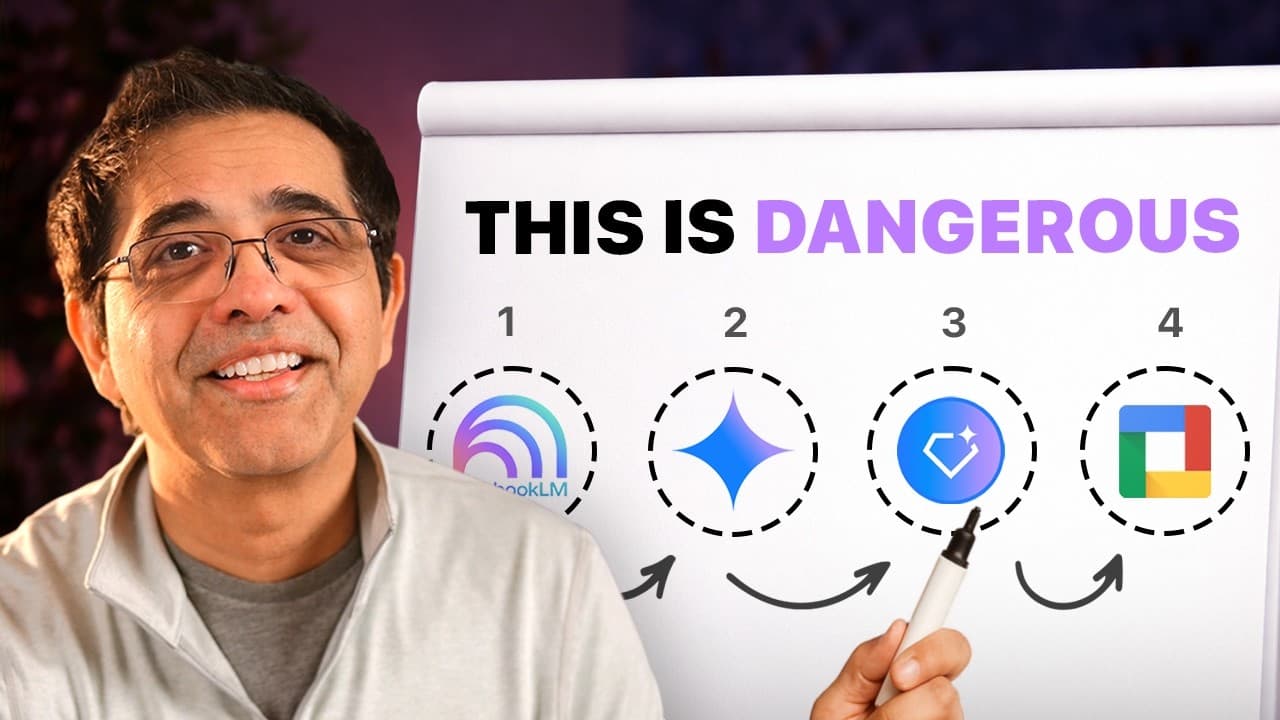
Build a smart AI system by assigning four distinct roles: NotebookLM grounds answers in your materials, Gemini explores large contexts, Gems provide specialist support, and Workspace turns insights into finished work. NotebookLM is especially useful when material is overwhelming, precision matters, or knowledge must move across formats. Read on for practical guidance on using each layer to learn faster, find patterns, and execute.
Transcript
Everyone's obsessing over a chat GPT and almost nobody is using Gemini and Notebook LM to build a real edge. That's a huge mistake. After 20 years as a CEO and board member helping build billiondollar companies, one thing is clear to me. The edge is never the tool, it's the system you build. That's why mastering Google's AI tools like Gemini and No... Read More
Key Insights
- AI tools like Gemini and Notebook LM are most effective when used as part of a structured intelligence system.
- Notebook LM grounds AI responses in user-provided materials, ensuring accuracy and relevance.
- Gemini can process vast amounts of data, allowing for deep exploration and pattern recognition.
- Specialist agents, or 'gems', provide personalized expertise and context, enhancing AI interactions.
- Integrating AI into a connected workspace reduces fragmentation and improves productivity.
- Effective AI use involves understanding the mechanics and meaning of tasks, not just automation.
- The AIM framework helps guide AI interactions: Actor, Input, and Mission define the AI's role and goals.
- AI can enhance human intelligence by supporting learning and decision-making, not replacing it.
Install to Summarize YouTube Videos and Get Transcripts
Explore YouTube Video Summarizer or Get YouTube Transcript Extractor
Questions & Answers
Q: How do you build a smart AI system with Gemini and NotebookLM?
Build it as a four-part intelligence architecture rather than relying on a single tool. Use NotebookLM for evidence, Gemini for exploration, Gems for specialist support, and Workspace for execution such as drafting emails, building decks, summarizing meetings, and updating documents.
Q: How does NotebookLM ground AI responses in reliable evidence?
NotebookLM works from materials you provide, including documents, notes, transcripts, and data. It lets you investigate those sources, ask questions, and find patterns while providing the supporting evidence behind its responses.
Q: When should you use NotebookLM?
Use NotebookLM in three situations: when you are drowning in material, when precision matters and close enough is not good enough, and when knowledge needs to move across formats. The transcript names audio, video, decks, flashcards, and infographics as possible formats.
Q: How can NotebookLM support learning and retention?
After loading material, you can use focused mode to investigate ideas, follow connections, and find patterns. NotebookLM can also turn research and reports into interactive podcasts or debates for listening during a walk, commute, or time in the kitchen, and you can ask the AI hosts questions in real time.
Q: What advantages does Gemini provide for analyzing large amounts of information?
Gemini can hold up to 2 million tokens in its active memory at once, according to the transcript. This allows it to examine extensive material, such as a decade of financial history and thousands of customer-call transcripts, and identify patterns that could take a person months to spot.
Q: What kinds of content can Gemini process and create?
Gemini can work with PDFs, videos, audio, images, diagrams, code, and data within one session. It can also generate formats including interactive documents, audio, charts, images, video, and music.
Q: What are Gemini Gems, and how can they be used?
Gems are specialist agents designed to remember their role and the user's context. You can create one as a finance advisor, writing partner, or health coach so that specialized assistance is consistently available.
Q: How does Google Workspace complete the four-part AI system?
Workspace is the execution layer where intelligence moves beyond the prompt window and into practical work. It supports tasks such as drafting emails, building decks, summarizing meetings, updating documents, and moving projects forward.
Q: What is the AIM framework for prompting Gemini?
The AIM framework stands for actor, input, and mission. Tell Gemini what role to act as, provide the context and source material it needs, and specify the exact outcome you want.
Q: How can I turn NotebookLM research into an interactive podcast?
Load your research or reports into NotebookLM and convert them into an interactive podcast or debate. You can listen while walking, commuting, or cooking, and jump in to ask questions that steer the AI podcast hosts in real time.
Q: How do I make Gemini give less generic answers?
Give Gemini a role, relevant input, and a precise mission instead of asking a broad question without context. For recurring work, create a Gem with a defined role, tone, objective, and knowledge base so it can act as a specialist that remembers your preferences and work.
Summary & Key Takeaways
-
The key to leveraging AI effectively is building a structured intelligence system. This involves grounding AI in reliable data, using tools like Notebook LM to ensure accuracy. Gemini allows for deep data exploration, identifying patterns that would take humans much longer to find.
-
Specialist agents, or 'gems', provide tailored expertise, remembering user preferences and context across interactions. This personalization enhances the effectiveness of AI tools, making them more than just generic assistants.
-
Integrating AI into a cohesive workspace reduces the inefficiencies of fragmented tools. By connecting AI with Google Workspace, users can streamline their work processes, maintain focus, and enhance productivity.
Read in Other Languages (beta)
Share This Summary 📚
Summarize YouTube Videos and Get Video Transcripts with 1-Click
Try YouTube Summary with ChatGPT & Claude or YouTube Transcript Generator
Explore More Summaries from Sandeep Swadia | theMITmonk 📚



Summarize YouTube Videos and Get Video Transcripts with 1-Click
Try YouTube Summary with ChatGPT & Claude or YouTube Transcript Generator