Products
Features
YouTube Video Summarizer
Summarize YouTube videos
Web & PDF Highlighter
Highlight web pages & PDFs
Chat with PDF
Ask any PDF questions with AI
Ask AI Clone
Chat with your highlights & memories
Audio Transcriber
Transcribe audio files to text
Glasp Reader
Read and highlight articles
Kindle Highlight Export
Export your Kindle highlights
Idea Hatch
Hatch ideas from your highlights
Integrations
Obsidian Plugin
Notion Integration
Pocket Integration
Instapaper Integration
Medium Integration
Readwise Integration
Snipd Integration
Hypothesis Integration
Apps & Extensions
Chrome Extension
Safari Extension
Edge Add-ons
Firefox Add-ons
iOS App
Android App
Discover
Discover
Ideas
Discover new ideas and insights
Articles
Curated articles and insights
Books
Book recommendations by great minds
Posts
Essays and notes from readers
Quotes
Inspiring quotes collection
Videos
Curated videos and summaries
Explore Glasp
Glasp Newsletter
Weekly insights and updates
Glasp Talk
Interview series with great minds
Glasp Blog
Latest news and articles
Glasp Use Cases
Learn how others use Glasp
Build & Support
Glasp API
Access Glasp's API for developers
MCP Connector
Connect Glasp to Claude & ChatGPT
Community
Glasp Reddit Community
Students
Student discount and benefits
FAQs
Frequently Asked Questions
AboutPricing
DashboardLog inSign up

How to Use Conditions for Effective Home Automation

170.9K views
•
July 9, 2022
by
Smart Home Solver
YouTube video player
How to Use Conditions for Effective Home Automation

TL;DR

To ensure your home automation works smoothly, use conditions to control when actions occur, preventing unnecessary triggers. Implement time-based, location, and threshold conditions to refine automations, making them more efficient and tailored to your lifestyle, thus avoiding chaos.

Transcript

if your home automations are running wild without any conditions then yikes but i might just might be able to save your marriage today we're talking about when to not run automations using conditions i have plenty of examples and ideas that will help you dial in your automations to make them perfect and if you're not subscribed then make sure you d... Read More

Key Insights

  • 🎮 Conditions in automations provide precise control over smart devices.
  • ⌛ Time-based conditions restrict actions to specific times of day for efficiency.
  • 🏃 Location conditions ensure automations run only when you are present.
  • 👻 Thresholds allow for easy overrides in automations.
  • ❓ Using multiple conditions can create sophisticated automation setups.
  • 🎮 Avoid disabling automations to maintain control and prevent chaos.
  • 🧑‍🏭 Integrating conditions with various factors optimizes home automations.

Install to Summarize YouTube Videos and Get Transcripts

Explore YouTube Video Summarizer or Get YouTube Transcript Extractor

Questions & Answers

Q: How do conditions enhance home automations?

Conditions in home automations allow for precise control over when actions occur, preventing undesired triggers and enhancing the overall functionality of smart devices.

Q: What role does time play in setting up conditions?

Time-based conditions restrict automations to specific times, ensuring that actions only take place when needed and preventing unwanted disturbances based on the time of day.

Q: How do location conditions impact home automations?

Location conditions ensure that automations only run when you are present, preventing unnecessary alerts or actions when you are away from home, enhancing the efficiency of smart devices.

Q: What is the significance of using thresholds in automations?

Threshold conditions provide a way to override automations easily, allowing for manual control when needed and offering flexibility in managing smart device actions.

Summary & Key Takeaways

  • Conditions in home automations control when actions occur, preventing unnecessary triggers.

  • Time-based conditions limit actions to specific times, preventing unwanted events.

  • Location and threshold conditions further refine automations for better control.


Read in Other Languages (beta)

English

Share This Summary 📚

Summarize YouTube Videos and Get Video Transcripts with 1-Click

Download browser extensions on:

Try YouTube Summary with ChatGPT & Claude or YouTube Transcript Generator

Explore More Summaries from Smart Home Solver 📚

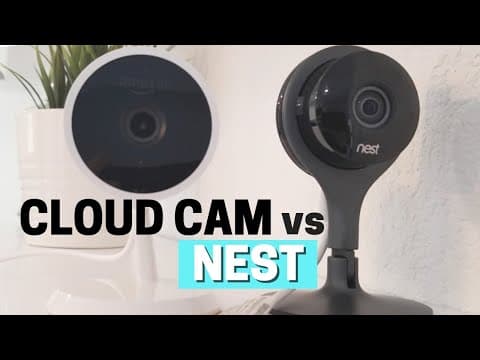
Comparing Nest Cam vs Amazon Cloud Cam Side by Side thumbnail
Comparing Nest Cam vs Amazon Cloud Cam Side by Side
Smart Home Solver
Sweet Spot of Price + Features: Roborock S6 Pure thumbnail
Sweet Spot of Price + Features: Roborock S6 Pure
Smart Home Solver
How to Build a DIY Smart Home That Saves Money thumbnail
How to Build a DIY Smart Home That Saves Money
Smart Home Solver
SmartThings to Home Assistant: Joining the Dark Side thumbnail
SmartThings to Home Assistant: Joining the Dark Side
Smart Home Solver
Back to the Future 2 vs My Smart Home thumbnail
Back to the Future 2 vs My Smart Home
Smart Home Solver
How Can Bond Make My Existing Fans Smart? thumbnail
How Can Bond Make My Existing Fans Smart?
Smart Home Solver

Summarize YouTube Videos and Get Video Transcripts with 1-Click

Download browser extensions on:

Try YouTube Summary with ChatGPT & Claude or YouTube Transcript Generator

Apps & Extensions

  • Chrome Extension
  • Safari Extension
  • Edge Add-ons
  • Firefox Add-ons
  • iOS App
  • Android App

Key Features

  • YouTube Video Summarizer
  • Web & PDF Summarizer
  • Web & PDF Highlighter
  • Chat with PDF
  • Ask AI Clone
  • Audio Transcriber
  • Glasp Reader
  • Kindle Highlight Export
  • Idea Hatch

Integrations

  • Obsidian Plugin
  • Notion Integration
  • Pocket Integration
  • Instapaper Integration
  • Medium Integration
  • Readwise Integration
  • Snipd Integration
  • Hypothesis Integration

More Features

  • APIs
  • MCP Connector
  • Blog & Post
  • Embed Links
  • Image Highlight
  • Personality Test
  • Quote Shots

Company

  • About us
  • Blog
  • Community
  • FAQs
  • Job Board
  • Newsletter
  • Pricing
Terms

•

Privacy

•

Guidelines

© 2026 Glasp Inc. All rights reserved.