How to Install Java JDK and IntelliJ IDEA
TL;DR
Install the Java Development Kit from Oracle’s official website, then install the Community version of IntelliJ IDEA and add its launcher directory to the system path. Create a new command-line project, confirm that the installed JDK is selected as the project SDK, and use this basic project structure to begin writing Java programs.
Transcript
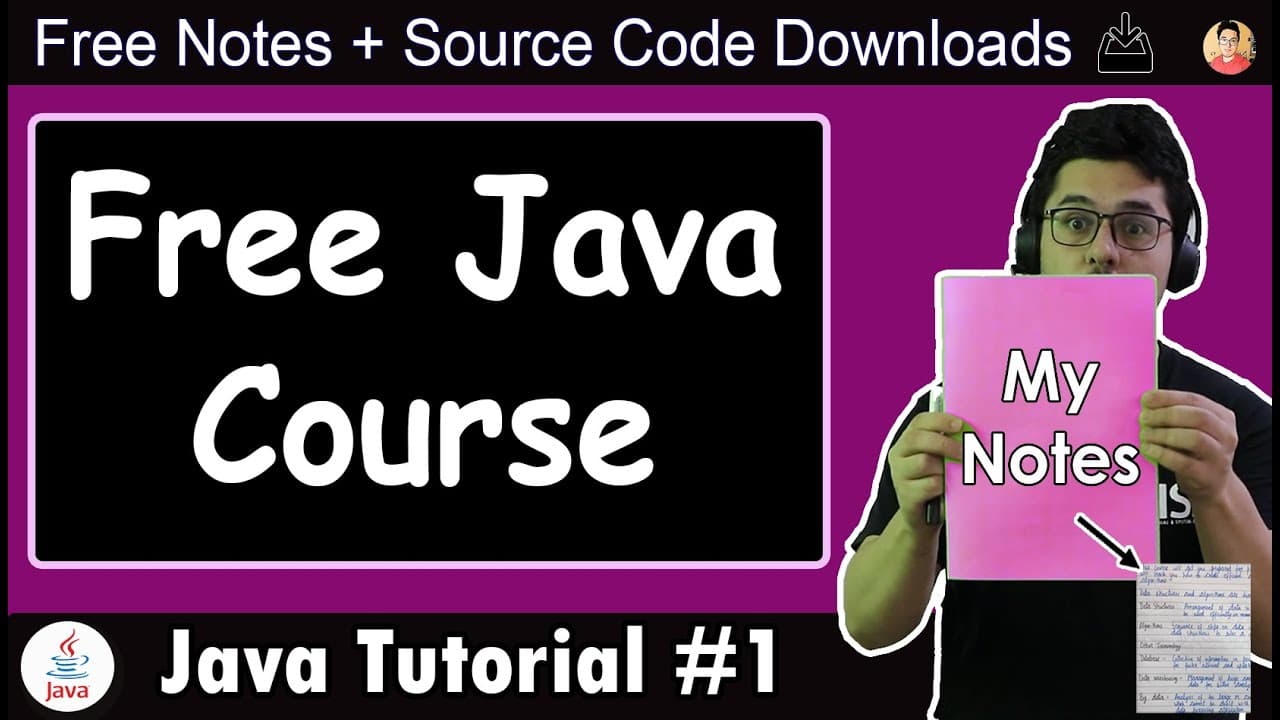
Guys, in this complete Java course with notes, I will tell you from the beginning to the end of Java chapter wise, we will see each topic with notes along with that, this course is going to be beginner friendly, if you are a beginner even if you have never done programming then also you can watch this course from the beginning to the end to master ... Read More
Key Insights
- The Java Development Kit is a collection of tools used to develop and run Java programs. The demonstrated Windows setup downloads the x64 platform installer from Oracle’s official website, accepts the stated terms, executes the file, and proceeds through the standard installation prompts.
- IntelliJ IDEA is an Integrated Development Environment that helps developers use the JDK in a more convenient and interactive way. It supports writing and organizing code, while the installed JDK performs the underlying work required to develop and run Java programs.
- The Community version of IntelliJ IDEA is sufficient for every task planned in the course. The Ultimate version is presented as having a 30-day trial, so beginners are repeatedly directed to choose Community to avoid losing access after that trial period.
- The IntelliJ IDEA installer includes an option to add the launcher directory to the system path. Selecting that checkbox is recommended because it is expected to make later development work easier, while the remaining installer options can be left unchanged in the demonstrated setup.
- Java was created at Sun Microsystems in 1991, with James Gosling identified as one of its inventors. The language was initially called Oak and was designed to be simple, portable, and reliable while drawing from C and C++ and removing features that troubled developers.
- Java is described as an object-oriented programming language that requires programs to use classes and object-oriented programming concepts. The course contrasts this approach with C++, which is described as supporting both procedural programming and object-oriented programming.
- Java works through both compilation and interpretation. Java source code is compiled into Java bytecode, and that bytecode is then interpreted into machine code, which is why the course answers the compiled-versus-interpreted question by classifying Java as both.
- A beginner’s first IntelliJ IDEA project can use the command-line application template. After choosing New Project, the user confirms the project SDK, selects the project template option, chooses a command-line app, and assigns a project name before beginning basic Java programming.
Install to Summarize YouTube Videos and Get Transcripts
Explore YouTube Video Summarizer or Get YouTube Transcript Extractor
Questions & Answers
Q: How do you install the Java JDK on Windows?
Search for the JDK download page and open the result from Oracle’s official website. Select the Windows x64 platform installer, accept the displayed terms and conditions, and download the file. Open the installer from the downloads folder, click through the standard prompts, and wait for the confirmation that the Java Development Kit has been installed before closing the installer.
Q: Which IntelliJ IDEA version should Java beginners install?
Java beginners should install the Community version of IntelliJ IDEA for the work demonstrated in the course. The Community edition supports the planned lessons and projects. The Ultimate edition is described as offering only a 30-day trial, after which it will stop working, so it is unnecessary for completing the Java programming activities covered here.
Q: How do you install IntelliJ IDEA for Java development?
Search for the IntelliJ IDEA download page, choose the Community version, and download its executable installer. Open the downloaded file and proceed through the setup prompts without changing unnecessary options. Check the option that adds the launcher directory to the system path, then click Next and Install. After installation, open IntelliJ IDEA from the desktop or system search.
Q: What is the difference between the JDK and the JRE?
The JDK, or Java Development Kit, is a collection of tools used by developers to create and run Java programs. The JRE, or Java Runtime Environment, is needed to run Java applications and helps execute programs developed in Java. In practical setup terms, the JDK supports development work, while the runtime environment supports program execution.
Q: Is Java a compiled or interpreted language?
Java is described as both a compiled and an interpreted language because its execution process contains both stages. The Java source code written by the programmer is first compiled into Java bytecode. That bytecode is then interpreted into machine code. The presence of compilation followed by interpretation supports classifying Java under both descriptions rather than choosing only one.
Q: How do you create a first Java project in IntelliJ IDEA?
Open IntelliJ IDEA, confirm that you have read the initial notice, and click Continue. Choose New Project and verify that the installed JDK appears as the project SDK. Click Next, select Create Project from Template, choose Command Line App, and continue. Finally, give the project a name, such as First Java Program, to create the basic project.
Q: Why should beginners start with a command-line Java application?
A command-line application uses minimal code and provides a simple environment for learning Java fundamentals. Although graphical applications may be more interesting, the command-line template lets beginners focus first on programming logic and how Java works. After developing a solid understanding of the language, learners can explore more advanced applications and additional Java capabilities.
Q: What background about Java is introduced before coding?
Java is presented as an object-oriented programming language created at Sun Microsystems in 1991, with James Gosling named as one of its inventors. It was initially called Oak and aimed to be simple, portable, and reliable. Its design was based on C and C++, while removing some features that had caused difficulties for developers using those languages.
Summary & Key Takeaways
-
The setup begins by finding the JDK download page on Oracle’s official website, selecting the Windows x64 platform installer, accepting the terms, and running the downloaded file. The standard installer completes the process through a short sequence of prompts and confirms when the Java Development Kit has been installed successfully.
-
IntelliJ IDEA provides an Integrated Development Environment that makes Java development easier and more interactive. Beginners are directed to install the Community version because it supports the course, while the Ultimate version is described as a 30-day trial. During installation, the launcher directory should be added to the system path.
-
Java source code is first compiled into Java bytecode and then interpreted into machine code, so the course describes Java as both compiled and interpreted. The JDK supplies tools for developing and running Java programs, while the Java Runtime Environment helps execute applications that were developed using Java.
Read in Other Languages (beta)
Share This Summary 📚
Summarize YouTube Videos and Get Video Transcripts with 1-Click
Try YouTube Summary with ChatGPT & Claude or YouTube Transcript Generator
Explore More Summaries from CodeWithHarry 📚



Summarize YouTube Videos and Get Video Transcripts with 1-Click
Try YouTube Summary with ChatGPT & Claude or YouTube Transcript Generator