How to Automate Social Media with Claude Cowork
TL;DR
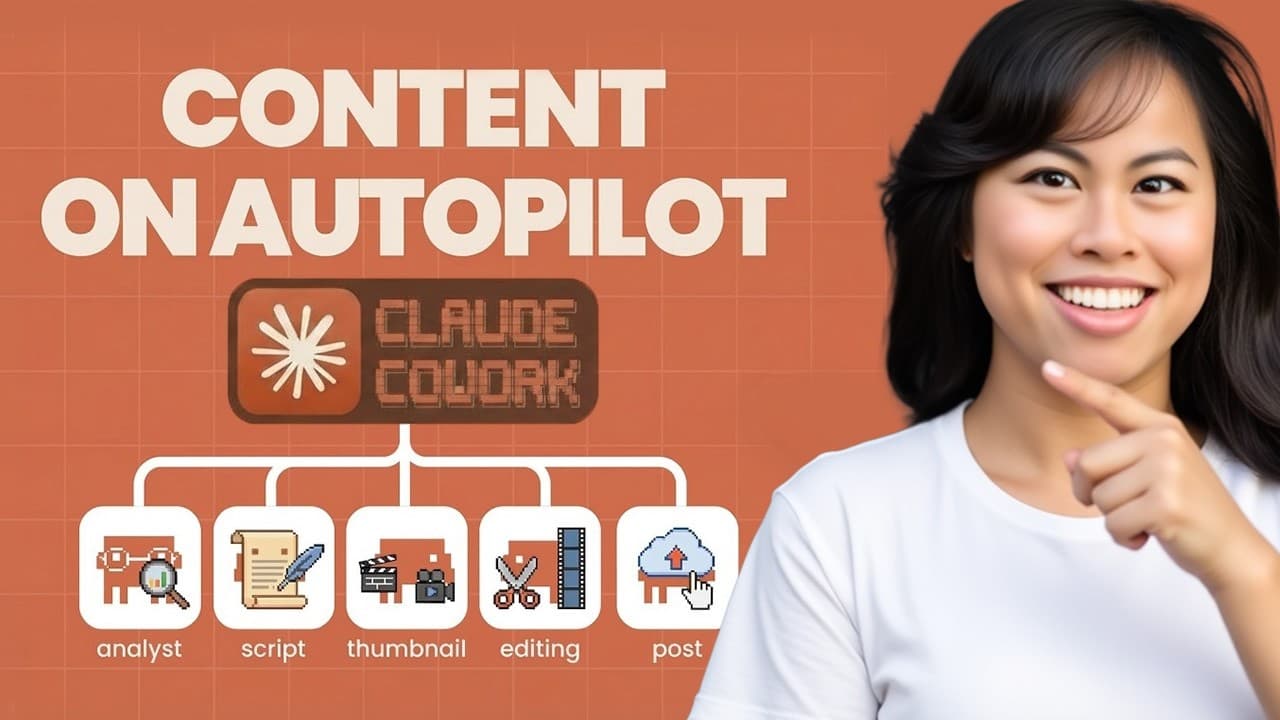
Connect Claude Cowork to Blotato, import five focused marketing skills, and use the resulting system to draft, grade, schedule, and cross-post social content. The workflow can analyze existing screenshots, photos, and videos, apply platform-specific quality checks, publish through connected accounts, and manage a content calendar without requiring a large marketing team.
Transcript
In this video, I'm going to show you how to use Claude Co-work as your AI marketing team without spending a lot of money, without hiring a big team yourself. And everything you see in this tutorial has been optimized for real results on social media. My name is Sabrina Ramenov. I get over 30 million organic monthly views on social media solo. And n... Read More
Key Insights
- Claude Cowork can operate as a compact marketing workflow by combining project files, reusable skills, and external connectors. The demonstrated system covers ideation, writing, evaluation, scheduling, and cross-posting, allowing one person to manage several stages of social publishing from a single conversational interface.
- Blotato connects Claude Cowork with social media accounts through a custom connector. The setup uses the remote URL provided in the tutorial, followed by a one-click authentication step, and the connection can be tested by asking Claude which social accounts are available.
- The recommended starter system contains five focused skills instead of a large repository of unfamiliar instructions. Content Coach, Brand Brief, Post Writer, Post Grader, and Post Scheduler divide the workflow into clear responsibilities while remaining discoverable through their descriptions or explicit slash commands.
- The Brand Brief is a one-time setup that records the business, offers, services, preferred speaking style, writing style, and commonly used captions. This reference gives later drafting tasks a consistent foundation and reduces the need to repeat core brand information with every content request.
- The Post Grader creates a feedback loop by scoring drafts against a virality rubric and checking defined writing rules. In the demonstration, it gives the first tweet a score of 6.3 out of 10, identifies three high-impact fixes, revises the draft, and then regrades it.
- Existing media can become source material when Claude Cowork receives access to a designated folder. The demonstration analyzes six social analytics screenshots from the Downloads folder, asks which angle to pursue, writes a tweet based on the evidence, and selects a supporting screenshot for publication.
- Cross-posting can include platform-specific content transformation rather than simple duplication. The described workflow can convert a TikTok video into a formatted text post for Substack or LinkedIn, allowing the same underlying idea or media asset to suit different publishing formats.
- Quality gates can vary by destination and content type. The creator describes maintaining different checklists for newsletters, TikTok videos, and LinkedIn posts, while the scheduling skill verifies that the applicable rules are satisfied before content is published to a connected platform.
Install to Summarize YouTube Videos and Get Transcripts
Explore YouTube Video Summarizer or Get YouTube Transcript Extractor
Questions & Answers
Q: How do you connect Claude Cowork to Blotato?
Create a Claude Cowork project, connect the desired social accounts inside Blotato, and generate an API key from Blotato's API settings. In Claude Cowork, open Customize, select Connectors, choose Add Custom Connector, name it Blotato, and enter the remote MCP URL shown in the tutorial. Complete the authentication step, then ask Claude which social accounts are connected to confirm that the integration works.
Q: What marketing skills should you add to Claude Cowork?
The tutorial recommends five focused skills: Content Coach, Brand Brief, Post Writer, Post Grader, and Post Scheduler. Content Coach coordinates brainstorming and drafting, Brand Brief captures business and voice information, Post Writer produces scripts and captions, Post Grader scores and critiques drafts, and Post Scheduler checks publishing requirements before scheduling content. Each skill is imported by copying its instructions into Claude Cowork's skill creator.
Q: How does the Content Coach skill help create social posts?
The Content Coach acts as an orchestrator for the broader creation process. A user can describe the desired content outcome, and the skill guides ideation, explores possible angles, and supports drafting. Its description is written so Claude Cowork can recognize when the skill is appropriate, which means the user does not always need to invoke it manually through a slash command.
Q: What information belongs in a Claude brand brief?
The Brand Brief records durable information about the creator or company, including the business, offers, services, preferred social speaking style, preferred writing style, and commonly used captions. It is presented as a one-time setup. Once established, it gives the other marketing skills a consistent source of brand context when they generate scripts, captions, or other social content.
Q: How can Claude turn screenshots into a social media post?
Give Claude Cowork access to a folder containing the relevant screenshots, then ask it to analyze those files and write a post. In the demonstration, Claude finds six social analytics screenshots in the Downloads folder, reads their contents, and asks the user to choose an angle for the tweet. It then drafts copy based on the analytics and associates the post with a supporting screenshot.
Q: How does the Post Grader improve a draft?
The Post Grader evaluates a draft with a defined virality rubric and audits it against the creator's writing rules. The demonstrated rules include avoiding em dashes, writing numbers as digits, and removing filler words. It scores the initial tweet at 6.3 out of 10, identifies the three fixes expected to have the greatest impact, revises the post, and provides a new grade.
Q: How do you publish and cross-post content from Claude Cowork?
After approving a graded draft, instruct Claude Cowork to schedule or publish it through the connected Blotato account and specify the platform and media attachment. The demonstration publishes a tweet with a selected analytics screenshot, then requests cross-posting to Facebook and LinkedIn. The creator also notes that schedules and reusable cross-posting skills can automate repeated distribution across several platforms.
Q: Can Claude adapt one piece of content for different platforms?
Claude can transform the source material instead of sending an identical post everywhere. The creator describes a cross-posting skill that distributes content to seven platforms and changes the format when appropriate. A TikTok video, for example, can become a formatted text post for Substack and a separately formatted text post for LinkedIn before each version is published.
Summary & Key Takeaways
-
The setup begins with a new Claude Cowork project and a Blotato account connected to the required social profiles. After generating an API key, the user adds Blotato as a custom connector using its remote MCP URL, completes authentication, and asks Claude to list the connected accounts as a functional check.
-
Five marketing skills form the content system: Content Coach guides ideation and drafting, Brand Brief records the business and voice, Post Writer creates scripts and captions, Post Grader evaluates quality and virality, and Post Scheduler applies a final quality gate before publishing content to selected social platforms through the connected Blotato account.
-
The demonstrated workflow gives Claude access to a folder of analytics screenshots, asks it to identify useful evidence, and generates a tweet from those files. The Post Grader scores the initial draft, audits formatting rules, recommends three high-impact improvements, revises the copy, and regrades it before publication and cross-posting.
Read in Other Languages (beta)
Share This Summary 📚
Summarize YouTube Videos and Get Video Transcripts with 1-Click
Try YouTube Summary with ChatGPT & Claude or YouTube Transcript Generator
Explore More Summaries from Sabrina Ramonov 🍄 📚





Summarize YouTube Videos and Get Video Transcripts with 1-Click
Try YouTube Summary with ChatGPT & Claude or YouTube Transcript Generator