How to Automate Local Lead Generation with AI
TL;DR
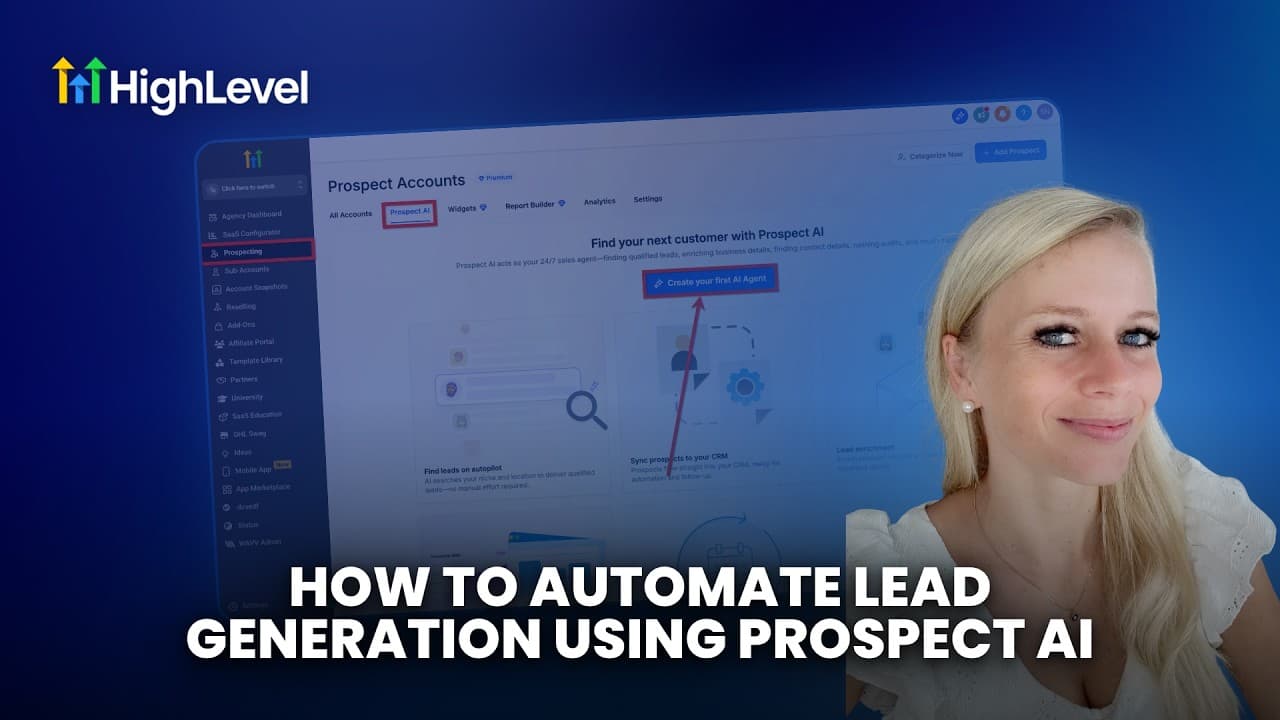
Prospect AI can automatically find, enrich, and audit local business leads, then email the results to agency admins on a weekly or monthly schedule. Configure an agent by choosing up to three niches, a target location, lead volume, hunting strength, filters, audit types, and contact requirements, then generate marketing reports and contact selected prospects through email, SMS, WhatsApp, or another outreach channel.
Transcript
Imagine highly qualified leads arriving in your email inbox every single week. With Prospect AI, you can do exactly that. You can automate the search within your local area or even outside that local area depending on the criteria you enter into the search tool. You can look up different things like their tech stack. You can look up if they have a ... Read More
Key Insights
- Prospect AI is an automated prospecting tool that searches for businesses based on criteria such as niche, location, postcode, technology stack, website presence, Google My Business performance, online reputation, listings, and SEO, then delivers matching leads to agency admins by email.
- Contextual free leads are available to qualifying new GoHighLevel agencies that have been on the platform for 15–30 days without generating leads. Prospecting AI uses the agency's niche, location, and postcode to select these businesses, and the dashboard may display three leads.
- A Prospect AI agent is configured with a name, specialty, target niches, and geographic location. The agent can search across as many as three niches, while its location settings include a city, area, postcode, and selectable search radius.
- The lead generation schedule can run every week or every month, with the user selecting a specific execution day. A Sunday run can prepare the lead list before reports are generated and businesses are contacted on Monday morning.
- Focused hunting is designed to prioritize lead quality even when that produces fewer prospects, while wider hunting maximizes lead volume across a broader pool with a lower expected conversion rate. Custom hunting lets users choose their own balance between those approaches.
- Business filters are used to narrow results according to visible marketing weaknesses or performance characteristics. Available examples include showing only businesses without a website, selecting businesses with a Google My Business rating below three, and applying a Google traffic conversion criterion above 80.
- Audit preferences determine which marketing checks the agent performs for each prospect. Options cover business information, technology stack, Google My Business gaps, directory listings, online reputation, website speed, mobile readiness, conversion friendliness, and visibility in search results.
- Lead enrichment is the process of automatically finding contacts associated with each prospect. Users choose how many points of contact the agent should locate, then create the agent and receive recurring lead reports that support marketing report generation and direct outreach.
Install to Summarize YouTube Videos and Get Transcripts
Explore YouTube Video Summarizer or Get YouTube Transcript Extractor
Questions & Answers
Q: How do you automate lead generation with Prospect AI?
Log in to the agency account, open Prospecting, select Prospect AI, and create an agent. Enter its name and specialty, choose up to three niches, define the target city, area, and postcode, then allocate leads and select a weekly or monthly schedule. Complete the setup by choosing hunting strength, radius, business filters, audit preferences, and the number of contacts to find.
Q: How does Prospect AI choose leads for a new agency?
Prospect AI uses contextual information from the agency, specifically its niche, location, and postcode, to identify relevant businesses. A new GoHighLevel agency that has been on the platform for 15–30 days and has not generated leads may see three leads on the Prospecting dashboard. Each eligible business can also receive a marketing audit report for prospect outreach.
Q: What is the difference between focused and wider hunting?
Focused hunting prioritizes the quality of prospects, even when stricter selection results in fewer total leads. The goal is to provide leads described as more likely to convert. Wider hunting takes the opposite approach by searching a broader pool and maximizing total lead volume, but the expected conversion rate is lower. Custom hunting provides a user-defined balance between focus and reach.
Q: How should a Prospect AI lead schedule be configured?
The agent can be scheduled to run every week or every month, and the user selects the day on which prospecting occurs. The tutorial recommends weekly generation to maintain a steady supply of businesses for outreach. One suggested workflow is to run the agent on Sunday, receive the leads by email, generate reports, and contact the selected businesses on Monday morning.
Q: What business filters can Prospect AI use?
Prospect AI can filter businesses using geographic and marketing criteria. The geographic radius can be set to 5, 10, 15, or 25 miles, or expanded to the entire city. Feature filters can target businesses without a website, businesses with a Google My Business rating below three, or businesses meeting a stated Google traffic conversion criterion above 80.
Q: What audits can a Prospect AI agent perform?
The available audits cover several parts of a business's online presence. The agent can check whether business information is complete, identify technologies that support or limit marketing, find Google My Business gaps, detect missing or inaccurate directory listings, review online reputation, evaluate website speed and mobile readiness, assess conversion friendliness, and analyze visibility when people search.
Q: How does lead enrichment work in Prospect AI?
Lead enrichment instructs the agent to look automatically for contacts connected with each prospect. During setup, the user chooses how many points of contact the agent should find. This contact information accompanies the prospecting and audit workflow, giving the agency people it can approach after reviewing a business and deciding whether to generate and send a marketing report.
Q: What should you do after Prospect AI finds leads?
Review the generated prospects and create a marketing audit report for any business worth pursuing. The report can then support a sales conversation by showing relevant gaps in the business's marketing presence. Contact the prospect through a preferred outreach channel, or use HighLevel to send and track email, SMS, or WhatsApp messages. Only agency admins receive the emailed lead list.
Summary & Key Takeaways
-
Prospect AI searches for businesses according to an agency's niche, location, postcode, and selected criteria. New GoHighLevel agencies that have used the platform for 15–30 days without generating leads may receive three contextual leads on the Prospecting dashboard, and each eligible lead can receive a generated marketing audit report.
-
Creating an automated agent requires an agent name, specialty, up to three target niches, a location, a lead allocation, and a weekly or monthly schedule. Users can select a run day, choose focused, wider, or custom hunting, define a geographic radius, and filter businesses by characteristics such as website presence or Google My Business rating.
-
The agent can audit business details, technology, Google My Business gaps, directory listings, online reputation, website performance, and SEO. Lead enrichment searches for a chosen number of contacts. After reviewing prospects, users can generate marketing reports, conduct outreach through preferred channels, and track email, SMS, or WhatsApp communication inside HighLevel.
Read in Other Languages (beta)
Share This Summary 📚
Summarize YouTube Videos and Get Video Transcripts with 1-Click
Try YouTube Summary with ChatGPT & Claude or YouTube Transcript Generator
Explore More Summaries from HighLevel 📚




Summarize YouTube Videos and Get Video Transcripts with 1-Click
Try YouTube Summary with ChatGPT & Claude or YouTube Transcript Generator