What Is ChatGPT Canvas? OpenAI's New Editing Interface
TL;DR
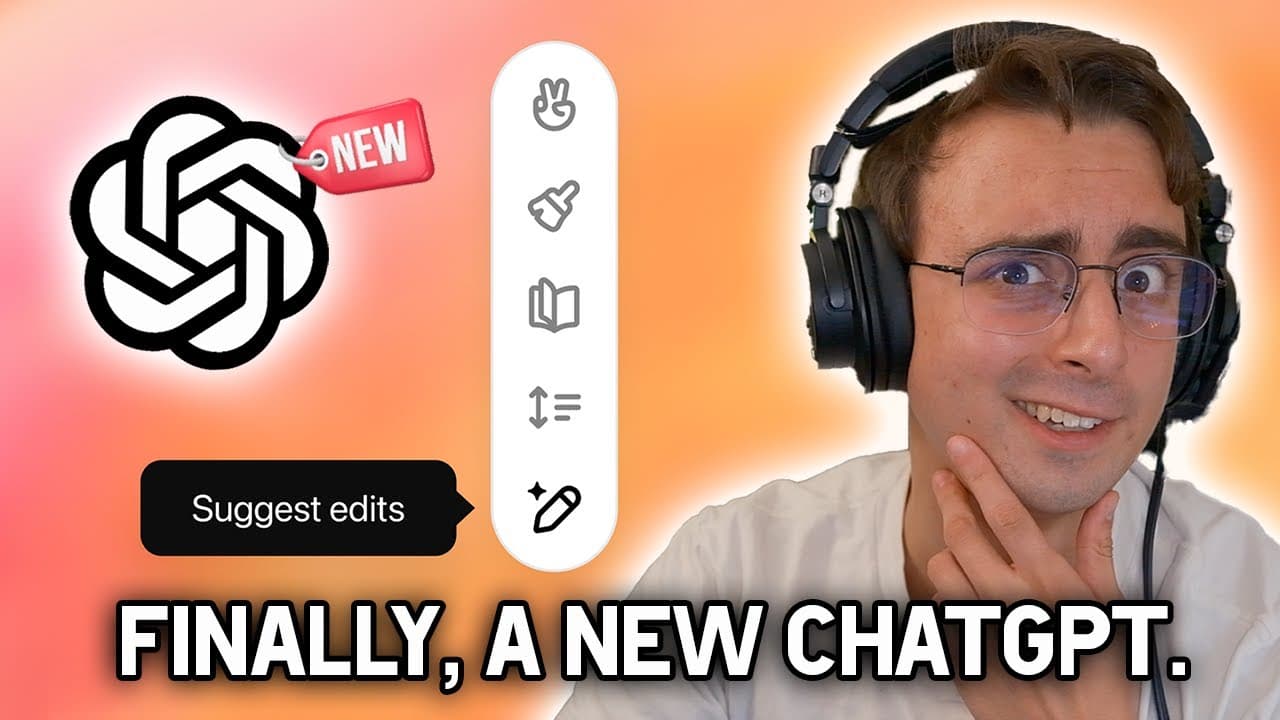
ChatGPT Canvas is OpenAI’s editing interface for collaborating with ChatGPT on writing and coding projects in a separate side window. Built with GPT-4o, it lets you highlight a specific section for focused revisions, edit content directly, restore previous versions, and use shortcuts for tasks such as changing text length or debugging code. Read on to see how its editing workflow, shortcuts, model support, and access differ from standard ChatGPT.
Transcript
open AI actually updated the chat GPT interface now this is their first major overhaul since chat GPT was originally released and honestly it's about time now don't get me wrong the old chat GPT interface is nice it's clean it's easy to interact with we've got our prompt bar at the bottom we can upload files we can send our messages off but interac... Read More
Key Insights
- Canvas is OpenAI's first major ChatGPT interface overhaul since the product's original release, opening a separate side window so users and ChatGPT can collaborate on writing and coding projects more seamlessly than the old chat-only layout.
- The biggest improvement is section-level editing: users can highlight a specific paragraph or code snippet and have ChatGPT regenerate only that part, instead of reprompting and regenerating the entire response as the old interface required.
- Canvas runs on GPT-4o (GPT-4 Omni), not the new o1 models, which the creator finds disappointing because o1 is described as the best model for coding by a long shot.
- Users can directly edit the text inside Canvas themselves, eliminating the old workaround of copying output into a separate document, editing it, and resending it back to ChatGPT.
- A version-saving feature lets users restore previous drafts of their work using a back button, preserving earlier iterations during revisions.
- Writing shortcuts include suggesting edits, adjusting length, changing reading level from kindergarten to graduate school, adding final polish for grammar and clarity, and adding emojis.
- Coding shortcuts include reviewing code, adding logs and print statements for debugging, adding comments, fixing bugs, and porting code to different languages, aiming to make iterative coding easier to track.
- Access rolls out to ChatGPT Plus, Team, and Enterprise users during the beta, with free users expected to get Canvas once it leaves beta; it is manually selected as 'ChatGPT 4o with canvas' in the model picker.
Install to Summarize YouTube Videos and Get Transcripts
Explore YouTube Video Summarizer or Get YouTube Transcript Extractor
Questions & Answers
Q: What is ChatGPT Canvas?
ChatGPT Canvas is a separate editing interface for collaborating with ChatGPT on writing and coding projects. It combines a chat for the project’s macro overview with a document view for working on individual content, making revisions and deeper project work easier than in the basic chat interface.
Q: How does ChatGPT Canvas edit only part of a response?
You can highlight a specific paragraph or code section to show ChatGPT exactly where to focus. Canvas can then provide inline feedback, suggestions, or revisions for that selection while considering the context of the overall project, instead of regenerating the entire response.
Q: Can users directly edit content in ChatGPT Canvas?
Yes, users can edit text directly inside Canvas. This removes the old need to copy ChatGPT’s output into a separate document, make changes there, and send it back.
Q: Which model does ChatGPT Canvas use?
Canvas was built with GPT-4o, also called GPT-4 Omni. During the beta, it is manually selected as “ChatGPT 4o with canvas” in the model selection tool, and the transcript says it was not coming to the new o1 models yet.
Q: What writing shortcuts are available in ChatGPT Canvas?
Canvas provides shortcuts for writing tasks such as adjusting length and offering suggestions based on selected content. The existing page details additional options for changing the reading level from kindergarten to graduate school, polishing grammar and clarity, and adding emojis.
Q: What coding tools does ChatGPT Canvas provide?
Canvas includes shortcuts for reviewing code, adding logs and comments, fixing bugs, and porting code to different languages. Its debugging tools can add print statements, while section highlighting lets users request changes to a specific code snippet.
Q: Can ChatGPT Canvas restore an earlier version of a project?
Yes, Canvas includes a saving feature for returning to previous versions of your work. Earlier iterations can be restored by using the back button.
Q: Who gets access to ChatGPT Canvas?
During the beta rollout described in the transcript, ChatGPT Plus, Team, and Enterprise users receive access. The transcript says Canvas should become available to free users after it leaves beta.
Summary & Key Takeaways
-
OpenAI released Canvas, its first major ChatGPT interface overhaul since launch. The old chat-only layout forced users to reprompt and regenerate entire responses just to change one paragraph. Canvas opens a separate side window where users and ChatGPT collaborate on writing and coding projects, giving a macro chat view plus a micro document view.
-
Canvas's standout feature is highlighting specific sections to tell ChatGPT exactly what to focus on, like a copy editor or code reviewer, so it regenerates only the highlighted snippet. Users can also directly edit text themselves, restore previous versions with a back button, and let Canvas auto-open when ChatGPT detects it would help.
-
Writing shortcuts cover suggesting edits, adjusting length, changing reading level from kindergarten to graduate school, adding polish, and emojis. Coding shortcuts include reviewing code, adding logs and comments, fixing bugs, and porting languages. Built on GPT-4o, Canvas rolls out to Plus, Team, and Enterprise users, reaching free users after beta.
Read in Other Languages (beta)
Share This Summary 📚
Summarize YouTube Videos and Get Video Transcripts with 1-Click
Try YouTube Summary with ChatGPT & Claude or YouTube Transcript Generator
Explore More Summaries from MattVidPro 📚
Summarize YouTube Videos and Get Video Transcripts with 1-Click
Try YouTube Summary with ChatGPT & Claude or YouTube Transcript Generator